When you click on links to various merchants on this site and make a purchase, this can result in this site earning a commission. Affiliate programs and affiliations include, but are not limited to, the eBay Partner Network.
6 months ago I cleaned my sensor by filling it with some strong degreaser from work & I let it soak about 10 min. The ebp reading dropped to normal (15 psi I think) KOEO. Last week I checked it again and it's reading high. I suppose you can only clean it so many times before you have to replace just it.
Yeah, It sucks, nothing lasts forever, especially a 14 year old part.....What I can't stomach is what about these little sensors justifies a 85.00 - 150.00$ price tag? When an Oil Sensor only runs 25.00? I know, I know. Supply and demand.
Just received my new version of AE w/Ford bundle with USB from RiffRaff and here is some info you may find helpful.
1. It comes with Proline hardware that has the dongle built in for the USB version. This means only the single usb-ODBII device.
2. It ships with Giotto 13.0.1, it sucks!
3. After installing 13.0.1 and finding the problems, crashes on recording playback, disconnects/hangs when switching systems, etc, I emailed AE and got a link for an updated version.
4. Version 13.1.0 is supposed to fix some things. I have only checked that I can play my 13.0.1 recorded file. About to try out the new version on the Ex. (see later in this post for details)
5. Version 13.0.1 reported some GEM errors when trying to turn of belt dinger, speed warning, etc. Not sure about 13.1.0 yet.
6. Version 13.1.0 has a new layout by default
7. Neither version has option to SAVE vehicle info. It seems like it stores your last used, but not like my earlier version or the one referenced early in this thread for multiple vehicles.
8. "Check VIN" stalls the Ex.
9. Still cannot change value(s) in GEM module with the update. Maybe it isn't supported?
***Anything else you want me to check?***
From AE: (I don't believe this violates any terms of use to post)
Giotto Version 13.1.0
---------------------
General
• Added a warning message if the ProLine VCI hardware was connected to the computer after the software was started. The warning will relaunch the application once the hardware is connected
• Added SAAB and Generic OBDII to the list of makes
• Fixed Change Vehicle System (F7) not working in all cases
• Fixed Tab Control toolbar crashing software during software launch if it was previously turned during the software closing
• Fixed default layout of tabs and toolbars not being implemented on first installation
• Fixed file playback on second chart not using the correct scaling for third and fourth plots
• Fixed crashing during file playback
• Fixed IE11 not displaying IM Results reports
• Fixed Technical Support graphic and make logos not displaying correctly with high-DPI devices
• Fixed Generic OBDII missing descriptions for diagnostic trouble codes P007A - P007F
<snip>
Ford-family
• Added Ford Powerstroke 6.7l '11 - '14 Service Functions (SCR and DPF)
• Fixed Ford Powerstroke 6.7l '11 - '14 Fuel Rail Pressure - A and Fuel Rail Pressure - Commanded reading incorrectly
• Fixed Ford Powerstroke 6.7l '11 - '14 Exhaust Gas Temperature B1S3 - Volts not showing in the list
• Fixed Ford Powerstroke 7.3l '95 - '04 MAT - V, MAT, MAP - Hz missing in the sensor list
• Fixed Ford Powerstroke 7.3l '95 - '04 ABS Wheel Speed Sensors missing in the sensor list
There are many other vehicles listed and other versions, but I clipped the relevant info for us here.</snip>
Last edited by ExPACamper; Mar 27, 2015 at 06:02 PM.
Reason: Add info
Yeah my 13.0.1 was full of bugs but a few things I do know.... You can't change change anything in the Gem, most of them are safety related....Liability... only Read it. Can't Save your setups, they are working on that, Almost looks like they get a brain fart and forget to renew some of the stuff they already had running. and crashes your playbacks. That's why they went fast to V13.1.0. And it has never done VIN checks or Info...Our Trucks are Non OBDII compliant...
Thanks, Coax. My older serial version I used on Chrysler and Toyota with enhanced versions. (Toyota enh was a waste of money- locked systems, couldn't change much)
See that's the thing I noticed, I have Ford, Audi, & Honda, (Ihave a large family) I got buckets of info on the Cars, BECAUSE they were OBD compliant and they are required to report that info....but the Manufacturers still have the Right? or incentive to not report certain things. That's why You almost HAVE to get yourself a copy of the Power/Emissions diag Manual for your year just to be able to decode what you were seeing. Fortunately alot of us bought them so it's a safe bet you'll find an answer to your question here. And I just happen to have the 2002 Copy! (It's 6" thick....)
If you go into the data logging settings and uncheck the "time" box in the data logging fields you will only get a single time column in your csv file. Much less annoying than having a time column after each PID - much easier to graph as well. I was able to playback the csv file on AE as well, so this should not be an issue.
Great find, Rich. After looking at the data when recorded this way, there is no way to know what the 0-60 or 0-80 times are at WOT. I can't know how long a Stinky Spike lasts, or how long it takes for the truck to warm up.
AE does this annoying thing where it time stamps each and every sensor reading. I just want it to time stamp once per full sensor sweep.
I am planning to do some AE runs today. I'll have the girls to hold and run the computer as needed.
Any preferences or requests?
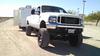
FYI. My "stock" setup includes a Cat delete pipe and K&N square filter in stock housing. Peaked at 17.2 psi boost in TorquePro. Possible fuel issues. Occasional no-start, fuel related.
I am planning to do some AE runs today. I'll have the girls to hold and run the computer as needed.
Any preferences or requests?
FYI. My "stock" setup includes a Cat delete pipe and K&N square filter in stock housing. Peaked at 17.2 psi boost in TorquePro. Possible fuel issues. Occasional no-start, fuel related.
The first couple of times data logging can be frustrating. When you hit record it doen't start recording until you select or give it a file name. Don't forget the folder/file location. Then if you stop recording & hit recording again it will overwrite the initial file. You'll get the hang of it after a few runs.........
I would data log ICP, ICP Duty Cycle, FIPW, speed, MAP, Baro, EBP.
Also, take note of the initial Baro, MAP & EBP readings with KOEO (key on engine off)
This Hennessey Takes the Expedition Tremor's Off-Roading Capability to the Next Level
Slideshow: The VelociRaptor Expedition gains a lift, upgraded suspension, Brembo brakes, and trail-ready equipment while retaining the stock 440-horsepower EcoBoost V6.
Rezvani's Latest Post-Apocalyptic Monster Is a Ford F-150 Raptor Underneath
Slideshow: Called the Fortress, the 850-horsepower pickup combines Raptor underpinnings with military-inspired features, survival equipment, and a starting price of $285,000.