ATOTO Android Head Unit Project...

Thread Starter
|
FTE Leadership Emeritus


Joined: May 2014
Posts: 27,355
Likes: 5,951
From: Lake Hartwell, GA

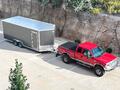
Alright, I give up. I have 2 cameras on my 5th wheel, rca for them are plugged in to the A6. Can't get the one for the rear camera spot to come on I tied the pink backup camera wire to accessory power and then I just get an exclamation mark on the A6 when it powers up. Do I need to go with a toggle for the darn thing? I want my rear facing trailer camera on all the time whenever I want, without shifting into reverse on the hwy...
Without looking at the wiring color code, I do believe pink is the accessory in wire you want to tap into. Us the ground connection good for the camera power?

Logistics Pro


Joined: May 2017
Posts: 4,667
Likes: 1,455
From: Muskogee, Ok
Yeah I've got the PS 5er camera to come on with the front facing camera app button, but can't get the rear camera to come on with the red RCA looking app button. It just stays on what looks like a no signal/loading page. Cameras will swap working vs not when I go to the 7way plug and swap the RCAs around.
But if I have the pink wire tied in it just has an exclamation mark whenever I turn on the A6, and won't respond to any button pushing, so that won't work when I'm not hooked to 5er cameras so not able to hard wire the pink today. I'll have to do some research while I'm nodding off tonight
But if I have the pink wire tied in it just has an exclamation mark whenever I turn on the A6, and won't respond to any button pushing, so that won't work when I'm not hooked to 5er cameras so not able to hard wire the pink today. I'll have to do some research while I'm nodding off tonight
Logistics Pro
Joined: May 2017
Posts: 4,667
Likes: 1,455
From: Muskogee, Ok
I have the cameras' power tied into the nearest running lights on 5th wheel, ground is the closest stretch of trailer frame I could get a grounding screw on. The cameras come on with the system's separate display, but then I loose valuable dash space which was a massive selling point of going A6
Thread Starter
|
FTE Leadership Emeritus
Joined: May 2014
Posts: 27,355
Likes: 5,951
From: Lake Hartwell, GA
Wesley, I am not fully understanding what you are trying to say.
Are you saying that with the 5th wheel camera attached via the 7 way plug, it works as intended?
Are you saying that when you have the 5th wheel and back up camera attached, the A6 screen presents an ! Instead of booting up?
If so, the draw from both cameras may be too much for the small accessory on 12v wire. If that is the case, you will need to pull 12v accessory on power from another source for at least one of the cameras. There is one under the dash near the customer access wires.
I would test this first by either tapping into the red constant 12v wire since it is a larger gauge. Or, set a 12v battery in the passenger seat and wire the cameras to that.
If that is the case, you could also run a DPDT switch for selecting the backup camera or 5th wheel camera.
Bottom line is you need to see what is happening before moving on with a fix action.
Are you saying that with the 5th wheel camera attached via the 7 way plug, it works as intended?
Are you saying that when you have the 5th wheel and back up camera attached, the A6 screen presents an ! Instead of booting up?
If so, the draw from both cameras may be too much for the small accessory on 12v wire. If that is the case, you will need to pull 12v accessory on power from another source for at least one of the cameras. There is one under the dash near the customer access wires.
I would test this first by either tapping into the red constant 12v wire since it is a larger gauge. Or, set a 12v battery in the passenger seat and wire the cameras to that.
If that is the case, you could also run a DPDT switch for selecting the backup camera or 5th wheel camera.
Bottom line is you need to see what is happening before moving on with a fix action.
Logistics Pro
Joined: May 2017
Posts: 4,667
Likes: 1,455
From: Muskogee, Ok
Yep.
I have my trailer camera RCA plugs ran with/next to my 7way plugs so it all hooks up at the same place at the same time. Then to turn on camera power I just turn on the running/clearance lights on trailer which I always tow with them on anyways
I have my trailer camera RCA plugs ran with/next to my 7way plugs so it all hooks up at the same place at the same time. Then to turn on camera power I just turn on the running/clearance lights on trailer which I always tow with them on anyways
Thread Starter
|
FTE Leadership Emeritus
Joined: May 2014
Posts: 27,355
Likes: 5,951
From: Lake Hartwell, GA
When this camera's RCA is plugged in is when you get the "!" ?
Send me a text or call when you are available to look into this further. I am not an expert, but might be able to help.
Thread Starter
|
FTE Leadership Emeritus
Joined: May 2014
Posts: 27,355
Likes: 5,951
From: Lake Hartwell, GA
I was wrong about the color code. Red is 12v switched and yellow is 12v constant.
Texting with Wesley now to try and sort this out.
Texting with Wesley now to try and sort this out.
FTE Stories
Ford Trucks for Ford Truck Enthusiasts

Top 6 Best Deals Available on New Fords & Lincolns Right Now
Brett Foote
This Hennessey Takes the Expedition Tremor's Off-Roading Capability to the Next Level
Verdad Gallardo
Top 10 Fords at 2026 Carlisle Ford Nationals
Joe Kucinski
3 Best / 3 Worst Parts of Modern Ford Ownership
Brett Foote
10 Amazing Upgrades That Solve Common Ford Truck Owner Headaches
Pouria Savadkouei
Every 2026 Ford Engine Explained
Brett Foote
10 Ugly Ford Trucks That We Still Kinda Love
Joe Kucinski
10 Things Every Truck Owner NEEDS (2026 Edition)
Michael S. Palmer
Rezvani's Latest Post-Apocalyptic Monster Is a Ford F-150 Raptor Underneath
Verdad Gallardo
Thread Starter
|
FTE Leadership Emeritus
Joined: May 2014
Posts: 27,355
Likes: 5,951
From: Lake Hartwell, GA
I believe we have it figured out...
Pink - Reverse trigger
Yellow - 12v constant
Red - 12v accessory
The other day I mistakenly told Wesley I used the pink wire for a camera power source, but I was wrong. I used the red wire...
Now we need to figure out which app correlates to which RCA video input.
Pink - Reverse trigger
Yellow - 12v constant
Red - 12v accessory
The other day I mistakenly told Wesley I used the pink wire for a camera power source, but I was wrong. I used the red wire...
Now we need to figure out which app correlates to which RCA video input.

Laughing Gas
Joined: Apr 2006
Posts: 1,121
Likes: 267
From: Middle Georgia
Been a few days since I read through this and at the time I wasn't thinking about how I was going to run Forscan. I knew I'd eventually be getting something like an Atoto headunit, but not quite ready for that yet and my other reading has convinced me to not wait for that. In the interim I'm probably going to set it up on a laptop or small tablet.
About the OBDII adapters... IIRC early on you were planning to run a bluetooth adapter because you didn't know if USB would work with the android head unit. Seems like later on you ended up with an OBDLink SX which I see on their site is a USB unit. So can I assume that USB version does work with Android? If so I'll probably get the OBDLink EX.
About the OBDII adapters... IIRC early on you were planning to run a bluetooth adapter because you didn't know if USB would work with the android head unit. Seems like later on you ended up with an OBDLink SX which I see on their site is a USB unit. So can I assume that USB version does work with Android? If so I'll probably get the OBDLink EX.
Thread Starter
|
FTE Leadership Emeritus
Joined: May 2014
Posts: 27,355
Likes: 5,951
From: Lake Hartwell, GA
Been a few days since I read through this and at the time I wasn't thinking about how I was going to run Forscan. I knew I'd eventually be getting something like an Atoto headunit, but not quite ready for that yet and my other reading has convinced me to not wait for that. In the interim I'm probably going to set it up on a laptop or small tablet.
About the OBDII adapters... IIRC early on you were planning to run a bluetooth adapter because you didn't know if USB would work with the android head unit. Seems like later on you ended up with an OBDLink SX which I see on their site is a USB unit. So can I assume that USB version does work with Android? If so I'll probably get the OBDLink EX.
About the OBDII adapters... IIRC early on you were planning to run a bluetooth adapter because you didn't know if USB would work with the android head unit. Seems like later on you ended up with an OBDLink SX which I see on their site is a USB unit. So can I assume that USB version does work with Android? If so I'll probably get the OBDLink EX.
Up until that point, I was not aware that the Android OS could communicate with the PCM through FSL utilizing USB hardware. I thought USB was for PC only and I was mistaken. So, due to the generosity of an FTE'r, I now use FSL through a USB adapter which is rock solid, fast and reliable regarding connectivity.
All of that saud, I "might" have selected another Android head unit if I only needed one BT receiver. Probably not, but the possibility is there. Although, I bought the ATOTO A6 Pro during a sale by waiting and striking at the right moment.
SSJ recently purchased the EX and it works just as the SX. Although, I would highly recommend a 90 degree adapter cable for the OBDII port for two reasons. The adapter will keep the EX from being bumped by your knee and also from being in the direct line of fire from the heater vent.
I installed a 90 degree adapter that is about 12" long based on the advice from BWST and the SX is free and clear tucked under the dash.
My favorite feature is live Google Maps with the My Maps overlay. I have used live Google Maps to travel to cross the country and go to the beach from our home in GA so far. Great resource to have and FSL is probably my second favorite feature.
Laughing Gas
Joined: Apr 2006
Posts: 1,121
Likes: 267
From: Middle Georgia
Atoto was actually on my short list before I ever even thought about using it for this on the F-250. I was planning to upgrade headunits in both the Kia and the Ranger. In both cases primary reasons were that I wanted to add or upgrade Bluetooth integration, add backup camera, and add navigation. Atoto, Pumpkin, and IIRC one other had made it into my short list of brands based in reviews, but still hadn't/haven't settled on an exact unit.
Long term I will have an Android head unit and may end up using either Bluetooth or USB to connect it to OBD. Short term I will probably be using a laptop. For the short term I like the hardwired USB solution for simplicity and using in other vehicle. The latter will still be useful even after I have the android head unit.
My plan as of right now, if I can find the parts, will be to use a splitter on original OBD port, attach one end of splitter to OBD adapter, other end of splitter will be mounted in stock port location. Stock port will be tucked under dash with adapter while still having a usable "normal" port under dash for other scanners and devices.
Long term I will have an Android head unit and may end up using either Bluetooth or USB to connect it to OBD. Short term I will probably be using a laptop. For the short term I like the hardwired USB solution for simplicity and using in other vehicle. The latter will still be useful even after I have the android head unit.
My plan as of right now, if I can find the parts, will be to use a splitter on original OBD port, attach one end of splitter to OBD adapter, other end of splitter will be mounted in stock port location. Stock port will be tucked under dash with adapter while still having a usable "normal" port under dash for other scanners and devices.
Hotshot
Joined: Jul 2008
Posts: 12,782
Likes: 2,142
From: N.GA Mountains
I will be unbolting the OBD2 port and relocating it so it doesn’t point the EX usb cable out into a vulnerable position. I’d prefer not to have the extra expense and hardware associated with the 90* adapter thingy.
As far as USB vs BT, the BT allowed me to use my ATOTO head unit to scan and monitor another vehicle parked near my truck. I just unplugged my BAFX OBD2 BT dongle from my truck and stuck it in another car/truck. I bought my BAFX unit for $10 shipped ‘used’ and have bought a few for under $20 for other people.
That said, I ended up having trouble getting my ATOTO and FSL to recognize the BAFX dongle. I even had an IT professional come by and try to make it work and he suggested I just go hard wired. I think the problem is a conflict with other programs in the head unit and if I ever get around to purging the rest of the crap I’ll never use from the ATOTO, the BT dongle should work - but frankly, I’d rather get a root canal than do that. I love the custom background Sous has, but I literally don’t have the time and patience to figure that out right now.
As far as USB vs BT, the BT allowed me to use my ATOTO head unit to scan and monitor another vehicle parked near my truck. I just unplugged my BAFX OBD2 BT dongle from my truck and stuck it in another car/truck. I bought my BAFX unit for $10 shipped ‘used’ and have bought a few for under $20 for other people.
That said, I ended up having trouble getting my ATOTO and FSL to recognize the BAFX dongle. I even had an IT professional come by and try to make it work and he suggested I just go hard wired. I think the problem is a conflict with other programs in the head unit and if I ever get around to purging the rest of the crap I’ll never use from the ATOTO, the BT dongle should work - but frankly, I’d rather get a root canal than do that. I love the custom background Sous has, but I literally don’t have the time and patience to figure that out right now.
Hotshot
Joined: Jul 2008
Posts: 12,782
Likes: 2,142
From: N.GA Mountains
Meanwhile, I still very much love the A6 Pro. I typically have FSL, Google maps and ‘BT music’ (playing pandora off my phone) running and toggle between those screens as my desires change.