


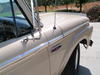


rare options.
Lead Gopher


Joined: Aug 2012
Posts: 10,071
Likes: 1,626
From: Seattle

There was a build sheet decoder booklet for 1959-1966 on eBay a while back and I tried to win it but got outbid. Only one I've ever seen. CS65 had not seen another one before, either. Not sure what all it contained but would have been cool to find out. I can help with a build sheet decode but only the obvious stuff really. Codes for tires and springs I have no clue what they each mean.
Cargo Master


Joined: Oct 2011
Posts: 2,219
Likes: 649
Most is from old factory literature and old period magazines. There is not one book on the subject of Ford Trucks ever published, that I'm aware of, which mentions the rare bucket seat option or rare camper special option for the '64 year model trucks. '64 Camper Special emblem also used on early production '65 Camper Specials.
Lead Gopher
Joined: Aug 2012
Posts: 10,071
Likes: 1,626
From: Seattle
Looks like 1964 grill, right? Not 1963? VIN would tell that story. If it is a Camper Special it might be interesting.
http://www.ebay.com/itm/Ford-F-100-CAMPER-SPECIAL-California-Patina-2-Owner-1964-1965-1966-Ford-F100-Project-Truck-CAMPER-/291196909813?forcerrptr=true&hash=item43ccb038f5&item=291196909813&pt=US_Cars_Trucks
http://www.ebay.com/itm/Ford-F-100-CAMPER-SPECIAL-California-Patina-2-Owner-1964-1965-1966-Ford-F100-Project-Truck-CAMPER-/291196909813?forcerrptr=true&hash=item43ccb038f5&item=291196909813&pt=US_Cars_Trucks
Cargo Master
Joined: Oct 2011
Posts: 2,219
Likes: 649
It is a '64: 8' styleside bed, 128" wheelbase, higher cab roof line. There is absolutely no rhyme or reason to the sellers claim of this truck as being a Camper Special. To most, just having big mirrors qualify a truck as being a Camper Special.
Lead Gopher
Joined: Aug 2012
Posts: 10,071
Likes: 1,626
From: Seattle
My dream truck would be a 1966 F100 4x4 115" wheelbase
352 or 300
NP435
Custom Cab
Ranger Package
Looks like it could have been ordered. No optional console available due to transfer case shift lever.

If you have one or know of one for sale let me know. Even one without Ranger package would be OK with me.
352 or 300
NP435
Custom Cab
Ranger Package
Looks like it could have been ordered. No optional console available due to transfer case shift lever.

If you have one or know of one for sale let me know. Even one without Ranger package would be OK with me.
Post Fiend
Joined: Dec 2013
Posts: 5,967
Likes: 2
From: Philly Suburbs, PA
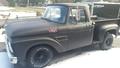
looks like it sold for $1400. that seems reasonable.
http://www.ebay.com/itm/Ford-F-100-CAMPER-SPECIAL-/291212101879?vxp=mtr
http://www.ebay.com/itm/Ford-F-100-CAMPER-SPECIAL-/291212101879?vxp=mtr
FTE Stories
Ford Trucks for Ford Truck Enthusiasts

Top 6 Best Deals Available on New Fords & Lincolns Right Now
Brett Foote
This Hennessey Takes the Expedition Tremor's Off-Roading Capability to the Next Level
Verdad Gallardo
Top 10 Fords at 2026 Carlisle Ford Nationals
Joe Kucinski
3 Best / 3 Worst Parts of Modern Ford Ownership
Brett Foote
10 Amazing Upgrades That Solve Common Ford Truck Owner Headaches
Pouria Savadkouei
Every 2026 Ford Engine Explained
Brett Foote
10 Ugly Ford Trucks That We Still Kinda Love
Joe Kucinski
10 Things Every Truck Owner NEEDS (2026 Edition)
Michael S. Palmer
Rezvani's Latest Post-Apocalyptic Monster Is a Ford F-150 Raptor Underneath
Verdad Gallardo
New User
Joined: Aug 2015
Posts: 10
Likes: 0
1964 f100 bucket seat truck
To my knowledge there are now three of these trux that have been spotted and photographed. I've seen two of them in the rust. If you have knowledge of a truck with this same interior please PM me. Some folks think they were built at Area 51, others think they were dropped off at Roswell! I don't know their history but I'd like to try to sort it out.
New User
Joined: Aug 2015
Posts: 10
Likes: 0
I actually have an all original 1964 f100 custom cab with factory bucket seats and console exactly like the one you have pictured . It is 100 percent original red and white truck . Needs total restoration but it gonna get it soon. When I found this truck my first instinct was a ranger until I noticed the y block and steps inside the door. It has the data plate that also shows its a special order truck.
New User
Joined: Aug 2015
Posts: 10
Likes: 0
1964 f100 factory bucket seats and console truck
The so called Sports Package was announced, but never installed in any truck. There is nothing listed in the parts catalog, any sales or accessory brochures or shop manual inre to it.
There's a fellow who lives in Riverside CA who has a so called 1964 Ranger which he exhibits locally at shows. It always wins, because the judges are clueless, do not know the fellow made it up.
At the 2008 Western Nats, Don (camperspecial65) and I spent an hour looking at it, it's a Custom Cab, Rangoon Red and Wimbledon White. The bucket seats appear to be from a 1950's MGA-GT. It has el cheapo loop pile carpeting, a molded plastic headliner, the crude Ranger badges are made from chrome mylar and inserted into the hood side emblems.
When confronted, the owner ADMITTED he had it made up. So much for the so-called 1964 Ranger.
When Don and I walked away, the owner tried to "save face" by telling the fellow (Karl) who owned the truck next to his that his truck had the "Galaxie option."
 He lied to the wrong person, because Karl is a Ford historian, has owned dozens of 1963/64 Galaxies, is on the board of the Galaxie Club, and knew there was no such thing...and proceeded to tell him so.
-------------------------------------------------------------------------------------------------------------------------------------------------------------------------------------------------------
The clock was available, the same one (C3DZ15A000A) was an option on 1963/65 Falcons/Comets and 1965/66 Mustangs and bolted to the top of the dash.
There were also fog lights (C5RZ15200A) and driving lights (C5RZ15200B) available. I've not only seen these, but bought a few on my obsolete parts scrounging trips.
The rarest option...of all is the PICKUP CONVERTIBLE TOP, original MSRP $140.00, illustrated on page 28 of the 1966 accessory brochure (just above the optional dash mounted tach).
Description: A handsome new addition for Ford Styleside Pick-Up Trucks...for all weather cargo protection...converts up or down in minutes, available in black or white.
This so called 'convertible top' was actually a fold away camper shell with porthole isinglas windows. When not in use, it either could be removed and installed in the optional ($9.95) bag, or folded flat.
Just because Ford announces something doesn't mean Ford will actually offer it. I'm still waiting for the Fusion Sports Coupe Ford announced in 2006, I've given up on the Mustang Station Wagon Ford announced for 1966.
There's a fellow who lives in Riverside CA who has a so called 1964 Ranger which he exhibits locally at shows. It always wins, because the judges are clueless, do not know the fellow made it up.
At the 2008 Western Nats, Don (camperspecial65) and I spent an hour looking at it, it's a Custom Cab, Rangoon Red and Wimbledon White. The bucket seats appear to be from a 1950's MGA-GT. It has el cheapo loop pile carpeting, a molded plastic headliner, the crude Ranger badges are made from chrome mylar and inserted into the hood side emblems.
When confronted, the owner ADMITTED he had it made up. So much for the so-called 1964 Ranger.
When Don and I walked away, the owner tried to "save face" by telling the fellow (Karl) who owned the truck next to his that his truck had the "Galaxie option."
He lied to the wrong person, because Karl is a Ford historian, has owned dozens of 1963/64 Galaxies, is on the board of the Galaxie Club, and knew there was no such thing...and proceeded to tell him so.-------------------------------------------------------------------------------------------------------------------------------------------------------------------------------------------------------
The clock was available, the same one (C3DZ15A000A) was an option on 1963/65 Falcons/Comets and 1965/66 Mustangs and bolted to the top of the dash.
There were also fog lights (C5RZ15200A) and driving lights (C5RZ15200B) available. I've not only seen these, but bought a few on my obsolete parts scrounging trips.
The rarest option...of all is the PICKUP CONVERTIBLE TOP, original MSRP $140.00, illustrated on page 28 of the 1966 accessory brochure (just above the optional dash mounted tach).
Description: A handsome new addition for Ford Styleside Pick-Up Trucks...for all weather cargo protection...converts up or down in minutes, available in black or white.
This so called 'convertible top' was actually a fold away camper shell with porthole isinglas windows. When not in use, it either could be removed and installed in the optional ($9.95) bag, or folded flat.
Just because Ford announces something doesn't mean Ford will actually offer it. I'm still waiting for the Fusion Sports Coupe Ford announced in 2006, I've given up on the Mustang Station Wagon Ford announced for 1966.

Post Fiend
Joined: Sep 2006
Posts: 14,325
Likes: 14
From: Island Southeast Alaska
like to drool over it and yes pick it apart if we can.
Here is how to post pic's on FTE
https://www.ford-trucks.com/forums/1...ure-guide.html
Here is one way by "Axracer"
Do you have digital pix of your truck from digital camera or phone on your computer?
If so it is easy to add them to a post (assuming the file is not too large). Find the
pic on your computer and leave it open while you come here in another window. Compose
a post, click where you want the pic to appear in the post. Click on the picture icon
at the top of the posting box (looks like a postcard with mountains and sun) A dialog
box will open asking if you want to drag a pic onto the box or browse your computer to
find it. If you have the pic open, go there, right click anywhere on the pic and chose
copy from the menu. Come back to your post and right click on the box. Select paste from
the menu. Your picture should appear (it may take a few seconds to load) in the box. Now
left click on the insert button.
If the stars all aligned your picture should now be in your post window. Select post to
have it appear on the forum or repeat to add more pix. Some cameras make huge files these
days that are larger than the forum limits. You may need to resize or resample the picture
and save the smaller file version with whatever picture editing software came with your
picture taking device before you can post it.
If you are a supporter than just right click on an image from anywhere like Facebook
or whatever. Than left click in your post and paste it in. So simple even a monkey
could do it.
Oh! and welcome to FTE and the old truck madness.
New User
Joined: Aug 2015
Posts: 10
Likes: 0
1964 f100
Well can we please see some pic's? I think we all would
like to drool over it and yes pick it apart if we can.
Here is how to post pic's on FTE
https://www.ford-trucks.com/forums/1...ure-guide.html
Here is one way by "Axracer"
Do you have digital pix of your truck from digital camera or phone on your computer?
If so it is easy to add them to a post (assuming the file is not too large). Find the
pic on your computer and leave it open while you come here in another window. Compose
a post, click where you want the pic to appear in the post. Click on the picture icon
at the top of the posting box (looks like a postcard with mountains and sun) A dialog
box will open asking if you want to drag a pic onto the box or browse your computer to
find it. If you have the pic open, go there, right click anywhere on the pic and chose
copy from the menu. Come back to your post and right click on the box. Select paste from
the menu. Your picture should appear (it may take a few seconds to load) in the box. Now
left click on the insert button.
If the stars all aligned your picture should now be in your post window. Select post to
have it appear on the forum or repeat to add more pix. Some cameras make huge files these
days that are larger than the forum limits. You may need to resize or resample the picture
and save the smaller file version with whatever picture editing software came with your
picture taking device before you can post it.
If you are a supporter than just right click on an image from anywhere like Facebook
or whatever. Than left click in your post and paste it in. So simple even a monkey
could do it.
Oh! and welcome to FTE and the old truck madness.
like to drool over it and yes pick it apart if we can.
Here is how to post pic's on FTE
https://www.ford-trucks.com/forums/1...ure-guide.html
Here is one way by "Axracer"
Do you have digital pix of your truck from digital camera or phone on your computer?
If so it is easy to add them to a post (assuming the file is not too large). Find the
pic on your computer and leave it open while you come here in another window. Compose
a post, click where you want the pic to appear in the post. Click on the picture icon
at the top of the posting box (looks like a postcard with mountains and sun) A dialog
box will open asking if you want to drag a pic onto the box or browse your computer to
find it. If you have the pic open, go there, right click anywhere on the pic and chose
copy from the menu. Come back to your post and right click on the box. Select paste from
the menu. Your picture should appear (it may take a few seconds to load) in the box. Now
left click on the insert button.
If the stars all aligned your picture should now be in your post window. Select post to
have it appear on the forum or repeat to add more pix. Some cameras make huge files these
days that are larger than the forum limits. You may need to resize or resample the picture
and save the smaller file version with whatever picture editing software came with your
picture taking device before you can post it.
If you are a supporter than just right click on an image from anywhere like Facebook
or whatever. Than left click in your post and paste it in. So simple even a monkey
could do it.
Oh! and welcome to FTE and the old truck madness.
Ford Parts Specialist
Joined: Nov 2006
Posts: 88,826
Likes: 787
From: Simi Valley, CA

Pics of the truck and the Warranty Plate required.

