When you click on links to various merchants on this site and make a purchase, this can result in this site earning a commission. Affiliate programs and affiliations include, but are not limited to, the eBay Partner Network.
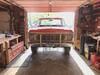
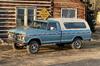
Hood has been repainted, looks much better this time Cab painted and cleared Rear of cab Hood has been cleared Drivers side fender cleared Passenger side
And the last picture for now
wall art
i plan to reassemble the front end and finish working on the doors today Wall art to keep them up and out of the way
Go to the first post in your thread and hit edit then hit advanced at the bottom. At the top you will see the "Title" box and you can then change it to what you want.
Redroad thanks for the instructions, and i tried but could not find anything in edit that said advanced.
might be because im on a smart phone and it doesnt show like a computer would. Idk
light blue oval thanks
i have installed the hood, but am having trouble getting adjusted properly on the passenger side.
the drivers side is close.
i have lowered everything on the passenger side to get down, it still needs to go down approx. 3/8 inch
this is not a oem hood, i purchased a after market replacement.
any one have an idea to get the hood lower short of a BFH?
will take a picture of offending side later
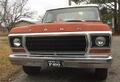
a pic of hood mounted Hood mounted still working on adjustments.
Redroad thanks for the instructions, and i tried but could not find anything in edit that said advanced.
might be because im on a smart phone and it doesnt show like a computer would. Idk
This is it. You may be right. I'll try it on my phone after dinner.
Ok I figured out how to do it on the phone (Android OS). Pull up the site then click on three dots in the upper right corner, then in the drop down choose desktop site. Make sure your signed in and then follow my instructions above to change the title of the thread. I'll admit it's a pain to navigate this way but it will work. BTW great job on your truck
Red road thanks again,
i tried that way and it does show new title and reason for edit but it doesn't save in thread for some reason.
could be i aint real bright with these things.
and thanks to everybody watching this, and all the kind words.
Red road thanks again,
i tried that way and it does show new title and reason for edit but it doesn't save in thread for some reason.
could be i aint real bright with these things.
and thanks to everybody watching this, and all the kind words.
Option 2 Email the admin or Just make a post here in your thread requesting the moderator make the change to whatever you want it to be. They should have no problem doing it because they have your sign-in credentials already. I guy should be able to name his tread whatever he wants. So post something like " Attention moderator please change my thread to Blah blah blah". Oh, and I doubt that is because you ain't that bright at these things judging from the excellent work you've done on your truck.
Another update on progress This is the seat im gonna use, it is just set in cab. It needs a lot of cleaning Here it is again after the first round of cleaning. Ran out of cleaner The doors are primed Now some paint Now they are clear coated, waiting for clear to cure enough to install them.
I can't do ANYTHING down here is Miss'sippi because of the rain....
It rains almost EVERY DAY lately..... tis is the most unusual July I have EVER seen in the "sunny south".....
This Hennessey Takes the Expedition Tremor's Off-Roading Capability to the Next Level
Slideshow: The VelociRaptor Expedition gains a lift, upgraded suspension, Brembo brakes, and trail-ready equipment while retaining the stock 440-horsepower EcoBoost V6.
Rezvani's Latest Post-Apocalyptic Monster Is a Ford F-150 Raptor Underneath
Slideshow: Called the Fortress, the 850-horsepower pickup combines Raptor underpinnings with military-inspired features, survival equipment, and a starting price of $285,000.