



Dashcam mounting

Elder User
Joined: Sep 2016
Posts: 781
Likes: 6
From: Edmonton Alberta Canada
I found an always on circuit in the passenger side/kick panel and wired to that hot circuit (always on) for my Thinkware F770 dash cam.
Wiring is easy....just tuck the wire in the windshield header / head liner....then pop the a-pillar cover off (you'll need to remove the grab handle but un-unbolting it)...then fish the wire down to the kick panel where the fuse panel is on the passenger side kick panel.
Essentially my camera never shuts off, the Thinkware F770 has a (programable) low voltage threshold that will turn the camera off (when voltage drops to a certain threshold) to prevent draining of the battery.
Wiring is easy....just tuck the wire in the windshield header / head liner....then pop the a-pillar cover off (you'll need to remove the grab handle but un-unbolting it)...then fish the wire down to the kick panel where the fuse panel is on the passenger side kick panel.
Essentially my camera never shuts off, the Thinkware F770 has a (programable) low voltage threshold that will turn the camera off (when voltage drops to a certain threshold) to prevent draining of the battery.

Fleet Mechanic
Joined: Jan 2005
Posts: 1,784
Likes: 8
From: Tomball, Tx
How do I learn how to remove the paneling and discover a hit wire. Sorry this is nothing I have ever played with. I could ask a shop to install it at around $120 but then if I can learn without destroying anything much rather do it myself. Did you need to purchase a fuse tap type device?
you'll need a VOMeter or test light to find an always on (or key on) circuit.

Tuned
Joined: Sep 2017
Posts: 298
Likes: 2
I have the Blackvue 650 2-Channel in mine. It mounts right behind (in front of?) the rearview mirror. The mount uses a type of clear "goo" to fasten the camera to the windshield.
In regards to quality of the camera (Liquid Stream), I had researched several and decided on the Blackvue. I have one in each of my vehicles.
Mine actually came in handy about a month ago when some jackass decide to brake-check me in a turn lane and I hit him (in my old truck). No damage to my truck, but the rear hatch of his Kia Soul was demolished. I called the police and when they showed up, the Kia Soul owner claimed I was tailgating him and that he stopped normally. The police officer came over to get my side of the story and I pulled up the video on the Blackvue app on my phone. It clearly showed the guy brake-checking me in the middle of the turn lane (no one was in front of him). The police officer thanked me and ticketed the other guy for reckless driving. The other guy was livid and darn near got arrested for throwing a major fit. The local prosecutor's office called me last Monday and asked to get a copy of the video...dropped it off to them yesterday.
That is the main reason I bought the Blackvue.
Tim
In regards to quality of the camera (Liquid Stream), I had researched several and decided on the Blackvue. I have one in each of my vehicles.
Mine actually came in handy about a month ago when some jackass decide to brake-check me in a turn lane and I hit him (in my old truck). No damage to my truck, but the rear hatch of his Kia Soul was demolished. I called the police and when they showed up, the Kia Soul owner claimed I was tailgating him and that he stopped normally. The police officer came over to get my side of the story and I pulled up the video on the Blackvue app on my phone. It clearly showed the guy brake-checking me in the middle of the turn lane (no one was in front of him). The police officer thanked me and ticketed the other guy for reckless driving. The other guy was livid and darn near got arrested for throwing a major fit. The local prosecutor's office called me last Monday and asked to get a copy of the video...dropped it off to them yesterday.
That is the main reason I bought the Blackvue.
Tim
Thanks

Cargo Master
Joined: Oct 2015
Posts: 2,745
Likes: 72
From: West Virginia
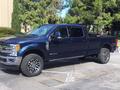
It's dark out, and this is only a Blackvue DR650 -2CH, but it should be about the same.
You can see the rear camera on the driver's side just above the first defroster element. It has to be mounted on that side because the window slides to the passenger side. I ran the coax tucked in the liner over to the passenger side then up to the front where it plugs into the front camera.
You can see the rear camera on the driver's side just above the first defroster element. It has to be mounted on that side because the window slides to the passenger side. I ran the coax tucked in the liner over to the passenger side then up to the front where it plugs into the front camera.
Elder User


Joined: Apr 2017
Posts: 682
Likes: 4
From: SF Bay Area
Coulda used a cam today...
I got rear ended today at a pedestrian xing.
Good thing I always have the ball mount on.
Dude hit me at about 5mph. Jolted the hell out of me.
I pulled over on a side street and he took off.
Poor ******* prolly had 2-3k worth of damage from my ball mount...
Good thing I always have the ball mount on.
Dude hit me at about 5mph. Jolted the hell out of me.
I pulled over on a side street and he took off.
Poor ******* prolly had 2-3k worth of damage from my ball mount...

Elder User
Joined: Jul 2016
Posts: 610
Likes: 0
From: Witness Protection Progam
New to this Dash-Cam idea. Think this is a Good Think to look into more. How do you record and view later what the Cam has picked up? How long is each recording? Continually on and continually recording? Thanks.
Tuned
Joined: Sep 2017
Posts: 298
Likes: 2
It's dark out, and this is only a Blackvue DR650 -2CH, but it should be about the same.
You can see the rear camera on the driver's side just above the first defroster element. It has to be mounted on that side because the window slides to the passenger side. I ran the coax tucked in the liner over to the passenger side then up to the front where it plugs into the front camera.
You can see the rear camera on the driver's side just above the first defroster element. It has to be mounted on that side because the window slides to the passenger side. I ran the coax tucked in the liner over to the passenger side then up to the front where it plugs into the front camera.
Do you happen to have any videos to share? Mainly wondering how the rear camera does looking over the truck bed.
Tuned
Joined: Sep 2017
Posts: 298
Likes: 2
Yeah I'm new to it too. Since my truck will have to be parked on the street I'm thinking one with park mode would be smart to have. I've been learning a lot on here. Just do a search for dash cam and you will find other threads to read.
FTE Stories
Ford Trucks for Ford Truck Enthusiasts

Top 10 Fords at 2026 Carlisle Ford Nationals
Joe Kucinski
3 Best / 3 Worst Parts of Modern Ford Ownership
Brett Foote
10 Amazing Upgrades That Solve Common Ford Truck Owner Headaches
Pouria Savadkouei
Every 2026 Ford Engine Explained
Brett Foote
10 Ugly Ford Trucks That We Still Kinda Love
Joe Kucinski
10 Things Every Truck Owner NEEDS (2026 Edition)
Michael S. Palmer
Rezvani's Latest Post-Apocalyptic Monster Is a Ford F-150 Raptor Underneath
Verdad Gallardo
Top 10 Most Expensive Ford Trucks Ever Sold on Bring a Trailer
Joe Kucinski
2027 Ford Super Duty Buyer's Guide (Every Model, Engine, & Package)
Brett Foote
Cargo Master
Joined: Oct 2015
Posts: 2,745
Likes: 72
From: West Virginia
I bought mine a few years ago for use in my 2012 F250. At the time I could have bought a monitor that would shut it off when battery level got too low, but I did not. Without the module it plugs into the 12v port (or cigarette lighter). A few times I forgot to unplug it and left the truck parked for three days. That was long enough to kill the battery.
So right now I still plug into the 12v outlet but unplug it when I get home.
I haven't pulled the micro SD card in a long time. I usually do playback over an old android phone I keep charged up in the console, but I'll try to get a bit of video this evening.
Mine has a 64 gig micro SD card in it and it's wifi capable. I keep an old android phone on the charger in the console so that I can review/save video to that phone if I want. Or I can use the wifi to transfer video over my home network (I think), or I can take the card out and plug it into an SD card capable computer. If I have a wifi hotspot in the vehicle, there's a capability to use the camera to monitor the inside of the truck and actually talk over the camera to who ever is driving, though I've never used that since I'm the only one that ever drives my truck.
It continuously records and erases old video. If there is an event caused by shock (impact or potholes) it'll beep and mark the event to make it easier to find later. Or, I can wave my hand near it and it will mark the event. If I want to start fresh, I can push a button and it will format the card entirely.
The recording, while continuous, is in something like three minute segments, so if you want one long continuous video, you have to use some kind of movie making software to splice it all together.
Tuned
Joined: Sep 2017
Posts: 298
Likes: 2
I bought mine a few years ago for use in my 2012 F250. At the time I could have bought a monitor that would shut it off when battery level got too low, but I did not. Without the module it plugs into the 12v port (or cigarette lighter). A few times I forgot to unplug it and left the truck parked for three days. That was long enough to kill the battery.
So right now I still plug into the 12v outlet but unplug it when I get home.
I haven't pulled the micro SD card in a long time. I usually do playback over an old android phone I keep charged up in the console, but I'll try to get a bit of video this evening.
So right now I still plug into the 12v outlet but unplug it when I get home.
I haven't pulled the micro SD card in a long time. I usually do playback over an old android phone I keep charged up in the console, but I'll try to get a bit of video this evening.
Hotshot


Joined: Oct 2015
Posts: 19,711
Likes: 12,850
From: Wyoming

I looked at the BlackVue last night and it's on my short list. The ability to communicate with the unit through the Internet sounds like a great feature. But I suspect reality is a lot less exciting. To use that feature the unit has to be connected via wifi. Except for at home, how often will you find an available wi-fi connection that is unsecured and doesn't require some sort of login information?

Senior User
Joined: Nov 2017
Posts: 240
Likes: 1
From: Cumming, GA
For those inquiring, I have a 256gb SD card and my cam records 60 second intervals for 72 hours and then starts writing over itself. When you need to pull something from the cam you just remove the SD card and plug into your computer and find that clip.
Tuned
Joined: Sep 2017
Posts: 298
Likes: 2
I looked at the BlackVue last night and it's on my short list. The ability to communicate with the unit through the Internet sounds like a great feature. But I suspect reality is a lot less exciting. To use that feature the unit has to be connected via wifi. Except for at home, how often will you find an available wi-fi connection that is unsecured and doesn't require some sort of login information?
What other units are you looking at?
Hotshot
Joined: Oct 2015
Posts: 19,711
Likes: 12,850
From: Wyoming
The VIOFO A119 and REXING S300 Dash Cam Pro are also on my list, based on recommendations by other forum members. One thing in favor of the BlackVue is that it doesn't have a screen. I like that because it reduces the size of the unit on the windshield. I thought it would reduce the price also, but that doesn't appear to be the case.
Cargo Master
Joined: Oct 2015
Posts: 2,745
Likes: 72
From: West Virginia
I'm ordering one today. Found it at Amazon.com for $19.99 with free shipping. Can't pass that up!
I looked at the BlackVue last night and it's on my short list. The ability to communicate with the unit through the Internet sounds like a great feature. But I suspect reality is a lot less exciting. To use that feature the unit has to be connected via wifi. Except for at home, how often will you find an available wi-fi connection that is unsecured and doesn't require some sort of login information?
Exactly. It's real advantage is having my old android phone connected to it via wifi. In other words, I have a cordless monitor.
On the down side, phones that are not paired to the truck will try to connect to the camera. This means that if you try to use Google etc. with your phone, since it usually defaults to wifi, you won't get anywhere. You have to go into settings and tell the phone to disconnect from wireless so that it will connect to the Net using phone service.
The VIOFO A119 and REXING S300 Dash Cam Pro are also on my list, based on recommendations by other forum members. One thing in favor of the BlackVue is that it doesn't have a screen. I like that because it reduces the size of the unit on the windshield. I thought it would reduce the price also, but that doesn't appear to be the case.
It's been a number of years since I did any research on this, but the one thing I found was that all the quality cameras are made in Taiwan. There are plenty of cheap Chinese copies of Taiwanese cameras, but they are not in the same league. At the time I was shopping there were two or three brands made in Japan, but they were outrageously expensive and not highly regarded.
Also, traffic lights are a good test of a dash cam. When you look at traffic lights the lower quality units will manifest a marked strobe effect. Some are really bad, others not so much.
Edit: Looking in the manual, #31 Power Pedal fuse (15A) looks like it might be a good choice. I'm at work and my truck is at home, so I can't check it, but it seems like I adjusted the pedals without the key in the ignition which would indicate an always on circuit.
I seem to have a lot of "not used" circuits, too.
What seems to be the fuse of choice for most folks?