


Help to post pictures

Senior User
Joined: Jul 2006
Posts: 448
Likes: 1
From: La Mesa (East San Diego)
Thanks Bob I really appreciate the help...I don't know what the heck is going on...I secured the Norton 360 completely. I turned off the pop up blocker and tried again. When I click edit in the gallery list, the entire web site and my explorere just close...instantly...the galleries never show up. I can't get to the point where the "browse boxes" even show up. Then I get a fault indicator about some memory not being available that looks like the power curve specs on a 427. If I try to use the "Go Advanced" on the post reply, and click the picture icon to insert, I get a pop up asking me to allow some damn thing and I click it and then I get the URL box. But non of my pictures have URLs in my computer files. I think you have to put them in a gallery to get the URLs to display in properties. Sneaky computer is talking to the makers at night when I'm sleeping, updating itself and all the stuff we are used to disappears.. Argggg.. I'll keep trying and maybe call the geeks. Because I finally learned the process and have it down. But now this. And I have a lot of good pics from my resto to share...I've taken 1000s of them to document it (and I was a tech writer so they are pretty good in shoing specific items).
I'll keep trying...thanks for trying.
Dan
I'll keep trying...thanks for trying.
Dan

Thread Starter
|
Hotshot


Joined: Jan 2001
Posts: 16,882
Likes: 3,126
From: SE Wisc. (the Rust Belt)
I think I know the problem, at least your problem with posting images in your posts. The images have to be parked somewhere on the net, either in the gallery you can build on this site or on a free hosting site. You can't upload directly from your computer unless you're a paid supporter of the site.
The pop up asking you to allow is part of you Windows Explorer. I had to fight with it a while to make it work. I got it to work on one computer but not the other. I finally used the "Enhanced" feature. This was how I did it on the old format of this forum but now they have changed it so you problems might have been solved. Or, they might have gotten worse. You'll have to try the new system to see if it will work for you.
The pop up asking you to allow is part of you Windows Explorer. I had to fight with it a while to make it work. I got it to work on one computer but not the other. I finally used the "Enhanced" feature. This was how I did it on the old format of this forum but now they have changed it so you problems might have been solved. Or, they might have gotten worse. You'll have to try the new system to see if it will work for you.
Tuned
Joined: Nov 2007
Posts: 474
Likes: 1
From: Thirroul, Australia
Every time I go to edit my gallery I get this grey box that pops up for a security alert that makes me decide whether i want to accept or don't accept. sometimes if I say yes it shuts everything down. I don't know what's going on?
Senior User
Joined: Jul 2006
Posts: 448
Likes: 1
From: La Mesa (East San Diego)
That's the same problem I had. So I opened a ticket on it and it looks today like at least when I click on [edit] now, it just does nothing instead of closing down th esight and Internet explorer. So, maybe they are working on it.
Hey Bob, I'm noticing in the posting rules, it says I'm not authorized to post attachments. Does that have naything to do with it.....I've put lots of pictures on before.
ANd OBTW I don't get the pop-up anymore when I click edit. I'll bet now if I could get to that, and click yes, it might work. But I don't know what it's for or how to get to it.
Isn't that funny::::: Now I WANT a pop-up!
Thanks,
Dan
Hey Bob, I'm noticing in the posting rules, it says I'm not authorized to post attachments. Does that have naything to do with it.....I've put lots of pictures on before.
ANd OBTW I don't get the pop-up anymore when I click edit. I'll bet now if I could get to that, and click yes, it might work. But I don't know what it's for or how to get to it.
Isn't that funny::::: Now I WANT a pop-up!
Thanks,
Dan
Senior User
Joined: Jul 2006
Posts: 448
Likes: 1
From: La Mesa (East San Diego)
Are yousure it's the site Aussie?
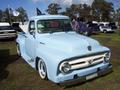
There are viscious reports out there about you wanting to paint your 53 Ford a Honda Color called "Grigio Crono!!!!!!"
You might have been put on restriction for two weeks!!!!
No actually, from what I can gather across the threads is that everyone is having problems and they are working on it.
And by the way, why would you want to paint a truck with such an attractive ensomb already? It kinda fits for down under. Where abouts is Thirroul? (General area - Cairns, Adelade, Perth????)
There are viscious reports out there about you wanting to paint your 53 Ford a Honda Color called "Grigio Crono!!!!!!"
You might have been put on restriction for two weeks!!!!
No actually, from what I can gather across the threads is that everyone is having problems and they are working on it.
And by the way, why would you want to paint a truck with such an attractive ensomb already? It kinda fits for down under. Where abouts is Thirroul? (General area - Cairns, Adelade, Perth????)
Tuned
Joined: Nov 2007
Posts: 474
Likes: 1
From: Thirroul, Australia
Sandiande,
Thirroul is a tiny little seaside town about 1 and 1/2 hours drive south of Sydney.
With painting the pickup. I want to paint my pickup it's original colour Glacier Blue. Now I can't get that colour here in Australia from PPG. So PPG US sent PPG Australia a prophet reading of a colour that is very similar and it just happens to be a Honda colour. I have 150 mls of it as a sample and if the colour is very close, then I have to go with colour if I want my pickup to be painted Glacier Blue!!!!!!!!
Thirroul is a tiny little seaside town about 1 and 1/2 hours drive south of Sydney.
With painting the pickup. I want to paint my pickup it's original colour Glacier Blue. Now I can't get that colour here in Australia from PPG. So PPG US sent PPG Australia a prophet reading of a colour that is very similar and it just happens to be a Honda colour. I have 150 mls of it as a sample and if the colour is very close, then I have to go with colour if I want my pickup to be painted Glacier Blue!!!!!!!!
Thread Starter
|
Hotshot
Joined: Jan 2001
Posts: 16,882
Likes: 3,126
From: SE Wisc. (the Rust Belt)
You can only post attachments if you're a paying member. An attachment is a image that you upload directly from your computer to your post. You can still insert an image if it is parked somewhere on the internet, like in your galler or a internet hosting site. If you're having problems making a gallery or editing your gallery, this isn't much help, sorry.
FTE Stories
Ford Trucks for Ford Truck Enthusiasts

10 Things Every Truck Owner NEEDS (2026 Edition)
Michael S. Palmer
Rezvani's Latest Post-Apocalyptic Monster Is a Ford F-150 Raptor Underneath
Verdad Gallardo
Top 10 Most Expensive Ford Trucks Ever Sold on Bring a Trailer
Joe Kucinski
2027 Ford Super Duty Buyer's Guide (Every Model, Engine, & Package)
Brett Foote
Top 10 Ford Truck Tragedies
Joe Kucinski
AEV FXL Super Duty - the Super Duty Raptor Ford Doesn't Make
Brett Foote
Lobo Vs Lobo: Proof the F-150 Lobo Should Be Even Lower!
Michael S. Palmer
Ford's 2001 Explorer Sportsman Concept Looks For a New Home
Verdad Gallardo
10 Best Ford Truck Engines We Miss the Most!
Joe Kucinski
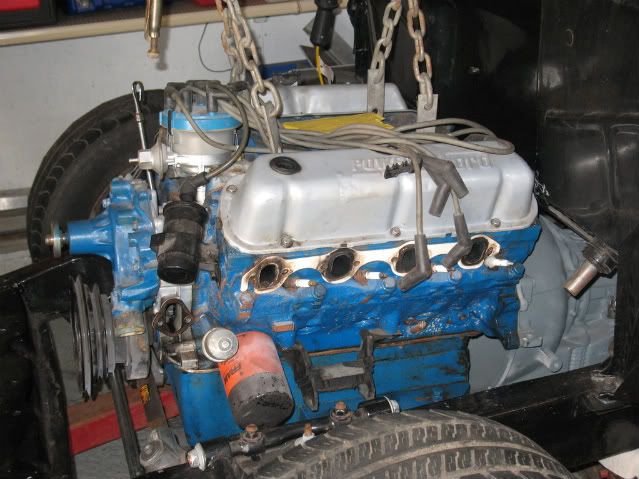
 just a test photo


Thread Starter
|
Hotshot
Joined: Jan 2001
Posts: 16,882
Likes: 3,126
From: SE Wisc. (the Rust Belt)
When you click on the  you this window pops up:

You can do one of two things, either paste the address of the URL of the image after the http:// or block out the http:// and paste the entire image URL with the http://:


If you just having problems using the "right click and paste" feature try using "Ctrl" and "V", this it the keyboard command for paste. I have noticed some systems won't let you use the "right click and paste" feature.
you this window pops up:You can do one of two things, either paste the address of the URL of the image after the http:// or block out the http:// and paste the entire image URL with the http://:
If you just having problems using the "right click and paste" feature try using "Ctrl" and "V", this it the keyboard command for paste. I have noticed some systems won't let you use the "right click and paste" feature.
Senior User
Joined: Jul 2006
Posts: 448
Likes: 1
From: La Mesa (East San Diego)
One more comment to add to Bob's note.
The photo you are tryin gto use has to be on the net somewhere, or imported into a gallery on FTE. There is another site that I posted the "A to Z" on how to do that (after figuring it out myself). I'll come back with the link and either edit it into thes reply or reply again.
The photo you are tryin gto use has to be on the net somewhere, or imported into a gallery on FTE. There is another site that I posted the "A to Z" on how to do that (after figuring it out myself). I'll come back with the link and either edit it into thes reply or reply again.