


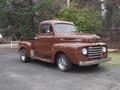


first car

Thread Starter
|
New User
Joined: Jun 2013
Posts: 13
Likes: 0
first car
i got my first car from my uncle and its a 1948 ford f1
it dosent run but the paintjob and body is not rusty the dash has been ripped out and it has a crystler ignition i need to do some engine work it has a chevy v8 in it and i have a ford v8 sitting outside
Im 15 and dont know cars that well but wanna learn is there any good websites that offer cheap parts to restore?
it dosent run but the paintjob and body is not rusty the dash has been ripped out and it has a crystler ignition i need to do some engine work it has a chevy v8 in it and i have a ford v8 sitting outside
Im 15 and dont know cars that well but wanna learn is there any good websites that offer cheap parts to restore?
Lead Driver


Joined: Nov 2002
Posts: 9,686
Likes: 1,255
From: Jefferson City, MO
Wow, what an awesome first car.
We would love to see pictures.
Depending on the year and type of engines you have, your local auto parts store should have most parts you need for the engines. I would recommend that if the engine in it can be made to run, you should stick with that for a while. Changing out engines can be a very big task for someone new into this hobby.
As for the rest of the truck, Classic Haulers is a great source. Home - Classic Haulers F-1 Parts
Macs Shop Parts for 1948-1979 Ford Pickup Truck at MACs Antique Auto Parts
Dennis Carpenter: Dennis Carpenter Ford Car, F-100 Pickup Truck, 8N, 9N Tractor and Cushman Scooter Restoration Parts
There are others as well. Be sure to get a shop manual as well as this cd: 1948-56 Ford Truck Master Parts Catalog CD - HiPo Parts Garage
Ask lots of questions here. This forum has some of the most knowledgeable guys you will ever find. And everyone is more than willing to offer advise on the best way to proceed depending on your goals.
You need to have a plan and make sure you don't bite off more than you can chew. Many of us have a pile of parts that will take years to put all back together. You need an engine that runs and brakes that stop. Get there first and then you can look at upgrades.
We also LOVE pictures.
We would love to see pictures.
Depending on the year and type of engines you have, your local auto parts store should have most parts you need for the engines. I would recommend that if the engine in it can be made to run, you should stick with that for a while. Changing out engines can be a very big task for someone new into this hobby.
As for the rest of the truck, Classic Haulers is a great source. Home - Classic Haulers F-1 Parts
Macs Shop Parts for 1948-1979 Ford Pickup Truck at MACs Antique Auto Parts
Dennis Carpenter: Dennis Carpenter Ford Car, F-100 Pickup Truck, 8N, 9N Tractor and Cushman Scooter Restoration Parts
There are others as well. Be sure to get a shop manual as well as this cd: 1948-56 Ford Truck Master Parts Catalog CD - HiPo Parts Garage
Ask lots of questions here. This forum has some of the most knowledgeable guys you will ever find. And everyone is more than willing to offer advise on the best way to proceed depending on your goals.
You need to have a plan and make sure you don't bite off more than you can chew. Many of us have a pile of parts that will take years to put all back together. You need an engine that runs and brakes that stop. Get there first and then you can look at upgrades.
We also LOVE pictures.

Lead Driver
Joined: Jul 2011
Posts: 6,599
Likes: 34
From: Rockingham, VA

The pics have to be on the Internet somewhere first. I use Photobucket, but you can use any photo hosting site.
This may help...
Go to Photobucket.com and sign up for a free account. Then create an album for your truck. Upload any pics you want to post on FTE to that album. Have this album open on your computer when you want to post pics on FTE.
While you're making a post on FTE, select the pic you want to post from your Photobucket album. When the large version of the pic is open, right mouse click on it and select "View Image Info". The image info will be highlighted and will look something like this:
http://i285.photobucket.com/albums/l...ghtsafter1.jpg
Copy that highlighted info (right click / copy).
When you have the spot in your post where you want the pic to be placed, select the "Insert Image" icon at the top of the post (looks like a mountain)
 and paste (right click / paste) the image info you copied in the highlighted box (just shows "http://" when it opens).
Your pic will be placed in the post.

Hope that helps.
Fleet Mechanic
Joined: Aug 2010
Posts: 1,994
Likes: 3
From: Morgan Hill, CA

Hello and welcome to the forum!
It seems to me that your uncle must be a pretty good uncle!! Then most of us on this site really like a Ford F1!!
Funny....I had a relative try to sell me a 48 F1 when I was 15 years old. I wasn't interested at the time...I bought a project Jeep instead. I had a good time with the Jeep, but I probably should have gone for the F1!! It's all good at the end of the day..I made up for it years later with the purchase of an F2 (now converted to an F1).
Get those images posted! The Chrysler ignition throws me a little. Be sure to post a pic of that along with everything else!
Dan
It seems to me that your uncle must be a pretty good uncle!! Then most of us on this site really like a Ford F1!!
Funny....I had a relative try to sell me a 48 F1 when I was 15 years old. I wasn't interested at the time...I bought a project Jeep instead. I had a good time with the Jeep, but I probably should have gone for the F1!! It's all good at the end of the day..I made up for it years later with the purchase of an F2 (now converted to an F1).
Get those images posted! The Chrysler ignition throws me a little. Be sure to post a pic of that along with everything else!
Dan

Hotshot

Joined: Oct 2004
Posts: 15,882
Likes: 88
From: Durham NC
Welcome!
Cheap and restoration parts are mutually exclusive terms.
I'd suggest reading and following my "how to make a plan" post (# 26) here: https://www.ford-trucks.com/forums/1...-member-2.html
Don't try to do too much all at once and don't get in over your head. Ask questions, the only dumb question is the one you had and didn't ask.
Cheap and restoration parts are mutually exclusive terms.
I'd suggest reading and following my "how to make a plan" post (# 26) here: https://www.ford-trucks.com/forums/1...-member-2.html
Don't try to do too much all at once and don't get in over your head. Ask questions, the only dumb question is the one you had and didn't ask.
Trending Topics
Laughing Gas

Joined: Jan 2004
Posts: 813
Likes: 5
From: Meade, KS
Welcome to FTE! My truck was my first ride too! It was running, but the body was in rough shape. You've found the best resource you'll ever have to getting it together and getting it running.
My advice...find the casting numbers on your engine to figure out what you have. Then get it checked out to see if it will run. If it will, then overhaul the brake system FIRST. Then get the motor running. Because once that motor runs you'll be desperate to take a test drive. No sense ruining your first ride because you couldn't stop on your first test drive.
Then drive it for 6mos-1year to get a feel for it and figure out what you really want for it. From there you can draw out a plan to create the truck of your dreams.
Snap some pics...get them on photobucket (or whatever) and post them up here! We all love pics!
Jim
My advice...find the casting numbers on your engine to figure out what you have. Then get it checked out to see if it will run. If it will, then overhaul the brake system FIRST. Then get the motor running. Because once that motor runs you'll be desperate to take a test drive. No sense ruining your first ride because you couldn't stop on your first test drive.
Then drive it for 6mos-1year to get a feel for it and figure out what you really want for it. From there you can draw out a plan to create the truck of your dreams.
Snap some pics...get them on photobucket (or whatever) and post them up here! We all love pics!
Jim
FTE Stories
Ford Trucks for Ford Truck Enthusiasts

3 Best / 3 Worst Parts of Modern Ford Ownership
Brett Foote
10 Amazing Upgrades That Solve Common Ford Truck Owner Headaches
Pouria Savadkouei
Every 2026 Ford Engine Explained
Brett Foote
10 Ugly Ford Trucks That We Still Kinda Love
Joe Kucinski
10 Things Every Truck Owner NEEDS (2026 Edition)
Michael S. Palmer
Rezvani's Latest Post-Apocalyptic Monster Is a Ford F-150 Raptor Underneath
Verdad Gallardo
Top 10 Most Expensive Ford Trucks Ever Sold on Bring a Trailer
Joe Kucinski
2027 Ford Super Duty Buyer's Guide (Every Model, Engine, & Package)
Brett Foote
Top 10 Ford Truck Tragedies
Joe Kucinski
Postmaster
Joined: Aug 2003
Posts: 3,222
Likes: 6
From: Houston
This is the site you should be on to learn. There are lots of great people here who love to help. Ask about anything concerning your truck and it will be answered, ask for opinions and you will get many, ask for facts and you will get them.
I think it is a very good idea to get it running first as Harrier said, no matter what engine is already there - mine also has a small block Chevy courtesy of the previous owner. Get the brakes working, and then you can gradually find out what works and what doesn't and what you like and what you don't. Read as many of the old posts here as you can stand and you will learn all about these trucks, and just how crazy and funny some of us are on here. Always keep in mind what YOU want for your truck and keep an open mind about how to get there.
Congratulations on having your own F1 and welcome to the forum!
I think it is a very good idea to get it running first as Harrier said, no matter what engine is already there - mine also has a small block Chevy courtesy of the previous owner. Get the brakes working, and then you can gradually find out what works and what doesn't and what you like and what you don't. Read as many of the old posts here as you can stand and you will learn all about these trucks, and just how crazy and funny some of us are on here. Always keep in mind what YOU want for your truck and keep an open mind about how to get there.
Congratulations on having your own F1 and welcome to the forum!

Senior User
Joined: Mar 2013
Posts: 431
Likes: 0
From: Edenwold Saskatchewan
Hi,nice first ride,I only have one word in advice.I bought a 50 tudor when I was 13.I was reading to many hot rod magazines at the time and totally took the car apart(big plans).A friend of mine had a 56 f100 which he just kept running and worked on stuff as it needed it.Mine never did get reassembled.Don't do what I did.Get it running and have fun with it.Fix things as you go.Glad your pulling that chevy out!
Hotshot
Joined: Oct 2004
Posts: 15,882
Likes: 88
From: Durham NC
Pulling the engine just to change brands is another of those waste of time and effort moves that makes absolutely no sense. If the engine that's in it now runs and drives, no matter what the brand, then drive it as is. An engine swap for an inexperienced 15 year old is a major undertaking especially if he has the financial resources and equipment I had available at 15. The fun per mile of driving the truck doesn't change if the engine is a Ford or a Volvo, the truck doesn't know the difference. Besides, there is a lot to be said for honoring his uncle and his gift by leaving it as it was presented to him.
Senior User
Joined: Jan 2010
Posts: 279
Likes: 4
From: Morton, WA
 Agreement with AXracer
If it rolls, drive it! - Be prepared to spend lots of time, energy, effort and MONEY. Keeping something as old (and as uniquely modified) as your vehicle is up and running will be a challenge. Most importantly, make sure it is SAFE to drive. Remember, getting it running isn't as important as getting it stopped. It will also be a challenge to drive your vehicle. There is a huge difference in comfort, reliability, and safety between modern cars and antiques. We tend to take computer controlled engines, electronic ignition, fuel injection, disc brakes, anti-lock brakes, seat belts, air bags, etc. for granted. Those things make driving easier and safer. Your 'old ride' won't be so forgiving when you make driving mistakes that EVERY youthful driver makes.
That said, the opportunity to drive a vehicle that is four times older than you are is something special. It is likely that no one else at your school will be wheeling around in something as unique as what you have acquired.
Best of luck to you!
That said, the opportunity to drive a vehicle that is four times older than you are is something special. It is likely that no one else at your school will be wheeling around in something as unique as what you have acquired.
Best of luck to you!

Post Fiend
Joined: Sep 2006
Posts: 14,325
Likes: 14
From: Island Southeast Alaska
Could we see some pictures? Here is how.
But I got ta say becoming a supporter is the fastest and easiest way to post pics right from
your whatever pad/cell thing or home computer.
Few of us look in the users Gallery or album as you can see by your recent visitors.
Quote:
Originally Posted by 76f350spercamprspeal
Welcome to FTE, Best Damn Forum EVER!
------------------------
Here's How to Post Pictures:
1. Login to FTE.
2.Click User CP (In the Top Left Hand Corner)
3.(On the Left, There will be a list, The 5th Option Down, will say "Pictures & Albums) Click That.
4.Then, Click Add Album, Enter a title, and description, if ya want to.
5. Click Upload Pictures, Then click Browse, Locate the Files of your truck. (You can add 3 files at a time)
5. Click Upload.
6. Add a description to the individual pictures, then click save.
7. Add more files if ya want.
8. Click The Picture you want to post, it will give you two codes at the bottom, Right Click The Second one (It say's BB Code, Then Say's [IMG]http:blahblahblah...[/IMG])
Then, Once that is highlighted, Right Click, Then Copy, Then Paste it into your post.
You can add up to 30 Images in one FTE Post.
If, Ya need any help, Don't hesitate to ask.
Quote:
Originally Posted by old_dan
You can also go to the "Garage" tab and start an album right here on FTE. After you post pictures to an album, we can look in your album, but you'll also be able to "insert a picture" by pasting in a link to the picture in your album.
It seems awkward, but whenever you "insert a picture" to one of these threads, the forum is looking for the picture somewhere on the web (which is always available) rather than from somewhere on your hard drive (which isn't always available).
Quote:
Originally Posted By Jolly Roger Joe
Welcome to FTE!
Go to Image hosting, free photo sharing & video sharing at Photobucket and sign up for a free account. Then create an album for your truck. Upload any pics you want to post on FTE to that album. Have this album open on your computer when you want to post pics on FTE.
While you're making a post on FTE, select the pic you want to post from your Photobucket album. When the large version of the pic is open, right mouse click on it and select "View Image Info". The image info will be highlighted and will look something like this:
The best photos and videos | Photobucket
Copy that highlighted info (right click / copy).
When you have the spot in your post where you want the pic to be placed, select the "Insert Image" icon at the top of the post (looks like a mountain) and paste (right click / paste) the image info you copied in the highlighted box (just shows "http://" when it opens).
Your pic will be placed in the post.
Hope that helps.
Here's a tutorial Bob put together: https://www.ford-trucks.com/forums/67...-pictures.html
But I got ta say becoming a supporter is the fastest and easiest way to post pics right from
your whatever pad/cell thing or home computer.
Few of us look in the users Gallery or album as you can see by your recent visitors.
Quote:
Originally Posted by 76f350spercamprspeal
Welcome to FTE, Best Damn Forum EVER!
------------------------
Here's How to Post Pictures:
1. Login to FTE.
2.Click User CP (In the Top Left Hand Corner)
3.(On the Left, There will be a list, The 5th Option Down, will say "Pictures & Albums) Click That.
4.Then, Click Add Album, Enter a title, and description, if ya want to.
5. Click Upload Pictures, Then click Browse, Locate the Files of your truck. (You can add 3 files at a time)
5. Click Upload.
6. Add a description to the individual pictures, then click save.
7. Add more files if ya want.
8. Click The Picture you want to post, it will give you two codes at the bottom, Right Click The Second one (It say's BB Code, Then Say's [IMG]http:blahblahblah...[/IMG])
Then, Once that is highlighted, Right Click, Then Copy, Then Paste it into your post.
You can add up to 30 Images in one FTE Post.
If, Ya need any help, Don't hesitate to ask.
Quote:
Originally Posted by old_dan
You can also go to the "Garage" tab and start an album right here on FTE. After you post pictures to an album, we can look in your album, but you'll also be able to "insert a picture" by pasting in a link to the picture in your album.
It seems awkward, but whenever you "insert a picture" to one of these threads, the forum is looking for the picture somewhere on the web (which is always available) rather than from somewhere on your hard drive (which isn't always available).
Quote:
Originally Posted By Jolly Roger Joe
Welcome to FTE!
Go to Image hosting, free photo sharing & video sharing at Photobucket and sign up for a free account. Then create an album for your truck. Upload any pics you want to post on FTE to that album. Have this album open on your computer when you want to post pics on FTE.
While you're making a post on FTE, select the pic you want to post from your Photobucket album. When the large version of the pic is open, right mouse click on it and select "View Image Info". The image info will be highlighted and will look something like this:
The best photos and videos | Photobucket
Copy that highlighted info (right click / copy).
When you have the spot in your post where you want the pic to be placed, select the "Insert Image" icon at the top of the post (looks like a mountain) and paste (right click / paste) the image info you copied in the highlighted box (just shows "http://" when it opens).
Your pic will be placed in the post.
Hope that helps.
Here's a tutorial Bob put together: https://www.ford-trucks.com/forums/67...-pictures.html


Thread
Thread Starter
Forum
Replies
Last Post
1981 F_100
1980 - 1986 Bullnose F100, F150 & Larger F-Series Trucks
3
Jul 9, 2012 10:13 PM