




1962 F350 light problem
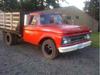
Thread Starter
|
Freshman User
Joined: Dec 2010
Posts: 29
Likes: 0
From: Portland
1962 F350 light problem
Hey all. I'm buying this truck in two days but it is 45 minutes away and none of the lights work. I bought a tester but i'm wondering if anybody knows of any common reasons (besides fuses) that I could look at first. I really don't want to chance a ticket or accident.
Ford Parts Specialist
Joined: Nov 2006
Posts: 88,826
Likes: 785
From: Simi Valley, CA

Be aware that on trucks of this vintage, when you turn the headlamps on, the parking lamps automatically turn off.
The brake (stop) lamp switch has two prongs on it where the wire harness connects. It either threads directly into the front of the master cylinder or to a brass block that does the same thing.
This pressure activated switch (by your foot on the brake pedal) is notorious for getting gummed up inside with dirty brake fluid.
Switch (C1AZ-13480-A replaced 01A-13480) used 1940/66 on just about every FoMoCo vehicle. Go to an autoparts store, ask for a 1965/66 Mustang switch, same puppy.
Check the bulbs to see if they're burned out. Thin wire inside bulb will be broken. Remove bulbs, use a pencil eraser to clean the contacts, as are most likely corroded, typical rainy PNW problemo.
If you don't see a fuse panel mounted behind the dash adjacent to the steering column, it's located on the headlamp switch. Remove a battery cable for safety before sticking your mitts behind the dash.
Switch removal: Pull the ****/shaft (one piece assy) all the way out, reach under the dash, there's a spring loaded button on the switch. Push that in, hold it in...pull ****/shaft from the switch.
Switch will be free of the dash, retained only by its wiring harness. There will be...at least 5 glass fuses. The amperage and industry (autoparts) part numbers will be either stamped or printed on them.
The brake (stop) lamp switch has two prongs on it where the wire harness connects. It either threads directly into the front of the master cylinder or to a brass block that does the same thing.
This pressure activated switch (by your foot on the brake pedal) is notorious for getting gummed up inside with dirty brake fluid.
Switch (C1AZ-13480-A replaced 01A-13480) used 1940/66 on just about every FoMoCo vehicle. Go to an autoparts store, ask for a 1965/66 Mustang switch, same puppy.
Check the bulbs to see if they're burned out. Thin wire inside bulb will be broken. Remove bulbs, use a pencil eraser to clean the contacts, as are most likely corroded, typical rainy PNW problemo.
If you don't see a fuse panel mounted behind the dash adjacent to the steering column, it's located on the headlamp switch. Remove a battery cable for safety before sticking your mitts behind the dash.
Switch removal: Pull the ****/shaft (one piece assy) all the way out, reach under the dash, there's a spring loaded button on the switch. Push that in, hold it in...pull ****/shaft from the switch.
Switch will be free of the dash, retained only by its wiring harness. There will be...at least 5 glass fuses. The amperage and industry (autoparts) part numbers will be either stamped or printed on them.

Post Fiend
Joined: Sep 2006
Posts: 14,325
Likes: 14
From: Island Southeast Alaska
Quote:
Originally Posted by 76f350spercamprspeal
Welcome to FTE, Best Damn Forum EVER!
------------------------
Here's How to Post Pictures:
1. Login to FTE.
2.Click User CP (In the Top Left Hand Corner)
3.(On the Left, There will be a list, The 5th Option Down, will say "Pictures & Albums) Click That.
4.Then, Click Add Album, Enter a title, and description, if ya want to.
5. Click Upload Pictures, Then click Browse, Locate the Files of your truck. (You can add 3 files at a time)
5. Click Upload.
6. Add a description to the individual pictures, then click save.
7. Add more files if ya want.
8. Click The Picture you want to post, it will give you two codes at the bottom, Right Click The Second one (It say's BB Code, Then Say's [IMG]http:blahblahblah...[/IMG])
Then, Once that is highlighted, Right Click, Then Copy, Then Paste it into your post.
You can add up to 30 Images in one FTE Post.
If, Ya need any help, Don't hesitate to ask.
Quote:
Originally Posted by old_dan
You can also go to the "Garage" tab and start an album right here on FTE. After you post pictures to an album, we can look in your album, but you'll also be able to "insert a picture" by pasting in a link to the picture in your album.
It seems awkward, but whenever you "insert a picture" to one of these threads, the forum is looking for the picture somewhere on the web (which is always available) rather than from somewhere on your hard drive (which isn't always available).
Quote:
Originally Posted By Jolly Roger Joe
Welcome to FTE!
Go to Image hosting, free photo sharing & video sharing at Photobucket and sign up for a free account. Then create an album for your truck. Upload any pics you want to post on FTE to that album. Have this album open on your computer when you want to post pics on FTE.
While you're making a post on FTE, select the pic you want to post from your Photobucket album. When the large version of the pic is open, right mouse click on it and select "View Image Info". The image info will be highlighted and will look something like this:
http://i285.photobucket.com/albums/l...ghtsafter1.jpg
Copy that highlighted info (right click / copy).
When you have the spot in your post where you want the pic to be placed, select the "Insert Image" icon at the top of the post (looks like a mountain) and paste (right click / paste) the image info you copied in the highlighted box (just shows "http://" when it opens).
Your pic will be placed in the post.
Hope that helps.
Here's a tutorial Bob put together: https://www.ford-trucks.com/forums/67...-pictures.html
Originally Posted by 76f350spercamprspeal
Welcome to FTE, Best Damn Forum EVER!
------------------------
Here's How to Post Pictures:
1. Login to FTE.
2.Click User CP (In the Top Left Hand Corner)
3.(On the Left, There will be a list, The 5th Option Down, will say "Pictures & Albums) Click That.
4.Then, Click Add Album, Enter a title, and description, if ya want to.
5. Click Upload Pictures, Then click Browse, Locate the Files of your truck. (You can add 3 files at a time)
5. Click Upload.
6. Add a description to the individual pictures, then click save.
7. Add more files if ya want.
8. Click The Picture you want to post, it will give you two codes at the bottom, Right Click The Second one (It say's BB Code, Then Say's [IMG]http:blahblahblah...[/IMG])
Then, Once that is highlighted, Right Click, Then Copy, Then Paste it into your post.
You can add up to 30 Images in one FTE Post.
If, Ya need any help, Don't hesitate to ask.
Quote:
Originally Posted by old_dan
You can also go to the "Garage" tab and start an album right here on FTE. After you post pictures to an album, we can look in your album, but you'll also be able to "insert a picture" by pasting in a link to the picture in your album.
It seems awkward, but whenever you "insert a picture" to one of these threads, the forum is looking for the picture somewhere on the web (which is always available) rather than from somewhere on your hard drive (which isn't always available).
Quote:
Originally Posted By Jolly Roger Joe
Welcome to FTE!
Go to Image hosting, free photo sharing & video sharing at Photobucket and sign up for a free account. Then create an album for your truck. Upload any pics you want to post on FTE to that album. Have this album open on your computer when you want to post pics on FTE.
While you're making a post on FTE, select the pic you want to post from your Photobucket album. When the large version of the pic is open, right mouse click on it and select "View Image Info". The image info will be highlighted and will look something like this:
http://i285.photobucket.com/albums/l...ghtsafter1.jpg
Copy that highlighted info (right click / copy).
When you have the spot in your post where you want the pic to be placed, select the "Insert Image" icon at the top of the post (looks like a mountain) and paste (right click / paste) the image info you copied in the highlighted box (just shows "http://" when it opens).
Your pic will be placed in the post.
Hope that helps.
Here's a tutorial Bob put together: https://www.ford-trucks.com/forums/67...-pictures.html
Thread Starter
|
Freshman User
Joined: Dec 2010
Posts: 29
Likes: 0
From: Portland
Trending Topics
Post Fiend
Joined: Sep 2006
Posts: 14,325
Likes: 14
From: Island Southeast Alaska

FTE Stories
Ford Trucks for Ford Truck Enthusiasts

Rezvani's Latest Post-Apocalytic Monster Is a Ford F-150 Raptor Underneath
Verdad Gallardo
Top 10 Most Expensive Ford Trucks Ever Sold on Bring a Trailer
Joe Kucinski
2027 Ford Super Duty Buyer's Guide (Every Model, Engine, & Package)
Brett Foote
Top 10 Ford Truck Tragedies
Joe Kucinski
AEV FXL Super Duty - the Super Duty Raptor Ford Doesn't Make
Brett Foote
Lobo Vs Lobo: Proof the F-150 Lobo Should Be Even Lower!
Michael S. Palmer
Ford's 2001 Explorer Sportsman Concept Looks For a New Home
Verdad Gallardo
10 Best Ford Truck Engines We Miss the Most!
Joe Kucinski
2026 Shelby F-150 Off-Road: Better Than a Raptor R?
Brett Foote
Thread Starter
|
Freshman User
Joined: Dec 2010
Posts: 29
Likes: 0
From: Portland
LOL! Yes it is. I'm buying it tomorrow. There will be many pics. The story behind it is amazing. Details to follow...
 Like any place else anymore.

New User
Joined: Apr 2015
Posts: 9
Likes: 0
Brakes
Hey I have a 62 f350 and my brake lights or ignals weren't working at all. For the brakes there is a low pressure switch on the frame that wires can get disconnected or gummed up itself. I'd check the wires and possibly put in some new wiring. It isn't too bad

Thread
Thread Starter
Forum
Replies
Last Post
civicmindeddogooder
1961 - 1966 F-100 & Larger F-Series Trucks
14
Dec 23, 2019 08:56 AM
scrapyardking
1967 - 1972 F-100 & Larger F-Series Trucks
2
Mar 27, 2008 04:45 AM
red67shortbed
1967 - 1972 F-100 & Larger F-Series Trucks
4
May 30, 2005 09:39 AM