




How to post pictures!

Thread Starter
|
Posting Guru
Joined: Dec 2007
Posts: 1,061
Likes: 2
From: London, Ontario Canada
How to post pictures!
This thread was on the 73-79 area first (https://www.ford-trucks.com/forums/78...-pictures.html), i thought of sharing it and Yes i know this is off topic of 48-60 trucks, but i feel it is a issue that has to be mentioned! a lot of guys and gals on here don't seem to know how to post pictures, and some don't even admit it and can't share what they have, i was one of these people in till i was told on how to post pictures, there is other ways like links and stuff, but this is how i do it, go to this site (just copy and paste this site from below), its real easy and i hope the number of people who can't post pictures goes down, and the posts of pictures increases, because if we can't share pics we can have a hard time explaining our selves.
TinyPic - Free Image Hosting, Photo Sharing & Video Hosting and then click browse and then select the picture you want then click open then you can select from the options like resize and add a tag or title to the picture, then you click upload then once it is loaded you will see the links to share and below there is a few options, then the one that says IMG Code for Forums & Message Boards you then highlight the info in the yellow box below it, then copy and paste it into your post, and right what ever you want like what the picture is and then post it! its easy, and i hope this thread helps people on here, please feel free to try it out and post your pictures of your trucks and any fords you like or have, good luck and i hope this does not get removed, i just think something like this should be a permanent fix on the top of the forum for new members or even members who don't know how to post pictures.
TinyPic - Free Image Hosting, Photo Sharing & Video Hosting and then click browse and then select the picture you want then click open then you can select from the options like resize and add a tag or title to the picture, then you click upload then once it is loaded you will see the links to share and below there is a few options, then the one that says IMG Code for Forums & Message Boards you then highlight the info in the yellow box below it, then copy and paste it into your post, and right what ever you want like what the picture is and then post it! its easy, and i hope this thread helps people on here, please feel free to try it out and post your pictures of your trucks and any fords you like or have, good luck and i hope this does not get removed, i just think something like this should be a permanent fix on the top of the forum for new members or even members who don't know how to post pictures.
Thread Starter
|
Posting Guru
Joined: Dec 2007
Posts: 1,061
Likes: 2
From: London, Ontario Canada
it totally worked! sweet truck! you can find me in the 73-79 area, but i wander around to the 67-72 area from time to time, but i decided to stagger to the 48-60 and 61-66 and the 47 and older areas, and its nice to see older fords! and that looks like one sweet 48 f1 project! i am glad i can help! i helped a great number of guys and gals in the 73-79 area, and decided to spread the knowledge of how to post pictures, since FTE has some how left out how to post pictures  i was stuck at one time and had no idea how to post pictures, but someone showed me and since then i have shared it on fte.com, its nice to post a pic to help someone out or just share! and i am so happy to see the fruits of my labor!
  keep it up guys i love to see old truck pictures! and i since i am just a young 19 year old computers where taught to me since i was a wee grasshopper and i felt these how to post threads would not only help people my age out, but even older folks who where never taught from grade school on how to operate a computer.
i was stuck at one time and had no idea how to post pictures, but someone showed me and since then i have shared it on fte.com, its nice to post a pic to help someone out or just share! and i am so happy to see the fruits of my labor! keep it up guys i love to see old truck pictures! and i since i am just a young 19 year old computers where taught to me since i was a wee grasshopper and i felt these how to post threads would not only help people my age out, but even older folks who where never taught from grade school on how to operate a computer.

Hotshot


Joined: Jan 2001
Posts: 16,882
Likes: 3,126
From: SE Wisc. (the Rust Belt)
My post has pictures  :
:
https://www.ford-trucks.com/forums/6...-pictures.html
Just givin' you a hard time. Some of us need all the help we can get
:https://www.ford-trucks.com/forums/6...-pictures.html
Just givin' you a hard time. Some of us need all the help we can get
Cross-Country


Joined: Mar 2006
Posts: 77
Likes: 41
From: Susquehanna Valley
Trending Topics

Freshman User
Joined: Oct 2008
Posts: 36
Likes: 0
From: Madison, MS
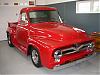
Yes it did 3798j. Nice line-up by the way, are those two triumphs on the right? The one on the end looks kinda like my 71 GT6.
FTE Stories
Ford Trucks for Ford Truck Enthusiasts

10 Things Every Truck Owner NEEDS (2026 Edition)
Michael S. Palmer
Rezvani's Latest Post-Apocalyptic Monster Is a Ford F-150 Raptor Underneath
Verdad Gallardo
Top 10 Most Expensive Ford Trucks Ever Sold on Bring a Trailer
Joe Kucinski
2027 Ford Super Duty Buyer's Guide (Every Model, Engine, & Package)
Brett Foote
Top 10 Ford Truck Tragedies
Joe Kucinski
AEV FXL Super Duty - the Super Duty Raptor Ford Doesn't Make
Brett Foote
Lobo Vs Lobo: Proof the F-150 Lobo Should Be Even Lower!
Michael S. Palmer
Ford's 2001 Explorer Sportsman Concept Looks For a New Home
Verdad Gallardo
10 Best Ford Truck Engines We Miss the Most!
Joe Kucinski
Hotshot
Joined: Jan 2001
Posts: 16,882
Likes: 3,126
From: SE Wisc. (the Rust Belt)
One suggestion I have for anyone posting an image is to keep it manageable in size. A large image like this one can take someone with a slow connection a looong time to download. I know when I had dial up an image like this in a post would take forever and most of the time it would time out and kick me off of the site. It's best to post an image of size that it just about fills the screen. That way you don't have to scan back and forth to see the entire image, it also won't distort the rest of the posts.

Postmaster
Joined: Sep 2006
Posts: 4,525
Likes: 1
From: oh
I am trying and will post alot of pics once I figure it out.
You may get tired of all my pics--but I have alot on my digital camera,and want to show them to you guys.
Man that is a nice garage full of cool rides---you like red--I take it--haha!!
Bill
You may get tired of all my pics--but I have alot on my digital camera,and want to show them to you guys.
Man that is a nice garage full of cool rides---you like red--I take it--haha!!
Bill
Thread Starter
|
Posting Guru
Joined: Dec 2007
Posts: 1,061
Likes: 2
From: London, Ontario Canada
i always forget about dial up people, and i like the large images, since i am viewing it all on a stunning 22 LCD wide screen Westinghouse monitor and a dsl internet helps on the load up, but i will keep dial up users in mind! and good luck walford's 56, its not to hard, just connect your digital camera to the computer then go into my computer then you should see your camera as a external drive, or use the software that came with the camera, like my digital camera came with kodak easy share which is a pain in the a$$ to use and i end up taking the sd memory stick out of the camera and sticking it into my fax/printer, which allows sd memory cards to be stuck in to up load to the computer, once you have the pictures, move them to my pictures area then once your on tiny pic you follow what i said above, and simple click on the picture in the window, then click ok then click upload, once done, you then highlight and copy and past it into your comment box on here, then you can add words to describe it or what ever ya want, then click post! and the picture should appear! just give it a try on here! and test intill you got it, good luck and if ya need anymore help just post on here, and i will do my best to explain it better, might even do pictures to walk ya through it! happy posting! and can't wait to see your pictures!
and i end up taking the sd memory stick out of the camera and sticking it into my fax/printer, which allows sd memory cards to be stuck in to up load to the computer, once you have the pictures, move them to my pictures area then once your on tiny pic you follow what i said above, and simple click on the picture in the window, then click ok then click upload, once done, you then highlight and copy and past it into your comment box on here, then you can add words to describe it or what ever ya want, then click post! and the picture should appear! just give it a try on here! and test intill you got it, good luck and if ya need anymore help just post on here, and i will do my best to explain it better, might even do pictures to walk ya through it! happy posting! and can't wait to see your pictures!
Cross-Country
Joined: Mar 2006
Posts: 77
Likes: 41
From: Susquehanna Valley
Wow! I certainly didn't want to make it that large. Thought I followed directions?
Thanks, bnradams. They are a pair of Triumphs. The one on the end is a '68 GT6.
Thanks, WALFORD'S 56. The red thing wasn't planned, it just happened. Honest.
Thanks, bnradams. They are a pair of Triumphs. The one on the end is a '68 GT6.
Thanks, WALFORD'S 56. The red thing wasn't planned, it just happened. Honest.
Hotshot

Joined: Nov 2000
Posts: 11,591
Likes: 14
From: Pflugerville, tx

the first step is to get them stored on the internet somewhere..
in a gallery, on photobucket.com or on tinypic.com, (or lots of other hosting/storage locations, these guys let you store pics for free, cause they get to collect em & sell the good ones for use in applications, marketing fliers, etc)..
anyhow, once up loaded (from tiny PC to BIG server in the sky), then you can link to the pictures..
in forum programs link FTE, you insert a special "[IMG]picture location[/IMG]"
tag in your forum post, and the forum application does all the detail work behind the covers. and it puts the pic IN the message text (inline)
to do this in FTE you can type it in yourself (ugh), or use 1 of a couple tools, like the prompter button, and dialog
<a href="http://s427.photobucket.com/albums/pp351/sdetweil/?action=view¤t=imagewindow.jpg" target="_blank"><img src="http://i427.photobucket.com/albums/pp351/sdetweil/imagewindow.jpg" border="0" alt="Photobucket"></a>
(shown here)

or, if you KNOW the magic goo, you can cut/paste it yourself. photobucket shows a list of good choices.. (small for email, plain, or with html or forum type wrappers)..

these put the pics IN the text area..
IF you contribute to FTE, the you get the ability to do all this in one easy motion, for a limited number of pics per post (3), by using the post attachments.

which gives you this dialog (to 'upload' them from your computer or somewhere else)

the attachments get shown at the bottom of the post, and could end up side by side. but they are very picky about the SIZE of the images here..(to keep their storage costs down)..
Hope this helped..
sam

Thread
Thread Starter
Forum
Replies
Last Post
1977f150xlt
1973 - 1979 F-100 & Larger F-Series Trucks
45
Jul 6, 2010 09:54 AM
Earl
1948 - 1956 F1, F100 & Larger F-Series Trucks
23
Oct 10, 2005 10:21 AM