


Innova 5610 Scan Tool Review: The Cream of the Crop of Diagnostic Tools


Thread Starter
|
Fleet Mechanic


Joined: Aug 2016
Posts: 1,665
Likes: 145
Innova 5610 Scan Tool Review: The Cream of the Crop of Diagnostic Tools
Innova 5610 Scan Tool Review: The Cream of the Crop of Diagnostic Tools

The Innova 5610 is a versatile scan tool that bridges the gap between weekend warriors and seasoned techs, without breaking the bank.
Disclosure: Innova is a paid sponsor of Ford Truck Enthusiasts.- The Innova 5610 features highly extensive, professional-grade bi-directional capabilities for ALL vehicle makes and models with OBD II
- It’s the top-of-the-line of hand-held automotive diagnostic scan tools
- Innova even offers an optional OBD I kit for pre-1996 vehicles
- It comes with advanced features such as OEM enhanced live data, TPMS read, battery and charging system test, active bi-directional tests, ABS bleeding, and more.
But for the garage heroes of the world, like myself, the Innova 5610 is an investment that will pay for itself tenfold. Prior to getting the 5610 to review, I only owned a Bluetooth bi-directional OBD II scanner. And it has undoubtedly been a crucial element of my tool set. But having experienced all the pro-level capability of the Innova 5610 hand-held scan tool for a little while now, I don’t think I can go back to the Bluetooth dongle life!

Given the fact that you’re reading this review, we’d venture to guess that you already know this, but we should probably mention, for the sake of clarification, that the Innova 5610’s basic function is retrieving DTCs (diagnostic trouble codes). But everything it does beyond that makes it a super tool. So let’s walk through what the 5610 offers, how it functions, and how it stands out in a crowded field of OBD II scanners.
Bi-Directional Control
When it comes to performing in-depth diagnoses, having bi-directional capabilities at your disposal is a game-changer. This type of functionality allows users to run active tests and perform special functions by sending commands to various modules within the vehicle’s computerized system, such as fuel pumps or relays, making it easy to test the operation of different elements at the touch of a button. This is typically reserved for tools that cost significantly more than the 5610, which makes the Innova scanner a great deal for the price point.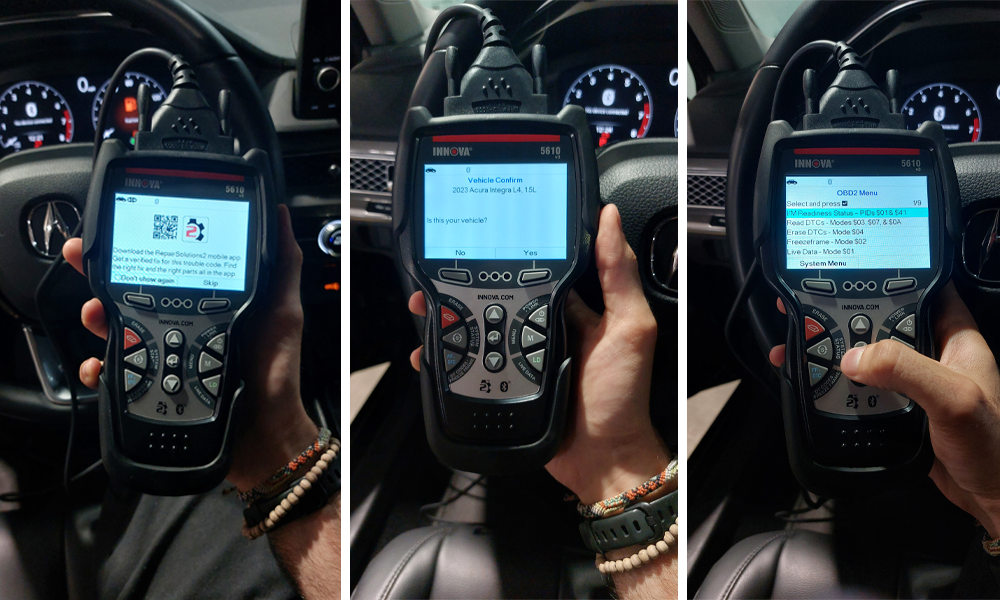
OEM Enhanced Diagnostics
The 5610 supports manufacturer-specific functions for most major brands, including Ford, GM, Toyota, Honda, and Chrysler products. It can access modules like ABS, SRS, and transmission, which are generally not accessible with most diagnostic tools.Interestingly, Innova is very forthcoming with the limitations of their devices, though, and they disclose that this scanner may not be your best option for some exotic or European brands. And while I conducted the majority of my testing for this review on Hondas and Acuras, I’ve also used it pretty extensively with my 2008 Mercedes, and it has worked flawlessly there as well.
Live Data and Graphing
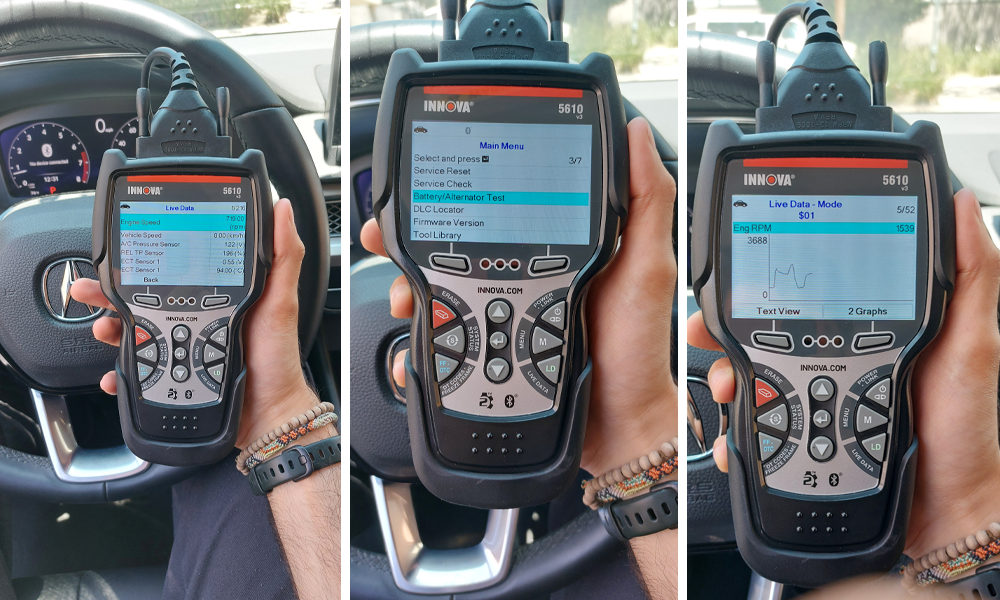
The Innova 5610 Car Scan has the ability to display real-time sensor data from various systems, with the option to graph multiple parameters simultaneously. This is extremely helpful when trying to diagnose intermittent issues or verifying repairs.Reset and Relearn Procedures
The 5610 goes beyond the best of the rest by adding advanced reset and relearn functionalities. These include:- Service reset
- EPB/ABS bleeding
- Battery reset
- Idle relearn
- Steering angle calibration
- Crankshaft position relearn
Bluetooth Connectivity and RepairSolutions2 App
On top of everything you get within the interface of the device itself, Innova also gives you the ability to connect your 5610 scanner to your phone via their RepairSolutions 2 application. This app allows you to monitor data from the scanner, in addition to giving users access to a vast library of repair information, recalls, technical service bulletins (TSBs), as well as scheduled maintenance and predicted failures for the vehicle.
Performance in Use
The scanner boosts shockingly quickly, once connected to the vehicle’s datalink connector (DLC), and reads any and all trouble codes immediately. Module scanning on supported vehicles is very thorough. Of course, the availability of the functionality varies (and is potentially limited by) the vehicle’s computer. So not all makes and models will get the same in-depth features.Although it lacks the modern comfort of a touch screen, the interface is rather intuitive, with a menu system that’s easy to navigate even for first-time users. The color screen is very visible in sunlight, and the navigation buttons are tactile. The device feels nice and rugged in your hands, and let’s not forget how ergonomical the shape of the design is!

Shortcomings
- Some advanced features are not available on every vehicle
- The app occasionally fails to connect and requires new logins and pairing resets
- Updating the device can be a bit of a hassle, as over-the-air updates are not available. The device will need to be connected to a computer, and you’ll need another application to be able to download the latest updates. The good thing is that the updates are free!
- The interface, intuitive as it may be for a button system, still remains difficult to navigate at times, especially when reviewing live data and having to scroll through a long list of it.

Who is it for?
The ideal user for the Innova 5610 is, well, people like me!- DIYers and enthusiasts who want a professional-grade diagnostics tool
- Small repair shops or mechanics looking for a portable secondary scanner

The Innova 5610 is a well-rounded diagnostic tool with features typically found on far more expensive tools. While it’s certainly not a total replacement for dealer-grade scanners, it delivers most of what an advanced hobbyist or independent technician would need for their everyday diagnostics and maintenance.
For those in the market for a scan tool that goes way… way beyond code reading (without entering four-digit territory), the 5610 is probably the best value on the market.
Check it out on Innova’s website.

Thread
Thread Starter
Forum
Replies
Last Post
Curated Content Editor
Electrical Systems/Wiring
0
Feb 6, 2026 05:29 PM
Sous
1999 - 2003 7.3L Power Stroke Diesel
62
May 11, 2024 08:45 PM
Bensony
6.0L Power Stroke Diesel
1
May 25, 2019 03:49 PM
Fordenthusiasts
1987 - 1996 F150 & Larger F-Series Trucks
10
Aug 12, 2011 04:40 PM