





new sync software update - sorta

Tuned
Joined: Jul 2018
Posts: 449
Likes: 0
Hmmm...my post for help went missing. Try #2.
I'm a newbie to this, so bear with me and if there is a link on details I'm looking for I'd be grateful for it. I searched but did not find. I learned here to go to the owner.ford.com site to check. I updated my account, read all the instructions, and downloaded a zip file for Sync3.
Some questions:
1. The "unzipped" folder is named JR35-14G381-AM, and it has "autoinstall.lst", "DONTINDX.MSA" and 8 tar files that are still zipped, and all with a "SyncMyRide" prefix to their names, i.e. for example: SyncMyRide\GB5T-14G386-AA.tar.gz. The instructions on the FORD site show "CAB" files. Have I not unzipped correctly?
2. Do I copy the files, not the parent folder named "JR3T-14G381-AM"?
3. the instructions say you need a 32GB thumb drive...really?! Files are taking up 1.62 GB. Can I use a 2GB or 8GB thumb drive?
4. If this fails, will I blow up my truck and have to walk to work Tuesday? Or worse, have to listen to NPR?
Thank you.
I'm a newbie to this, so bear with me and if there is a link on details I'm looking for I'd be grateful for it. I searched but did not find. I learned here to go to the owner.ford.com site to check. I updated my account, read all the instructions, and downloaded a zip file for Sync3.
Some questions:
1. The "unzipped" folder is named JR35-14G381-AM, and it has "autoinstall.lst", "DONTINDX.MSA" and 8 tar files that are still zipped, and all with a "SyncMyRide" prefix to their names, i.e. for example: SyncMyRide\GB5T-14G386-AA.tar.gz. The instructions on the FORD site show "CAB" files. Have I not unzipped correctly?
2. Do I copy the files, not the parent folder named "JR3T-14G381-AM"?
3. the instructions say you need a 32GB thumb drive...really?! Files are taking up 1.62 GB. Can I use a 2GB or 8GB thumb drive?
4. If this fails, will I blow up my truck and have to walk to work Tuesday? Or worse, have to listen to NPR?
Thank you.
.gz is the extension for gzip'ed files (compressed)
.tar is the extension for multiple files that have been compiled into a single file (much like you can do with gzip/winzip)
So your files were bundled and compressed. There are many version of winzip/gzip/winrar/etc. that will unpackage those, but I can't tell you if you need to do that. It would make sense that if they come from Ford in that format, the SYNC OS can do the work on unpackaging the source files itself.

Lead Driver
Joined: Dec 2016
Posts: 5,650
Likes: 243
From: GA
Updating via WiFi is hit or miss.........It`ll work for some but not for others hence the reason Ford/SYNC suggest doing it via USB.

Mountain Pass


Joined: Aug 2018
Posts: 136
Likes: 22
From: Clayton, NC

Okay, I got two 32gb flash drives for about 22 bucks. Followed the directions on owner.ford.com to download the update.
Copy or Move the Folder SyncMyRide and the two files autoinstall and DONTINDX.MSA to your 32gb flash drive - as others stated a 16gb will do.
Turn on vehicle, wait for splash screen to load insert flash drive. Within 12 minutes I was directed to remove flash drive. About 10 more minuets it was complete.
I did have to unpair and then repair my phone. It kept disconnecting while I was driving.
Copy or Move the Folder SyncMyRide and the two files autoinstall and DONTINDX.MSA to your 32gb flash drive - as others stated a 16gb will do.
Turn on vehicle, wait for splash screen to load insert flash drive. Within 12 minutes I was directed to remove flash drive. About 10 more minuets it was complete.
I did have to unpair and then repair my phone. It kept disconnecting while I was driving.
Lead Driver
Joined: Dec 2016
Posts: 5,650
Likes: 243
From: GA
Well, I guess it updated although it sure didn't work like the instructions on the ford site. Basically, I could not start the update per instructions; instead, after a while, the system just started to update. Took it for a drive, less than 15min and it said complete and that the vehicle had to be shut off to finish. Pulled over, shut down, started up and radio and nav screen resumed where it had left off. Less than 5 min later and it started another update process, this one took at least 15 minutes more. When it finished it said that it would be updated completely once the truck was shut down and restarted. So I did that. The same thing again, it came back to my radio station and nav screen. Automatically connected to Bluetooth phone, and had my "home" still stored in the Nav. I verified it is now version 3 although I didn't pay attention to the build. I wonder what I have done!
Don`t sweat it because it sounds like you`re good to go.
Lead Driver
Joined: Dec 2016
Posts: 5,650
Likes: 243
From: GA
In case you`re wondering, the latest and greatest build is 18093 which was released a few days ago.
Just go into your SYNC system and see which build you have.
Do you know how to do that?
Just go into your SYNC system and see which build you have.
Do you know how to do that?
Senior User
Joined: Mar 2017
Posts: 111
Likes: 0
From: Montreal
Mine was updated a couple of days ago to 18093 through WIFI.
Since the update I no longer have any issues! Yeah!!!!
No am at startup, no connecting to WIFI message, no blank screen.
Hope it works out for everyone else!!!!
Rod.
Since the update I no longer have any issues! Yeah!!!!
No am at startup, no connecting to WIFI message, no blank screen.
Hope it works out for everyone else!!!!
Rod.
Junior User
Joined: Oct 2017
Posts: 80
Likes: 1
From: Fort Mcmurray,AB
im doing my update as we speak via usb i had older version of sync and it wouldnt update via wifi i tried for hours and had less than 10 % lol got better things to do
lol next step is to play with forscan
FTE Stories
Ford Trucks for Ford Truck Enthusiasts

3 Best / 3 Worst Parts of Modern Ford Ownership
Brett Foote
10 Amazing Upgrades That Solve Common Ford Truck Owner Headaches
Pouria Savadkouei
Every 2026 Ford Engine Explained
Brett Foote
10 Ugly Ford Trucks That We Still Kinda Love
Joe Kucinski
10 Things Every Truck Owner NEEDS (2026 Edition)
Michael S. Palmer
Rezvani's Latest Post-Apocalyptic Monster Is a Ford F-150 Raptor Underneath
Verdad Gallardo
Top 10 Most Expensive Ford Trucks Ever Sold on Bring a Trailer
Joe Kucinski
2027 Ford Super Duty Buyer's Guide (Every Model, Engine, & Package)
Brett Foote
Top 10 Ford Truck Tragedies
Joe Kucinski
Mountain Pass
Joined: Apr 2016
Posts: 241
Likes: 2
From: SW Washington
I checked my truck and found Version 2.2, build 16280, Gracenote version 1.1.1.806 (NA-0010)
I put the files onto my USB and started the update. Less than a minute later it rebooted the screen, said to restart the engine and it was done.
I checked my USB and the file to show the completed process was not on the drive to report back to Ford.
I checked my update and it shows Version 3.0 Build 18093, Navigation maps version NA 1 15 and a SYNC serial #
On the way to town it showed an error so when I got home I tried an update by WIFI. I left it spinning for an hour or so. When I got back to it it had me restart the truck.
I tried to run update to see if it would try to load anything and it said last update was four days ago.
That is about my luck with updates. Time will tell.
Thank you all for the information that got me this far. Progress.
I put the files onto my USB and started the update. Less than a minute later it rebooted the screen, said to restart the engine and it was done.
I checked my USB and the file to show the completed process was not on the drive to report back to Ford.
I checked my update and it shows Version 3.0 Build 18093, Navigation maps version NA 1 15 and a SYNC serial #
On the way to town it showed an error so when I got home I tried an update by WIFI. I left it spinning for an hour or so. When I got back to it it had me restart the truck.
I tried to run update to see if it would try to load anything and it said last update was four days ago.
That is about my luck with updates. Time will tell.
Thank you all for the information that got me this far. Progress.

Hotshot

Joined: Oct 2015
Posts: 19,708
Likes: 12,846
From: Wyoming
The XML file it was looking for was in the subdirectory SyncMyRide on my USB drive. I just uploaded the XML file to the Ford website this afternoon. It seemed to have accepted the file. However, the website still thinks I have version 2.3 installed.

Mountain Pass
Joined: Apr 2018
Posts: 143
Likes: 0
From: SF Bay Area
You probably are using a Mac. Here’s the solution:
1. Go into Safari and turn off safe download which is auto unzipping your file download.
2. Get The Unarchiver in the App Store
3. Download the update from Ford. It should be a .zip and remain in this form without auto unzipping.
4. Now unzip with The Unarchiver and you’re good to go. Two files, one SyncMyRide folder.
1. Go into Safari and turn off safe download which is auto unzipping your file download.
2. Get The Unarchiver in the App Store
3. Download the update from Ford. It should be a .zip and remain in this form without auto unzipping.
4. Now unzip with The Unarchiver and you’re good to go. Two files, one SyncMyRide folder.
Hmmm...my post for help went missing. Try #2.
I'm a newbie to this, so bear with me and if there is a link on details I'm looking for I'd be grateful for it. I searched but did not find. I learned here to go to the owner.ford.com site to check. I updated my account, read all the instructions, and downloaded a zip file for Sync3.
Some questions:
1. The "unzipped" folder is named JR35-14G381-AM, and it has "autoinstall.lst", "DONTINDX.MSA" and 8 tar files that are still zipped, and all with a "SyncMyRide" prefix to their names, i.e. for example: SyncMyRide\GB5T-14G386-AA.tar.gz. The instructions on the FORD site show "CAB" files. Have I not unzipped correctly?
2. Do I copy the files, not the parent folder named "JR3T-14G381-AM"?
3. the instructions say you need a 32GB thumb drive...really?! Files are taking up 1.62 GB. Can I use a 2GB or 8GB thumb drive?
4. If this fails, will I blow up my truck and have to walk to work Tuesday? Or worse, have to listen to NPR?
Thank you.
I'm a newbie to this, so bear with me and if there is a link on details I'm looking for I'd be grateful for it. I searched but did not find. I learned here to go to the owner.ford.com site to check. I updated my account, read all the instructions, and downloaded a zip file for Sync3.
Some questions:
1. The "unzipped" folder is named JR35-14G381-AM, and it has "autoinstall.lst", "DONTINDX.MSA" and 8 tar files that are still zipped, and all with a "SyncMyRide" prefix to their names, i.e. for example: SyncMyRide\GB5T-14G386-AA.tar.gz. The instructions on the FORD site show "CAB" files. Have I not unzipped correctly?
2. Do I copy the files, not the parent folder named "JR3T-14G381-AM"?
3. the instructions say you need a 32GB thumb drive...really?! Files are taking up 1.62 GB. Can I use a 2GB or 8GB thumb drive?
4. If this fails, will I blow up my truck and have to walk to work Tuesday? Or worse, have to listen to NPR?
Thank you.

Tuned
Joined: Apr 2017
Posts: 416
Likes: 76
From: Georgia
One nice feature I've noticed since doing the most recent update is that if you have your dash dimmed all the way at night, when you shift into reverse, or use the 360 camera, the dash will brighten so you can see the screen better. In the dead of the night this is not necessary but at dawn/dusk, the screen is incredibly difficult to see if the sun is shining in but the truck thinks your lights should be on.
Tuned
Joined: Mar 2018
Posts: 472
Likes: 24
From: Brentwood CA
Thought I was crazy at first - but it seems like I have more bass up front on both the F250 and the Shelby.
Tuned
Joined: Mar 2018
Posts: 472
Likes: 24
From: Brentwood CA
.CAB are cabinet files (think of them as master files with many smaller files inside - windows uses these as well)
.gz is the extension for gzip'ed files (compressed)
.tar is the extension for multiple files that have been compiled into a single file (much like you can do with gzip/winzip)
So your files were bundled and compressed. There are many version of winzip/gzip/winrar/etc. that will unpackage those, but I can't tell you if you need to do that. It would make sense that if they come from Ford in that format, the SYNC OS can do the work on unpackaging the source files itself.
.gz is the extension for gzip'ed files (compressed)
.tar is the extension for multiple files that have been compiled into a single file (much like you can do with gzip/winzip)
So your files were bundled and compressed. There are many version of winzip/gzip/winrar/etc. that will unpackage those, but I can't tell you if you need to do that. It would make sense that if they come from Ford in that format, the SYNC OS can do the work on unpackaging the source files itself.

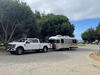
Did get the F250 out on the Salt for fun....

Regarding the Sync files - if you are using Windows 10 you should be able to right click on the zip file and do an extract to.....
