


 I think I finally figured it out.

Back again

Thread Starter
|
Senior User
Joined: Apr 2007
Posts: 125
Likes: 0
From: Kershaw, South Carolina
Back again
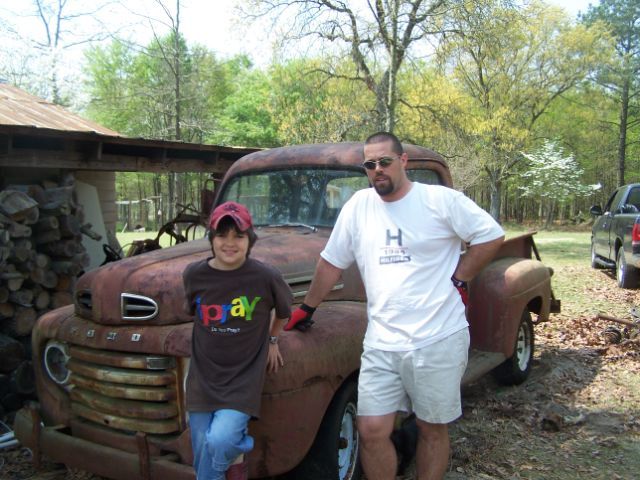
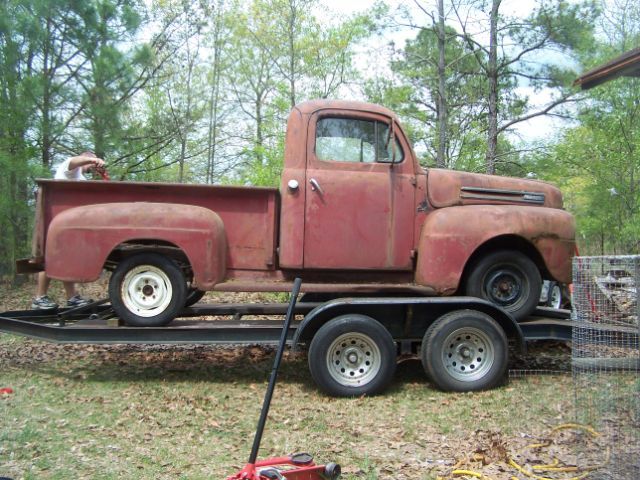
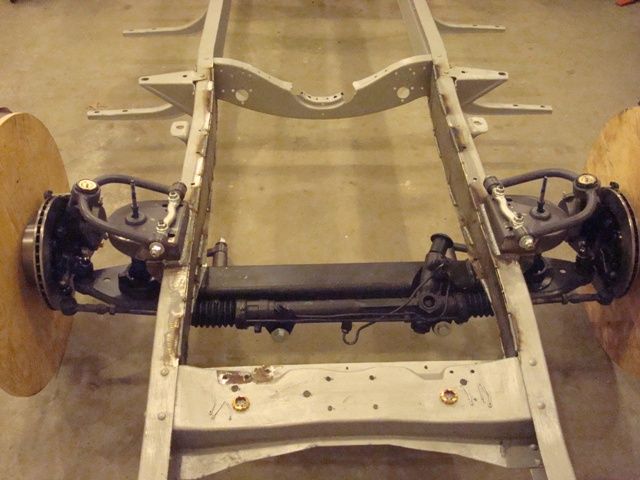
I haven't been on here in quite some time. I bought a 1969 Ch**y short bed and put my son's 50 f-1 on the back burner. Well I have my 69 running now after being parked for over 18 years, and I guess I have to start back spending money on the ford. Before I stopped on it, we put the fat man frontend in and swapped out the rear for an explorer rearend. I am going to start with the patch panels for the cab and then move to brakes.

Lead Driver
Joined: Jul 2011
Posts: 6,599
Likes: 34
From: Rockingham, VA
The pics have to be somewhere on the Internet first. I use Photobucket, but there are others.
Here's one way to upload pics to your posts.
Go to http://photobucket.com/ and sign up for a free account. Then create an album for your truck. Upload any pics you want to post on FTE to that album. Have this album open on your computer when you want to post pics on FTE.
While you're making a post on FTE, select the pic you want to post from your Photobucket album. When the large version of the pic is open, right mouse click on it and select "View Image Info". The image info will be highlighted and will look something like this:
http://i285.photobucket.com/albums/l...ghtsafter1.jpg
Copy that highlighted info (right click / copy).
When you have the spot in your post where you want the pic to be placed, select the "Insert Image" icon at the top of the post (looks like a mountain) and paste (right click / paste) the image info you copied in the highlighted box (just shows "http://" when it opens).
Your pic will be placed in the post.
Hope that helps.
Here's one way to upload pics to your posts.
Go to http://photobucket.com/ and sign up for a free account. Then create an album for your truck. Upload any pics you want to post on FTE to that album. Have this album open on your computer when you want to post pics on FTE.
While you're making a post on FTE, select the pic you want to post from your Photobucket album. When the large version of the pic is open, right mouse click on it and select "View Image Info". The image info will be highlighted and will look something like this:
http://i285.photobucket.com/albums/l...ghtsafter1.jpg
Copy that highlighted info (right click / copy).
When you have the spot in your post where you want the pic to be placed, select the "Insert Image" icon at the top of the post (looks like a mountain)
and paste (right click / paste) the image info you copied in the highlighted box (just shows "http://" when it opens).Your pic will be placed in the post.
Hope that helps.
Thread Starter
|
Senior User
Joined: Apr 2007
Posts: 125
Likes: 0
From: Kershaw, South Carolina
Trending Topics
Thread Starter
|
Senior User
Joined: Apr 2007
Posts: 125
Likes: 0
From: Kershaw, South Carolina
FTE Stories
Ford Trucks for Ford Truck Enthusiasts

3 Best / 3 Worst Parts of Modern Ford Ownership
Brett Foote
10 Amazing Upgrades That Solve Common Ford Truck Owner Headaches
Pouria Savadkouei
Every 2026 Ford Engine Explained
Brett Foote
10 Ugly Ford Trucks That We Still Kinda Love
Joe Kucinski
10 Things Every Truck Owner NEEDS (2026 Edition)
Michael S. Palmer
Rezvani's Latest Post-Apocalyptic Monster Is a Ford F-150 Raptor Underneath
Verdad Gallardo
Top 10 Most Expensive Ford Trucks Ever Sold on Bring a Trailer
Joe Kucinski
2027 Ford Super Duty Buyer's Guide (Every Model, Engine, & Package)
Brett Foote
Top 10 Ford Truck Tragedies
Joe Kucinski
Thread
Thread Starter
Forum
Replies
Last Post
cawinegal
1948 - 1956 F1, F100 & Larger F-Series Trucks
7
Nov 28, 2012 11:01 AM
foamtown
1948 - 1956 F1, F100 & Larger F-Series Trucks
18
Jul 12, 2012 12:23 PM