


long time looker-first time poster.

Thread Starter
|
New User
Joined: Sep 2012
Posts: 8
Likes: 0
From: Thunder Bay , Ontario,Can
long time looker-first time poster.
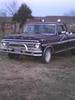
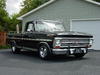
Hi i recently started to work on my dads truck. Unfortunly i lost my dad last year, he was only 64. A liitle back ground on the truck, He ordered it in the fall of 68, brought it home Feb 21/1969. It was his summer driver till 1977, stored till 1985 at that time he drove it 250 miles to were we moved to.In 1989 he drove it 600 miles and also drove it the remainder of that summer (we moved again). We took it out a few times and washed it and put back into the garage. 2002 was the last year it seen daylight till 2 weeks ago .It only has 46,000 miles on it. If i could figure out how to post pics i will add some. . My plan is to clean it up and use it as a summer weekend cruiser, thinking of a 302 trans plant,disc brakes, power steering.
. My plan is to clean it up and use it as a summer weekend cruiser, thinking of a 302 trans plant,disc brakes, power steering.

Fleet Owner
Joined: Dec 2009
Posts: 20,678
Likes: 82
From: NorCal
Welcome to FTE... Sorry to hear about your father.
Sounds like a nice project to start with. 302 swap? I deduce it has a six banger? If so, don't be too hasty swapping it out.. it's a torquey lil bugger and generally, in my opinion, more suited for these heavy trucks than a 302.
There's a pile of hyperlinks on this thread for disc, power steering, and other swaps/upgrades: https://www.ford-trucks.com/forums/1...mpilation.html
Sounds like a nice project to start with. 302 swap? I deduce it has a six banger? If so, don't be too hasty swapping it out.. it's a torquey lil bugger and generally, in my opinion, more suited for these heavy trucks than a 302.
There's a pile of hyperlinks on this thread for disc, power steering, and other swaps/upgrades: https://www.ford-trucks.com/forums/1...mpilation.html
Thread Starter
|
New User
Joined: Sep 2012
Posts: 8
Likes: 0
From: Thunder Bay , Ontario,Can
Its a 360, 3 on the tree, when my dad ordered it he went basic,
west coast mirrors, matching front and rear bumpers, standard steering, standard brakes, short box, ranger pkg.
It cost $2780.00 (still have a the bill of sale and and work sheet).
wanted to put a 302(fuelly) with a 5 speed out of a mustang in it for better fuel mileage.
The 360 fired up and ran but it sounds like it has a stuck lifter ( this winter i am going to bring it to my place and start to work on it.
i am still trying to figure out how to post pics!
thanks for the hyper links.
west coast mirrors, matching front and rear bumpers, standard steering, standard brakes, short box, ranger pkg.
It cost $2780.00 (still have a the bill of sale and and work sheet).
wanted to put a 302(fuelly) with a 5 speed out of a mustang in it for better fuel mileage.
The 360 fired up and ran but it sounds like it has a stuck lifter ( this winter i am going to bring it to my place and start to work on it.
i am still trying to figure out how to post pics!
thanks for the hyper links.
Last edited by dads 69 ford ranger; Sep 29, 2012 at 11:21 PM. Reason: added more info

Fleet Owner

Joined: Jun 1999
Posts: 24,552
Likes: 74
From: Creedmoor, North Carolina

dads Glad you decided to join in the fun. If your dad was 64, that should put you in the 40ish range. Interesting that after reading the many post about inherited trucks and not wanting to change anything, the first thing is you want a smaller engine. 
There are several ways to deal with photos. This site has garage and albums. You can upload photos to an online site, then use the yellow postcard looking thingie that you see when posting to see your photo. Give it a shot.
Example from earlier this year, hosted on Google Picasa.

John
There are several ways to deal with photos. This site has garage and albums. You can upload photos to an online site, then use the yellow postcard looking thingie that you see when posting to see your photo. Give it a shot.
Example from earlier this year, hosted on Google Picasa.
John
Thread Starter
|
New User
Joined: Sep 2012
Posts: 8
Likes: 0
From: Thunder Bay , Ontario,Can
Your very close, i am 43, I was 1 month old when the truck came home. My dad wanted a 390, 4 speed and bucket seats, but i was on the way , so ordered this instead. Last summer i just sold my old place and bought my house i am in now, was in the process of biulding a new shop,(first job was going tobe my dads truck as a father/son project), I am mechanic by trade, i also have resored a duster and a challenger in the past. This truck has no rust, paint badly faded, the tire rotted off it (i have a set of keystone classics that were installed on it in 1970), the tires on it are just rollers. very simple clean up and go thru to get road worthy again, i have pic in the garage just trying to figure out how the post them this thead!!!!
Thread Starter
|
New User
Joined: Sep 2012
Posts: 8
Likes: 0
From: Thunder Bay , Ontario,Can
jowilker- its was my dads idea to replace the motor with a 302, the disc brakes also. He really wanted to strip it down to the bare frame and redo it. It was a on going debate for years, i wanted to leave it the way it is and he wanted to change it, go figure?
Fleet Mechanic

Joined: May 2012
Posts: 1,724
Likes: 1
From: peru kansas
the way i learned how to post my pics was i took the pics with my phone then posted them off my phone on to the online album then i get online and copy the URL on the add picture tab in the advanced options/post reply
Trending Topics
Laughing Gas
Joined: Jul 2003
Posts: 884
Likes: 13
From: Bassett Virginia
Welcome to the forum! I think that would be a pretty easy truck to restore with 46,000 miles. Everyone is different about how they want to restore their trucks. I for one would consider leaving it the way it is. Basic engine rebuild and clean up is what I would do since its a 1 owner and you have some good original paper work to go along with it, and all the history about the truck. If the paint is not too bad and it doesnt have dents or major scratches, you might could simply wet sand the paint and buff it out to bring that original paint back to life!
FTE Stories
Ford Trucks for Ford Truck Enthusiasts

Rezvani's Latest Post-Apocalytic Monster Is a Ford F-150 Raptor Underneath
Verdad Gallardo
Top 10 Most Expensive Ford Trucks Ever Sold on Bring a Trailer
Joe Kucinski
2027 Ford Super Duty Buyer's Guide (Every Model, Engine, & Package)
Brett Foote
Top 10 Ford Truck Tragedies
Joe Kucinski
AEV FXL Super Duty - the Super Duty Raptor Ford Doesn't Make
Brett Foote
Lobo Vs Lobo: Proof the F-150 Lobo Should Be Even Lower!
Michael S. Palmer
Ford's 2001 Explorer Sportsman Concept Looks For a New Home
Verdad Gallardo
10 Best Ford Truck Engines We Miss the Most!
Joe Kucinski
2026 Shelby F-150 Off-Road: Better Than a Raptor R?
Brett Foote
Fleet Owner
Joined: Jun 1999
Posts: 24,552
Likes: 74
From: Creedmoor, North Carolina
I am with you WW, it aint dad's truck no more, just drive and enjoy it with his memory.
BTW, I'm 64 also, so I had an idea. My oldest son is 38. His 04 is in a photo in my site album.
John
BTW, I'm 64 also, so I had an idea. My oldest son is 38. His 04 is in a photo in my site album.
John
Laughing Gas
Joined: Jul 2003
Posts: 884
Likes: 13
From: Bassett Virginia
yeah, Im 41 so me and the thread starter are about the same age. I would just leave well enough alone, fix it back to a driveable restore and enjoy the truck as a very possible weekend cruiser. I think that way will pay off better for him in the long run.
PS.....I also think that if you dont want to rebuild the 360.....still keep it because obviuosly its the original engine to the truck and if you ever decided to sell it later down the road it would help you to achieve a higher value offering it with the truck. I also would go with a 390 over a 302, but thats just my opinion
PS.....I also think that if you dont want to rebuild the 360.....still keep it because obviuosly its the original engine to the truck and if you ever decided to sell it later down the road it would help you to achieve a higher value offering it with the truck. I also would go with a 390 over a 302, but thats just my opinion
Thread Starter
|
New User
Joined: Sep 2012
Posts: 8
Likes: 0
From: Thunder Bay , Ontario,Can
Thanks guys, I will be dragging it over to my garage in the next few weeks to start on it. So far i change the oil, installed "roller tires" drove it out of the garage were it is and washed it. Sounds like a lifter niose on the right side, will investgate it over the winter. My goal is to have driveable by spring.

Post Fiend
Joined: Sep 2006
Posts: 14,325
Likes: 14
From: Island Southeast Alaska
Try some Marva l Mystery oil down the carb. Or ATF there as well. And MM in the new 10w 40 oil and the noise may well go away and the power come back.
And X2 on leaving the 360 for now if ya get it smoothed out.
Quote:
Originally Posted by 76f350spercamprspeal
Welcome to FTE, Best Damn Forum EVER!
------------------------
Here's How to Post Pictures:
1. Login to FTE.
2.Click User CP (In the Top Left Hand Corner)
3.(On the Left, There will be a list, The 5th Option Down, will say "Pictures & Albums) Click That.
4.Then, Click Add Album, Enter a title, and description, if ya want to.
5. Click Upload Pictures, Then click Browse, Locate the Files of your truck. (You can add 3 files at a time)
5. Click Upload.
6. Add a description to the individual pictures, then click save.
7. Add more files if ya want.
8. Click The Picture you want to post, it will give you two codes at the bottom, Right Click The Second one (It say's BB Code, Then Say's [IMG]http:blahblahblah...[/IMG])
Then, Once that is highlighted, Right Click, Then Copy, Then Paste it into your post.
You can add up to 30 Images in one FTE Post.
If, Ya need any help, Don't hesitate to ask.
Quote:
Originally Posted by old_dan
You can also go to the "Garage" tab and start an album right here on FTE. After you post pictures to an album, we can look in your album, but you'll also be able to "insert a picture" by pasting in a link to the picture in your album.
It seems awkward, but whenever you "insert a picture" to one of these threads, the forum is looking for the picture somewhere on the web (which is always available) rather than from somewhere on your hard drive (which isn't always available).
Quote:
Originally Posted By Jolly Roger Joe
Welcome to FTE!
Go to Image hosting, free photo sharing & video sharing at Photobucket and sign up for a free account. Then create an album for your truck. Upload any pics you want to post on FTE to that album. Have this album open on your computer when you want to post pics on FTE.
While you're making a post on FTE, select the pic you want to post from your Photobucket album. When the large version of the pic is open, right mouse click on it and select "View Image Info". The image info will be highlighted and will look something like this:
http://i285.photobucket.com/albums/l...ghtsafter1.jpg
Copy that highlighted info (right click / copy).
When you have the spot in your post where you want the pic to be placed, select the "Insert Image" icon at the top of the post (looks like a mountain) and paste (right click / paste) the image info you copied in the highlighted box (just shows "http://" when it opens).
Your pic will be placed in the post.
Hope that helps.
Here's a tutorial Bob put together: https://www.ford-trucks.com/forums/67...-pictures.html
And X2 on leaving the 360 for now if ya get it smoothed out.
Quote:
Originally Posted by 76f350spercamprspeal
Welcome to FTE, Best Damn Forum EVER!
------------------------
Here's How to Post Pictures:
1. Login to FTE.
2.Click User CP (In the Top Left Hand Corner)
3.(On the Left, There will be a list, The 5th Option Down, will say "Pictures & Albums) Click That.
4.Then, Click Add Album, Enter a title, and description, if ya want to.
5. Click Upload Pictures, Then click Browse, Locate the Files of your truck. (You can add 3 files at a time)
5. Click Upload.
6. Add a description to the individual pictures, then click save.
7. Add more files if ya want.
8. Click The Picture you want to post, it will give you two codes at the bottom, Right Click The Second one (It say's BB Code, Then Say's [IMG]http:blahblahblah...[/IMG])
Then, Once that is highlighted, Right Click, Then Copy, Then Paste it into your post.
You can add up to 30 Images in one FTE Post.
If, Ya need any help, Don't hesitate to ask.
Quote:
Originally Posted by old_dan
You can also go to the "Garage" tab and start an album right here on FTE. After you post pictures to an album, we can look in your album, but you'll also be able to "insert a picture" by pasting in a link to the picture in your album.
It seems awkward, but whenever you "insert a picture" to one of these threads, the forum is looking for the picture somewhere on the web (which is always available) rather than from somewhere on your hard drive (which isn't always available).
Quote:
Originally Posted By Jolly Roger Joe
Welcome to FTE!
Go to Image hosting, free photo sharing & video sharing at Photobucket and sign up for a free account. Then create an album for your truck. Upload any pics you want to post on FTE to that album. Have this album open on your computer when you want to post pics on FTE.
While you're making a post on FTE, select the pic you want to post from your Photobucket album. When the large version of the pic is open, right mouse click on it and select "View Image Info". The image info will be highlighted and will look something like this:
http://i285.photobucket.com/albums/l...ghtsafter1.jpg
Copy that highlighted info (right click / copy).
When you have the spot in your post where you want the pic to be placed, select the "Insert Image" icon at the top of the post (looks like a mountain) and paste (right click / paste) the image info you copied in the highlighted box (just shows "http://" when it opens).
Your pic will be placed in the post.
Hope that helps.
Here's a tutorial Bob put together: https://www.ford-trucks.com/forums/67...-pictures.html

Thread
Thread Starter
Forum
Replies
Last Post
'57 Ford F100 Nut
1957 - 1960 F100 & Larger F-Series Trucks
93
Jun 29, 2017 03:35 PM
54-F100
1948 - 1956 F1, F100 & Larger F-Series Trucks
30
Oct 27, 2016 11:31 PM
truckdrivermn
1973 - 1979 F-100 & Larger F-Series Trucks
18
Jun 8, 2014 01:37 PM