


posting test
Thread Starter
|
Elder User
Joined: Jun 2010
Posts: 934
Likes: 2
From: Sterling, Virginia
posting test
I'm trying to post some pics from my album. Ok I'm computer stupid. I took my forever to post a few pics in my ablum, no I want to put them on a new thread. I'm at advanced, where do I get to the pics in the albumn. Thanks

Post Fiend
Joined: May 2008
Posts: 7,641
Likes: 21
From: Poway, Ca.
Hey Zoot!
Since you are now a "Supporter" you can import the photos directly from your computer and put them in your post.
When you write a post, click the box below that says "Go Advanced"
Once on the advanced page, you will see in the top tool bar a little black and white symbal (who knows what that thing is) just to the right of the "Smiley Face." Click on that. The "Manage Attachments table will appear and three "Browse" Boxes. Click on the browse box and navigate to the file on your computer where the photo is - then highlight the photo and click "Open" in the lower right corner.
When you are done with the three photos (or however many you want) click "Upload" on the "Manage Attachements" page. When it is done with upload, close that page.
Now when you click on the little symbol you will see the titles of your photos. Just place your curser on the page where you want it, and click on the title and it inserts.
It's easier than it sounds:

Tho see if they are correct, go to the bottom of the advanced post page and click "Preview Post." When you are done reviewing, click on "Submit Reply."
Since you are now a "Supporter" you can import the photos directly from your computer and put them in your post.
When you write a post, click the box below that says "Go Advanced"
Once on the advanced page, you will see in the top tool bar a little black and white symbal (who knows what that thing is) just to the right of the "Smiley Face." Click on that. The "Manage Attachments table will appear and three "Browse" Boxes. Click on the browse box and navigate to the file on your computer where the photo is - then highlight the photo and click "Open" in the lower right corner.
When you are done with the three photos (or however many you want) click "Upload" on the "Manage Attachements" page. When it is done with upload, close that page.
Now when you click on the little symbol you will see the titles of your photos. Just place your curser on the page where you want it, and click on the title and it inserts.
It's easier than it sounds:
Tho see if they are correct, go to the bottom of the advanced post page and click "Preview Post." When you are done reviewing, click on "Submit Reply."

FTE Legend

Joined: Oct 2005
Posts: 283,862
Likes: 8,352
From: northwestern Ontario
https://www.ford-trucks.com/forums/p...ictureid=46691
I right clicked on your picture, went to properties , highlighted the url, right clicked on that, hit copy, then went to your post, right clicked again and hit paste. Hope this is understandable. John
I right clicked on your picture, went to properties , highlighted the url, right clicked on that, hit copy, then went to your post, right clicked again and hit paste. Hope this is understandable. John
Hotshot


Joined: Nov 2000
Posts: 11,591
Likes: 14
From: Pflugerville, tx

Hey Zoot!
Since you are now a "Supporter" you can import the photos directly from your computer and put them in your post.
When you write a post, click the box below that says "Go Advanced"
Once on the advanced page, you will see in the top tool bar a little black and white symbal (who knows what that thing is) just to the right of the "Smiley Face." Click on that. The "Manage Attachments table will appear and three "Browse" Boxes. Click on the browse box and navigate to the file on your computer where the photo is - then highlight the photo and click "Open" in the lower right corner.
When you are done with the three photos (or however many you want) click "Upload" on the "Manage Attachements" page. When it is done with upload, close that page.
Now when you click on the little symbol you will see the titles of your photos. Just place your curser on the page where you want it, and click on the title and it inserts.
It's easier than it sounds:
Attachment 28007
Tho see if they are correct, go to the bottom of the advanced post page and click "Preview Post." When you are done reviewing, click on "Submit Reply."
Since you are now a "Supporter" you can import the photos directly from your computer and put them in your post.
When you write a post, click the box below that says "Go Advanced"
Once on the advanced page, you will see in the top tool bar a little black and white symbal (who knows what that thing is) just to the right of the "Smiley Face." Click on that. The "Manage Attachments table will appear and three "Browse" Boxes. Click on the browse box and navigate to the file on your computer where the photo is - then highlight the photo and click "Open" in the lower right corner.
When you are done with the three photos (or however many you want) click "Upload" on the "Manage Attachements" page. When it is done with upload, close that page.
Now when you click on the little symbol you will see the titles of your photos. Just place your curser on the page where you want it, and click on the title and it inserts.
It's easier than it sounds:
Attachment 28007
Tho see if they are correct, go to the bottom of the advanced post page and click "Preview Post." When you are done reviewing, click on "Submit Reply."
and that symbol is a paper clip.. so you can 'attach' things to this note.
never really looked at those except for the mountain (include an image from a web url), or the glasses on the globe (to insert a link to other NON-PICTURE web content).
for images in your profile, or garage, this is a 'web site', so in Manage Attachments use the second link action area, import from web. YOU have to get the url of the pic in advance and paste it into the entryfield..
I don't use that very often cause its such a pain.
Sam
Hotshot
Joined: Nov 2000
Posts: 11,591
Likes: 14
From: Pflugerville, tx
https://www.ford-trucks.com/forums/p...ictureid=46691
I right clicked on your picture, went to properties , highlighted the url, right clicked on that, hit copy, then went to your post, right clicked again and hit paste. Hope this is understandable. John
I right clicked on your picture, went to properties , highlighted the url, right clicked on that, hit copy, then went to your post, right clicked again and hit paste. Hope this is understandable. John
and the same for to [/IMG] then the picture itself will show. this mean the viewer will not have to click the link to see the picture.
and u can do that while creating a post in advanced edit by pushing the mountain icon, and pasting into the entry box that pops up.
(you have to do the copy part in advance)
Sam
Post Fiend
Joined: May 2008
Posts: 7,641
Likes: 21
From: Poway, Ca.
Learn something new every day - thanks Sam!
Trending Topics
FTE Legend
Joined: Oct 2005
Posts: 283,862
Likes: 8,352
From: northwestern Ontario
Right on Sam, that worked out great. I had no problems posting pics from galleries but from the album format could only end up with the link as before, thumbs up to you Sam, thanks
FTE Stories
Ford Trucks for Ford Truck Enthusiasts

3 Best / 3 Worst Parts of Modern Ford Ownership
Brett Foote
10 Amazing Upgrades That Solve Common Ford Truck Owner Headaches
Pouria Savadkouei
Every 2026 Ford Engine Explained
Brett Foote
10 Ugly Ford Trucks That We Still Kinda Love
Joe Kucinski
10 Things Every Truck Owner NEEDS (2026 Edition)
Michael S. Palmer
Rezvani's Latest Post-Apocalyptic Monster Is a Ford F-150 Raptor Underneath
Verdad Gallardo
Top 10 Most Expensive Ford Trucks Ever Sold on Bring a Trailer
Joe Kucinski
2027 Ford Super Duty Buyer's Guide (Every Model, Engine, & Package)
Brett Foote
Top 10 Ford Truck Tragedies
Joe Kucinski
Hotshot
Joined: Nov 2000
Posts: 11,591
Likes: 14
From: Pflugerville, tx
Sam
Thread Starter
|
Elder User
Joined: Jun 2010
Posts: 934
Likes: 2
From: Sterling, Virginia
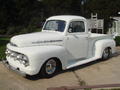
Thanks for the help everyone. I'll try it at on my home computer, I'm at work now. Julie, if that's your F1, it's a beauty!! What color is that. Mine is ready for the paint shop and I wanted to post before and after pics and ask color opinions. Thanks again, maybe you guys can teach an old dog new tricks
