


Instrument Cluster Default Setting


Thread Starter
|
Freshman User
Joined: Oct 2006
Posts: 25
Likes: 0
From: MA
Instrument Cluster Default Setting
A few weeks ago I was making some upgrade changes to my Sync-My-Ride system for my new cell phone/bluetooth compatability. As some may know you have to have the vehicle idleing while doing this. Well up until this time, my dash display was always set for MPG monitoring. After I was finished with the sync process and ever since, my dash display is defaulted to the trailer display. Does anyone know how to get it back to the default
MPG monitoring display?
MPG monitoring display?

Postmaster
Joined: Oct 2004
Posts: 4,155
Likes: 0
From: Southern Louisiana
Use the arrow buttons on your steering wheel. Push to the left until all the options show up on the screen. Scroll to "Fuel Economy" and press "OK". then press right for the alternate economy screen.
Thread Starter
|
Freshman User
Joined: Oct 2006
Posts: 25
Likes: 0
From: MA
Thanks, but that is a temporary fix which I have been doing all along but it does not fix the original problem. The problem is that whenever the truck is turned off and then restarted the display goes back to the trailer mode display. Before I did my phone sync my display was always the MPG display mode upon start up and that is where I would like it to be again.

Elder User
Joined: Nov 2008
Posts: 668
Likes: 6
From: Northfield, MI
Disconnect the battery for a few minutes. Glitches show up sometimes due to the way Sync works with the vehicle networks, and killing the power usually resets everything back to normal. We do this at the dealership more or less on a daily basis.

Senior User
Joined: May 2011
Posts: 454
Likes: 0
From: Portland, OR
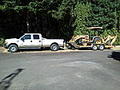
Do you have a trailer adapter plugged in or anything (7 spade to 4 pole or something like that?). Anytime my trailer is connected my display defaults to the trailer screen. Figured if you had an adapter back there maybe the truck thinks something is back there.
I keep an adapter plugged into my fifth wheel receptacle to power some of my "shadetree treasure".
I keep an adapter plugged into my fifth wheel receptacle to power some of my "shadetree treasure".

Thread
Thread Starter
Forum
Replies
Last Post


