



Project Model Citizen Comin' At Ya!!

Thread Starter
|
New User
Joined: Oct 2012
Posts: 18
Likes: 0
Project Model Citizen Comin' At Ya!!
Hello everyone! This is my first official post as a member! And yes, I did do the introduction.
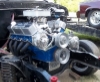
I just wanted to get some pictures up as I am officially beginning Project Model Citizen. This is a 1977 Ford F-150 Ranger SWB with a 460 under the hood. I inherited this from my oldest brother, Mitch, who died in a motorcycle accident March 2011.
This will be a slow starting project since I am currently in Afghanistan and will probably be here until July of 2013. But, that means plenty of time to take suggestions and plan.
My initial ideas are to slam this truck. Notch the frame and air bag it. Run some offset wheels and sanitize the body. Roll pan, shave the door handles, shave the drip rails....etc.
What I would like to get from all you fabulous Ford folks is info about cams, intakes, heads and exhaust systems that will maximize the 7.5L under the hood. Also, if you have any knowledge of drive trains as far as transmissions go and rear ends. I'm not to savy on gear ratios and that sort of thing. My specialty lies with the interior since I am also a partner at a hot rod upholstery shop in Fort Worth, TX. CDIDIT if any of you are interested.
www.cdidit.com
Let me know what you think and I will do my very best to keep you all posted with progress pictures.
Oh, the name for the project came to me today actually. "Model Citizen" It's a dual meaning. Same initals as my brother, Mitch Compton...... and it kind of represents him as a person as well. He was a hell raiser in his day. So, this project will be all about keeping his personality and memory alive.
Enjoy the pictures! If they don't show up right in this post, please tell me how to get them up.


I just wanted to get some pictures up as I am officially beginning Project Model Citizen. This is a 1977 Ford F-150 Ranger SWB with a 460 under the hood. I inherited this from my oldest brother, Mitch, who died in a motorcycle accident March 2011.
This will be a slow starting project since I am currently in Afghanistan and will probably be here until July of 2013. But, that means plenty of time to take suggestions and plan.
My initial ideas are to slam this truck. Notch the frame and air bag it. Run some offset wheels and sanitize the body. Roll pan, shave the door handles, shave the drip rails....etc.
What I would like to get from all you fabulous Ford folks is info about cams, intakes, heads and exhaust systems that will maximize the 7.5L under the hood. Also, if you have any knowledge of drive trains as far as transmissions go and rear ends. I'm not to savy on gear ratios and that sort of thing. My specialty lies with the interior since I am also a partner at a hot rod upholstery shop in Fort Worth, TX. CDIDIT if any of you are interested.
www.cdidit.com
Let me know what you think and I will do my very best to keep you all posted with progress pictures.
Oh, the name for the project came to me today actually. "Model Citizen" It's a dual meaning. Same initals as my brother, Mitch Compton...... and it kind of represents him as a person as well. He was a hell raiser in his day. So, this project will be all about keeping his personality and memory alive.
Enjoy the pictures! If they don't show up right in this post, please tell me how to get them up.
Elder User
Joined: Feb 2011
Posts: 575
Likes: 6
From: Knoxville, TN
Sorry to hear about your brother and stay safe in "Sand Lands". No I'm not familiar with your truck or it's parts but I can assure you tons of people on here are. Sounds like you've got quite a "laundry" list of stuff you'd like to have done. Definatly would love to see this turn out like you have listed. I think it'd be pretty cool......

Laughing Gas

Joined: Jul 2012
Posts: 1,123
Likes: 0
From: Southern Illinois
How extreme are you wanting to get with the 460? I am completely rebuilding mine and getting it to about 550hp so I am learning a few things here and there about them. Good luck in Afghanistan and stay safe. God bless you for that by the way.
As far as the truck itself, it looks like it could be one bad little street rod. I wouldn't mind finding a swb 2wd to make a street rod myself. Get back to me and Ill see if I can help any.
Follow the advice that was given to me and hop over to the forums who specialize in these 460's and other big block fords.
460 Ford Forum
BIG BLOCK FORD'S
And here is something worth seeing.
"460 build - budget + power" - Videos - Viddler
As far as the truck itself, it looks like it could be one bad little street rod. I wouldn't mind finding a swb 2wd to make a street rod myself. Get back to me and Ill see if I can help any.
Follow the advice that was given to me and hop over to the forums who specialize in these 460's and other big block fords.
460 Ford Forum
BIG BLOCK FORD'S
And here is something worth seeing.
"460 build - budget + power" - Videos - Viddler
Thread Starter
|
New User
Joined: Oct 2012
Posts: 18
Likes: 0
Thanks guys. Im looking forward to it. As far as the level of extremity, I'm not sure yet. 550hp does sound like a lot of fun though!
Any idea on those pictures? Im not sure if they displayed properly or not.
Any idea on those pictures? Im not sure if they displayed properly or not.

Post Fiend
Joined: Sep 2006
Posts: 14,325
Likes: 14
From: Island Southeast Alaska
Quote:
Originally Posted by 76f350spercamprspeal
Welcome to FTE, Best Damn Forum EVER!
------------------------
Here's How to Post Pictures:
1. Login to FTE.
2.Click User CP (In the Top Left Hand Corner)
3.(On the Left, There will be a list, The 5th Option Down, will say "Pictures & Albums) Click That.
4.Then, Click Add Album, Enter a title, and description, if ya want to.
5. Click Upload Pictures, Then click Browse, Locate the Files of your truck. (You can add 3 files at a time)
5. Click Upload.
6. Add a description to the individual pictures, then click save.
7. Add more files if ya want.
8. Click The Picture you want to post, it will give you two codes at the bottom, Right Click The Second one (It say's BB Code, Then Say's [IMG]http:blahblahblah...[/IMG])
Then, Once that is highlighted, Right Click, Then Copy, Then Paste it into your post.
You can add up to 30 Images in one FTE Post.
If, Ya need any help, Don't hesitate to ask.
Quote:
Originally Posted by old_dan
You can also go to the "Garage" tab and start an album right here on FTE. After you post pictures to an album, we can look in your album, but you'll also be able to "insert a picture" by pasting in a link to the picture in your album.
It seems awkward, but whenever you "insert a picture" to one of these threads, the forum is looking for the picture somewhere on the web (which is always available) rather than from somewhere on your hard drive (which isn't always available).
Quote:
Originally Posted By Jolly Roger Joe
Welcome to FTE!
Go to Image hosting, free photo sharing & video sharing at Photobucket and sign up for a free account. Then create an album for your truck. Upload any pics you want to post on FTE to that album. Have this album open on your computer when you want to post pics on FTE.
While you're making a post on FTE, select the pic you want to post from your Photobucket album. When the large version of the pic is open, right mouse click on it and select "View Image Info". The image info will be highlighted and will look something like this:
http://i285.photobucket.com/albums/l...ghtsafter1.jpg
Copy that highlighted info (right click / copy).
When you have the spot in your post where you want the pic to be placed, select the "Insert Image" icon at the top of the post (looks like a mountain) and paste (right click / paste) the image info you copied in the highlighted box (just shows "http://" when it opens).
Your pic will be placed in the post.
Hope that helps.
Here's a tutorial Bob put together: https://www.ford-trucks.com/forums/67...-pictures.html
Originally Posted by 76f350spercamprspeal
Welcome to FTE, Best Damn Forum EVER!
------------------------
Here's How to Post Pictures:
1. Login to FTE.
2.Click User CP (In the Top Left Hand Corner)
3.(On the Left, There will be a list, The 5th Option Down, will say "Pictures & Albums) Click That.
4.Then, Click Add Album, Enter a title, and description, if ya want to.
5. Click Upload Pictures, Then click Browse, Locate the Files of your truck. (You can add 3 files at a time)
5. Click Upload.
6. Add a description to the individual pictures, then click save.
7. Add more files if ya want.
8. Click The Picture you want to post, it will give you two codes at the bottom, Right Click The Second one (It say's BB Code, Then Say's [IMG]http:blahblahblah...[/IMG])
Then, Once that is highlighted, Right Click, Then Copy, Then Paste it into your post.
You can add up to 30 Images in one FTE Post.
If, Ya need any help, Don't hesitate to ask.
Quote:
Originally Posted by old_dan
You can also go to the "Garage" tab and start an album right here on FTE. After you post pictures to an album, we can look in your album, but you'll also be able to "insert a picture" by pasting in a link to the picture in your album.
It seems awkward, but whenever you "insert a picture" to one of these threads, the forum is looking for the picture somewhere on the web (which is always available) rather than from somewhere on your hard drive (which isn't always available).
Quote:
Originally Posted By Jolly Roger Joe
Welcome to FTE!
Go to Image hosting, free photo sharing & video sharing at Photobucket and sign up for a free account. Then create an album for your truck. Upload any pics you want to post on FTE to that album. Have this album open on your computer when you want to post pics on FTE.
While you're making a post on FTE, select the pic you want to post from your Photobucket album. When the large version of the pic is open, right mouse click on it and select "View Image Info". The image info will be highlighted and will look something like this:
http://i285.photobucket.com/albums/l...ghtsafter1.jpg
Copy that highlighted info (right click / copy).
When you have the spot in your post where you want the pic to be placed, select the "Insert Image" icon at the top of the post (looks like a mountain) and paste (right click / paste) the image info you copied in the highlighted box (just shows "http://" when it opens).
Your pic will be placed in the post.
Hope that helps.
Here's a tutorial Bob put together: https://www.ford-trucks.com/forums/67...-pictures.html
Thread Starter
|
New User
Joined: Oct 2012
Posts: 18
Likes: 0
Trending Topics
Laughing Gas
Joined: Jul 2012
Posts: 1,123
Likes: 0
From: Southern Illinois
FTE Stories
Ford Trucks for Ford Truck Enthusiasts

Top 10 Most Expensive Ford Trucks Ever Sold on Bring a Trailer
Joe Kucinski
2027 Ford Super Duty Buyer's Guide (Every Model, Engine, & Package)
Brett Foote
Top 10 Ford Truck Tragedies
Joe Kucinski
AEV FXL Super Duty - the Super Duty Raptor Ford Doesn't Make
Brett Foote
Lobo Vs Lobo: Proof the F-150 Lobo Should Be Even Lower!
Michael S. Palmer
Ford's 2001 Explorer Sportsman Concept Looks For a New Home
Verdad Gallardo
10 Best Ford Truck Engines We Miss the Most!
Joe Kucinski
2026 Shelby F-150 Off-Road: Better Than a Raptor R?
Brett Foote
2027 Super Duty Carhartt Package First Look: 12 Things You NEED to Know!
Michael S. Palmer
Thread Starter
|
New User
Joined: Oct 2012
Posts: 18
Likes: 0
Well, I have been sitting and waiting for a flight to get me out to a remote area for a few days and I decided to do a rendering AKA "fantasy sketch" of my project. What do you guys think? Im thinking white walls with some custom 20" moons if I can find someone to make them for me. If not, Im really leaning towards the Bullitts.


Thread
Thread Starter
Forum
Replies
Last Post
bhalemail
1948 - 1956 F1, F100 & Larger F-Series Trucks
10
Jan 4, 2021 09:22 PM
BishopRyan
1967 - 1972 F-100 & Larger F-Series Trucks
15
May 15, 2008 08:21 AM
bobj49f2
1948 - 1956 F1, F100 & Larger F-Series Trucks
62
May 1, 2008 08:56 PM
bdrummonds
1999 - 2003 7.3L Power Stroke Diesel
23
Apr 28, 2008 10:26 AM