




1950 F-1 engine

Thread Starter
|
New User
Joined: Sep 2012
Posts: 12
Likes: 0
From: Ventura County California
1950 F-1 engine
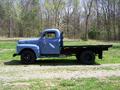
My late husband replaced the engine in his 1950 F-1 pickup about 10-12 years ago. The old engine was original, serviceable, and running when he wrapped in the plastic and stored it. Anyone have any idea how much it might be worth? What would be the best way to advertise it?
Thanks!
P.
Thanks!
P.
Believe Nothing

Joined: Jun 2004
Posts: 7,514
Likes: 398
From: W. Central FL.

Welcome to the forum. I see from your profile that you're in CA which is a big state. If you were to update your profile to show about where you are located, this thread may be enough to muster some interest in the engine. We're not supposed to buy and sell from this forum but sometimes the thread is up long enough to get some interest. Could be an exception granted for this thread since you are not actually trying to sell something.
Sorry to hear about loss of your husband.
Sorry to hear about loss of your husband.
Thread Starter
|
New User
Joined: Sep 2012
Posts: 12
Likes: 0
From: Ventura County California
Alas, pictures are not so easy as I would have to unwrap it. It is sealed up and stored outside under a tarp and not under a roof so I would have to enlist some help rewrapping it or getting it moved under a cover. My husband had a '48 F-1 and a '50 F-1. The '50 was all original but the '48 was in inferior condition and had some non-original parts. His plan was to install the original engine from the '50 into the '48. Obviously at some point I will have to post photos in order to advertise it. Just trying to get a rough idea of value at this time.
Trending Topics

Hotshot


Joined: Jan 2001
Posts: 16,882
Likes: 3,126
From: SE Wisc. (the Rust Belt)
I just sold an '53 flathead V8 to a guy in Australia for $600. I think I got very lucky being able to attract a buyer from so far away who was willing to buy an engine site unseen. All I did was send pictures from all four corners and a very detailed description of the condition of the engine and what flaws I knew about it.
The big factor to me when buying an engine is it running? Many people will be concerned about the block having cracks, very few flatties are without cracks somewhere. Some aren't that much of a problem, they can be pinned and the cylinders resleeved. Some have death cracks on the bottom where the oil pan bolts to the block. If it's been sitting outside for some time it could have frozen up, it all depends if moisture was able to get into the engine. The flattie I sold was stuck when I got it, it would only move a few degrees back and forth. It turned out four of the valves were stuck. I got them loosened up and the engine ran fine.
You're going to have to get the engine unwrapped at the very least before you can gage what the value might be.
The big factor to me when buying an engine is it running? Many people will be concerned about the block having cracks, very few flatties are without cracks somewhere. Some aren't that much of a problem, they can be pinned and the cylinders resleeved. Some have death cracks on the bottom where the oil pan bolts to the block. If it's been sitting outside for some time it could have frozen up, it all depends if moisture was able to get into the engine. The flattie I sold was stuck when I got it, it would only move a few degrees back and forth. It turned out four of the valves were stuck. I got them loosened up and the engine ran fine.
You're going to have to get the engine unwrapped at the very least before you can gage what the value might be.
FTE Stories
Ford Trucks for Ford Truck Enthusiasts

Rezvani's Latest Post-Apocalytic Monster Is a Ford F-150 Raptor Underneath
Verdad Gallardo
Top 10 Most Expensive Ford Trucks Ever Sold on Bring a Trailer
Joe Kucinski
2027 Ford Super Duty Buyer's Guide (Every Model, Engine, & Package)
Brett Foote
Top 10 Ford Truck Tragedies
Joe Kucinski
AEV FXL Super Duty - the Super Duty Raptor Ford Doesn't Make
Brett Foote
Lobo Vs Lobo: Proof the F-150 Lobo Should Be Even Lower!
Michael S. Palmer
Ford's 2001 Explorer Sportsman Concept Looks For a New Home
Verdad Gallardo
10 Best Ford Truck Engines We Miss the Most!
Joe Kucinski
2026 Shelby F-150 Off-Road: Better Than a Raptor R?
Brett Foote
Thread Starter
|
New User
Joined: Sep 2012
Posts: 12
Likes: 0
From: Ventura County California
Thanks, Bob. That helps. I gave the '48 away to last year to a friend who is restoring it. I was told I couldn't have gotten more than $600-$700 from parting it out, I was tired of watching it slowly rust in my yard, and it's nice to think it will see the highway again some day. I am just trying to decide if I should give him the engine too. My husband spent a fair bit on his trucks though, so it would be nice to get something for the engine if there is a market for it.

Post Fiend
Joined: Sep 2006
Posts: 14,325
Likes: 14
From: Island Southeast Alaska
Hi Girl. Ya have to have 25 or more posts to use the want ad section on here I think. As well as the search feature and some other things. So post away. Ya can't PM either but may be able to use the email feature and putting a note on our board under our user name. I am looking for a 48 to 50 so would love to be in contact with you. I will be in SoCal in November if plans stay the same right now. So please post up some pics.
Quote:
Originally Posted by 76f350spercamprspeal
Welcome to FTE, Best Damn Forum EVER!
------------------------
Here's How to Post Pictures:
1. Login to FTE.
2.Click User CP (In the Top Left Hand Corner)
3.(On the Left, There will be a list, The 5th Option Down, will say "Pictures & Albums) Click That.
4.Then, Click Add Album, Enter a title, and description, if ya want to.
5. Click Upload Pictures, Then click Browse, Locate the Files of your truck. (You can add 3 files at a time)
5. Click Upload.
6. Add a description to the individual pictures, then click save.
7. Add more files if ya want.
8. Click The Picture you want to post, it will give you two codes at the bottom, Right Click The Second one (It say's BB Code, Then Say's [IMG]http:blahblahblah...[/IMG])
Then, Once that is highlighted, Right Click, Then Copy, Then Paste it into your post.
You can add up to 30 Images in one FTE Post.
If, Ya need any help, Don't hesitate to ask.
Quote:
Originally Posted by old_dan
You can also go to the "Garage" tab and start an album right here on FTE. After you post pictures to an album, we can look in your album, but you'll also be able to "insert a picture" by pasting in a link to the picture in your album.
It seems awkward, but whenever you "insert a picture" to one of these threads, the forum is looking for the picture somewhere on the web (which is always available) rather than from somewhere on your hard drive (which isn't always available).
Quote:
Originally Posted By Jolly Roger Joe
Welcome to FTE!
Go to Image hosting, free photo sharing & video sharing at Photobucket and sign up for a free account. Then create an album for your truck. Upload any pics you want to post on FTE to that album. Have this album open on your computer when you want to post pics on FTE.
While you're making a post on FTE, select the pic you want to post from your Photobucket album. When the large version of the pic is open, right mouse click on it and select "View Image Info". The image info will be highlighted and will look something like this:
http://i285.photobucket.com/albums/l...ghtsafter1.jpg
Copy that highlighted info (right click / copy).
When you have the spot in your post where you want the pic to be placed, select the "Insert Image" icon at the top of the post (looks like a mountain) and paste (right click / paste) the image info you copied in the highlighted box (just shows "http://" when it opens).
Your pic will be placed in the post.
Hope that helps.
Here's a tutorial Bob put together: https://www.ford-trucks.com/forums/67...-pictures.html
Quote:
Originally Posted by 76f350spercamprspeal
Welcome to FTE, Best Damn Forum EVER!
------------------------
Here's How to Post Pictures:
1. Login to FTE.
2.Click User CP (In the Top Left Hand Corner)
3.(On the Left, There will be a list, The 5th Option Down, will say "Pictures & Albums) Click That.
4.Then, Click Add Album, Enter a title, and description, if ya want to.
5. Click Upload Pictures, Then click Browse, Locate the Files of your truck. (You can add 3 files at a time)
5. Click Upload.
6. Add a description to the individual pictures, then click save.
7. Add more files if ya want.
8. Click The Picture you want to post, it will give you two codes at the bottom, Right Click The Second one (It say's BB Code, Then Say's [IMG]http:blahblahblah...[/IMG])
Then, Once that is highlighted, Right Click, Then Copy, Then Paste it into your post.
You can add up to 30 Images in one FTE Post.
If, Ya need any help, Don't hesitate to ask.
Quote:
Originally Posted by old_dan
You can also go to the "Garage" tab and start an album right here on FTE. After you post pictures to an album, we can look in your album, but you'll also be able to "insert a picture" by pasting in a link to the picture in your album.
It seems awkward, but whenever you "insert a picture" to one of these threads, the forum is looking for the picture somewhere on the web (which is always available) rather than from somewhere on your hard drive (which isn't always available).
Quote:
Originally Posted By Jolly Roger Joe
Welcome to FTE!
Go to Image hosting, free photo sharing & video sharing at Photobucket and sign up for a free account. Then create an album for your truck. Upload any pics you want to post on FTE to that album. Have this album open on your computer when you want to post pics on FTE.
While you're making a post on FTE, select the pic you want to post from your Photobucket album. When the large version of the pic is open, right mouse click on it and select "View Image Info". The image info will be highlighted and will look something like this:
http://i285.photobucket.com/albums/l...ghtsafter1.jpg
Copy that highlighted info (right click / copy).
When you have the spot in your post where you want the pic to be placed, select the "Insert Image" icon at the top of the post (looks like a mountain) and paste (right click / paste) the image info you copied in the highlighted box (just shows "http://" when it opens).
Your pic will be placed in the post.
Hope that helps.
Here's a tutorial Bob put together: https://www.ford-trucks.com/forums/67...-pictures.html
Thread Starter
|
New User
Joined: Sep 2012
Posts: 12
Likes: 0
From: Ventura County California
Wow, thanks for the advice and the photo posting instructions. I've printed them out so I'll have them when I get around to photos. Photos are a big logistical problem as unwrapping, moving, and rewrapping will require a great deal of assistance and some heavy equipment I suspect, none of which is readily available. I will have to see if I can scare up a few recruits and an engine hoist.


Thread Starter
|
New User
Joined: Sep 2012
Posts: 12
Likes: 0
From: Ventura County California
Can't seem to figure out how to send a PM. According to another respondent, I may need to reach a threshold number of posts on this site before I earn permission to PM. So maybe I will blather away a bit longer to see if something changes. Moorpark is close!!