



Excursion virgin. Cant find this part

Thread Starter
|
More Turbo

Joined: Nov 2011
Posts: 608
Likes: 1
From: Weston Fl.
2000 excursion muffler mod..

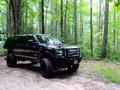
Finally got rid of that ugly looking muffler.. It was eating me up..


Cargo Master

Joined: Jun 2008
Posts: 2,923
Likes: 33
From: Sacramento Area
I doubt it would be a problem but a thought...that is so short, if you idle at a stop for a long time...say 10 minutes or more, you may start to smell the exhaust gasses in the third row seat...
The gasses being hotter than ambient air, at idle with not much pressure to force it out...there is a large cavity below the tail light behind and above that stone guard. Wondering if it could eventually get back in where the panel is on the passenger side (jack compartment).
I mention this because when I was installing some strobes, the seals they put in there are a joke...with an inspection cam and a 14ga wire I threaded wiring through there in about 20 seconds...that back area is NOT sealed from the outside air, and with the tailpipe now so short, if you idle it too long I'm wondering if the gasses may get back in there. We have a series of fire engine that has a short exhaust that sometimes stinks up the cab something horrible if we don't open the windows...wondering it that may happen to you as well.
The fix is simply open the back vent window and hit the fan when you smell something, but something to think about if you leave the truck idling in the summer with the AC on max...might start to smell funny after a while in the back.
The gasses being hotter than ambient air, at idle with not much pressure to force it out...there is a large cavity below the tail light behind and above that stone guard. Wondering if it could eventually get back in where the panel is on the passenger side (jack compartment).
I mention this because when I was installing some strobes, the seals they put in there are a joke...with an inspection cam and a 14ga wire I threaded wiring through there in about 20 seconds...that back area is NOT sealed from the outside air, and with the tailpipe now so short, if you idle it too long I'm wondering if the gasses may get back in there. We have a series of fire engine that has a short exhaust that sometimes stinks up the cab something horrible if we don't open the windows...wondering it that may happen to you as well.
The fix is simply open the back vent window and hit the fan when you smell something, but something to think about if you leave the truck idling in the summer with the AC on max...might start to smell funny after a while in the back.
Thread Starter
|
More Turbo
Joined: Nov 2011
Posts: 608
Likes: 1
From: Weston Fl.
Excursion miles till empty question
Thanks rob, I was thinking of adding a longer pipe. I do have small children and I'd hate for the fumes to cause any hazards.
I'm wandering if anybody can help with something. I think My miles till empty indicator is not calibrated right. I recently gassed up and noticed that the miles didnt move. Is there a way to reset it?
I'm wandering if anybody can help with something. I think My miles till empty indicator is not calibrated right. I recently gassed up and noticed that the miles didnt move. Is there a way to reset it?
Cargo Master
Joined: Jun 2008
Posts: 2,923
Likes: 33
From: Sacramento Area
Thanks rob, I was thinking of adding a longer pipe. I do have small children and I'd hate for the fumes to cause any hazards.
I'm wandering if anybody can help with something. I think My miles till empty indicator is not calibrated right. I recently gassed up and noticed that the miles didnt move. Is there a way to reset it?
I'm wandering if anybody can help with something. I think My miles till empty indicator is not calibrated right. I recently gassed up and noticed that the miles didnt move. Is there a way to reset it?
Thread Starter
|
More Turbo
Joined: Nov 2011
Posts: 608
Likes: 1
From: Weston Fl.
I'll give it a shot... I think sometimes I'm parked on an angle on my driveway and it offsets the censor.. I'm planning a trip to Orlando with the fam and would like for everything to be on point. Thanks for the advise, I'll keep you posted...
Thread Starter
|
More Turbo
Joined: Nov 2011
Posts: 608
Likes: 1
From: Weston Fl.
I held down both buttonds and the number 12 came up then it resets.. Thanks.
Cargo Master
Joined: Jun 2008
Posts: 2,923
Likes: 33
From: Sacramento Area
"12"? Weird...anyone else heard of that code from the trip computer when resetting the MPG?
FTE Stories
Ford Trucks for Ford Truck Enthusiasts

3 Best / Worst Features Of The 2025+ Ford Expedition
Brett Foote
10 Ways Ford is LOSING to the Competition
Joe Kucinski
Top 6 Best Deals Available on New Fords & Lincolns Right Now
Brett Foote
This Hennessey Takes the Expedition Tremor's Off-Roading Capability to the Next Level
Verdad Gallardo
Top 10 Fords at 2026 Carlisle Ford Nationals
Joe Kucinski
3 Best / 3 Worst Parts of Modern Ford Ownership
Brett Foote
10 Amazing Upgrades That Solve Common Ford Truck Owner Headaches
Pouria Savadkouei
Every 2026 Ford Engine Explained
Brett Foote
10 Ugly Ford Trucks That We Still Kinda Love
Joe Kucinski
Thread Starter
|
More Turbo
Joined: Nov 2011
Posts: 608
Likes: 1
From: Weston Fl.
It went 12 then i pressed the left button and the it went 11 then 10 and so on. After a few seconds it goes back to mte. I pressed both buttons again to reset and the 12 come up again and after a few seconds again it resets. I dont know what the 12 means but it works good now..
Cargo Master
Joined: Jun 2008
Posts: 2,923
Likes: 33
From: Sacramento Area
It went 12 then i pressed the left button and the it went 11 then 10 and so on. After a few seconds it goes back to mte. I pressed both buttons again to reset and the 12 come up again and after a few seconds again it resets. I dont know what the 12 means but it works good now..
<...pages turning...>
...a little checking in the owners manual and on page 61 it indicates that it is the compass calibration zone. Zone 12 is Maine. You will want Zone 8 unless you are on the extreme Eastern coast, then you'd want Zone 9.
Setting Compass Calibration:
The compass display is contained in the overhead console. The vehicle heading is displayed as one of N, NE, E, SE, S, SW, W and NW. The compass heading is displayed in average fuel economy modes, fuel range modes and temperature modes. The compass reading may be affected when you drive near large buildings, bridges, power lines and powerful broadcast antenna. Magnetic or metallic objects placed in or on the vehicle may also affect compass accuracy. Adjustments may need to be made to the zone and calibration of the compass.
Compass zone adjustment
1. Determine which magnetic zone you are in for your geographic location by referring to the zone map.
2. Locate the trip computer on the overhead console.
3. Turn ignition to the ON position.
4. Press and hold both trip computer controls. After approximately four seconds, the trip computer will enter zone setting mode. Zone setting mode is indicated when the display lights the “ZONE” indicator.
5. Release both controls. Subsequent pressing of either control will increment the zone. Press the control repeatedly until the correct zone setting for your geographic location is displayed on the trip computer.
6. To exit the zone setting mode and save the displayed zone in memory release both controls for greater than five seconds.
Compass calibration adjustment
Perform this adjustment in an open area free from steel structures and high voltage lines.
For optimum calibration, turn off all electrical accessories (heater/air conditioning, wipers, etc.) and make sure all vehicle doors are shut.
1. Locate the trip computer located in the overhead console.
2. Start the vehicle.
3. Press and hold both trip computer controls. After approximately eight seconds, the trip computer will enter CAL mode. CAL mode is indicated when the display lights the “CAL” indicator.
4. Release both controls. The display will return to normal, except that the CAL indicator will remain lit until the compass is sucessfully calibrated.
5. Slowly drive the vehicle in a circle (less than 5 km/h [3 mph]) until the CAL indicator turns off. It may take up to five circles to complete calibration.
6. The compass is now calibrated.
Average fuel economy.
The display will indicate the vehicle’s average fuel economy in liters/100 km (or miles/gallon) since the average fuel economy was last reset.
If you calculate your average fuel economy by dividing liters of fuel used by 100 kilometers traveled (miles traveled by gallons used), your figure may be different than displayed for the following reasons:
• your vehicle was not perfectly level during fill-up
• differences in the automatic shut-off points on the fuel pumps at service stations
• variations in top-off procedure from one fill-up to another
• rounding of the displayed values to the nearest liter (gallon)
To reset the average fuel economy:
1. Press the MODE control repeatedly until average fuel economy is displayed (this is the only resettable display).
2. Press the E/M and MODE controls simultaneously. The display will illuminate the “AVG” indicator. While the indicator is lit, release both controls to reset the average fuel economy.
Post Fiend
Joined: Feb 2011
Posts: 26,410
Likes: 6
From: Ft. Lauderdale, FL
It went 12 then i pressed the left button and the it went 11 then 10 and so on. After a few seconds it goes back to mte. I pressed both buttons again to reset and the 12 come up again and after a few seconds again it resets. I dont know what the 12 means but it works good now..
 You did mention she was running rough and you were tuning up on weekend.
Thread Starter
|
More Turbo
Joined: Nov 2011
Posts: 608
Likes: 1
From: Weston Fl.
Yes i should be getting her a tuneup this weekend. I have to change out the spark plugs also... She sputters a bit when cold.. Or just out of the blue sometimes. From previous experience i can tell it's a miss fire issue caused by old sparkies. This truck had one owner who only put 137k on it in 11 years. It runs smoooooth........ To me that's great.
The emergency break pedal seems to be stuck on down position but the break don't seem to be engaged. The handle is broken. I used some pliers to pull the cable but it didn't bulge. I have to look into that.
Ac only works on full. I ordered the blower motor resistor and it should be here tomorrow.
The ac doesn't blow too cold when parked. May need freon, I hope it's not the compressor clutch..
She also has a common lock problem. From a few threads I've read I'm gonna have to pay some $50 a door if i want this fixed. To me it's odd that all locks solenoid go bad at the same time. I'm no electrician but to me it sounds strange. Maybe someone can elaborate.
I don't have a manual and i wish i did... Looks very useful.. I reset everything and it all appears to work fine thanks to you.. Thanks
You think that manual may be online somewhere? This may sound dumb but i pressed every button on the radio to change the clocks time. no luck.
The emergency break pedal seems to be stuck on down position but the break don't seem to be engaged. The handle is broken. I used some pliers to pull the cable but it didn't bulge. I have to look into that.
Ac only works on full. I ordered the blower motor resistor and it should be here tomorrow.
The ac doesn't blow too cold when parked. May need freon, I hope it's not the compressor clutch..
She also has a common lock problem. From a few threads I've read I'm gonna have to pay some $50 a door if i want this fixed. To me it's odd that all locks solenoid go bad at the same time. I'm no electrician but to me it sounds strange. Maybe someone can elaborate.
I don't have a manual and i wish i did... Looks very useful.. I reset everything and it all appears to work fine thanks to you.. Thanks
You think that manual may be online somewhere? This may sound dumb but i pressed every button on the radio to change the clocks time. no luck.
Cargo Master
Joined: Jun 2008
Posts: 2,923
Likes: 33
From: Sacramento Area
I can e-mail you a PDF version if you want. Or you can go to owner.ford.com It has how to set the clock as well.

Cargo Master


Joined: Jul 2009
Posts: 2,885
Likes: 26
From: Chino, California

You may want to blow some compressed air backwards through your radiator and condensor to blow out some debris/dead bugs that may be caught between the fins. Also, look at the space between the condensor and radiator and make sure nothing is stuck in there. This would help your AC.
Thread Starter
|
More Turbo
Joined: Nov 2011
Posts: 608
Likes: 1
From: Weston Fl.
NICE!!
What "common" lock problem are you referring to? My 2000 had the 'weak actuator' issue that I was able to do the "tinfoil" fix for and it is working great.
I can e-mail you a PDF version if you want. Or you can go to owner.ford.com It has how to set the clock as well.
What "common" lock problem are you referring to? My 2000 had the 'weak actuator' issue that I was able to do the "tinfoil" fix for and it is working great.
I can e-mail you a PDF version if you want. Or you can go to owner.ford.com It has how to set the clock as well.