When you click on links to various merchants on this site and make a purchase, this can result in this site earning a commission. Affiliate programs and affiliations include, but are not limited to, the eBay Partner Network.
DIY AUX Camera for 2017+ F250 6.7 with 360 View Camera
So I recently purchased my 2018 6.7 F250 and was very excited about the number of cameras this truck had. One of those cameras was the AUX camera that I can add on for pretty much whatever I wanted. I pull a 40’ fifth wheel RV so a reverse camera for the back of it was my goal. I looked online for the Ford camera kit and found not a whole lot. I really didn’t need the kit with the TPMS sensors. I did find what looks like an aftermarket company that sold a camera kit that was very easy to install but I’m cheep and didn’t want to spend $399 on a camera system. I work with security cameras and systems so I has most of the equipment I needed to figure this out as a DIY project. Here are the steps I took and what I needed to do to use the factory Sync 3 screen and any CCTV or RCA security camera as a AUX camera. Note: this also was for a 2018 6.7 so there could be minor differences.
1. Lower the spare the tire. There is a 12 pin connector located behind the 7pin connector but the spare is in the way. It’s just way easier to just get it out of the way. The 12pin I plugged into a cap that is tied to a rail. The back side of the 12pin has only about 8-10 wires hooked up to it.
12pin plugged into cap
2. Once you have found the 12pin unplug it and strip back the black protector. Your going to need 4 wires from this. There is a BLACK, GREEN, PURPLE in a row and then at an angle a WHITE. The BLACK and WHITE are your power wires and then the GREEN and PURPLE are your video. They should be a twisted pair wires when you open the black protector to double check you have the right one.
I cut the two video wires and butt connected them to a two wire cable. The GREEN is your positive video wire and the PURPLE is your negative wire.
New wire tied into the GREEN and PURPLE wire.
So from there I found that the Power wires were actually 24v and not 12v which is what my security camera is so for the time being I used a secondary power sorce for the camera and just hooked up the video temporarily to make sure the system works. It works! Depending on what type of camera you get, weather its the 4 pin connector or RCA will decide how you hook up the camera. Mine is a BNC connection so I used what is called a video balun. It basically turns your two wires (positive and negative video) into an BNC connection.
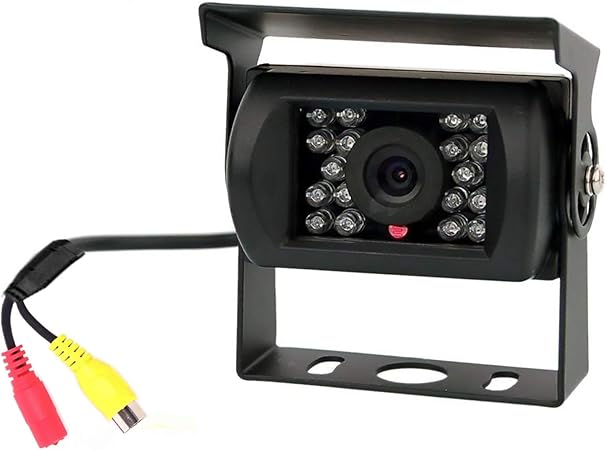
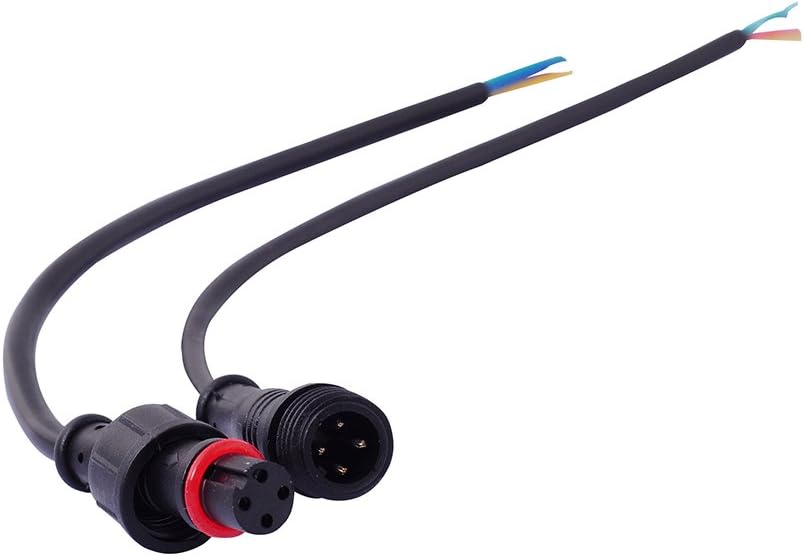
I used a 12 v security camera but I'm not really happy with the viewing angle so I purchased for $25 a wide angle trailer mount camera. The positve side to this is that it says its a 12v-24v camera so my next step will be to directly wire a 4 pin connector to the 24v power supply and the video wires that way when I go to hook up my trailer I can just connect my 4 pin screw quick connect up and have video. Ill post an update is the 24v power supply works, if not ill just have to find a way to tap into the 12v power of the truck and it should be fine.
So far the temporary 12v security camera is working but again Ill post when I get the other camera installed.
Last edited by melsass; Jul 21, 2020 at 03:06 PM.
Reason: Adding
I just wish there had been something I could of followed. It was super easy so I don't know why no one else had something else online or maybe I just couldn't find it but hey for free to me instead of $400 Im just glad it worked. Ill post updates once if fully finished.
If I buy a trailer that has a camera already built in, I might follow this. But I would have the TPMS system to deal with also.
I have already installed both the Ford camera and TPMS for my trailer. It took longer to plan the install than did the actual install.
Yeah I just want sure I wanted the TPMS system especially because I wasn’t sure how long I was going to keep my current RV. We’ve had it for a while already. Plus I would have to take it in to have the sensors installed. Seems like a lot of work for the little I use my RV when I could just check the tires before I use it.
The camera only started because I moved my RV to a new storage park and I have to back in now and being able to see how far I can back up would was nice I’m just cheap and wanted something I could do myself.
I was also kinda determined to figure out if it was possible to tap into the system and wanted to make that info available for others.
Nice write up.. looking at the AUX camera and now you have me thinking... save a few bucks or go with the OEM version I found for $340.. a little cleaner hookup but with a little work I can make it work..
thanks for the idea..
Nice write up.. looking at the AUX camera and now you have me thinking... save a few bucks or go with the OEM version I found for $340.. a little cleaner hookup but with a little work I can make it work..
thanks for the idea..
Its been working great. I still haven’t wired in the camera to the 24volt system that it has but I did buy a new trailer camera on Amazon for like $15. It’s a 12v or 24v camera so it should work on the trucks 24v hookup I just need to finish up with the install. For now I just have a separate 12v battery that I hook up to the camera when I’m backing my RV into the spot at the storage park. I’ll post after I finish the wiring on how that goes.
How do you turn on the video feed from the new camera? Is there an option on the Sync screen?
so when your in reverse you have a plus I think at the top Left of the screen. (Might only be on trucks with 360 cameras.) Then you press the AUX view and it normally its blue but when the camera is installed you see the camera.
I realize this is an old thread, but I just wired in my receiver portion of my wireless camera to this harness and found a different pinout for power than what is shown. I left all pins and wires in the connector so I can still use the plug in the future, but spliced in a RCA and a power plug for the camera and sealed everything back up so water doesn't cause issues in the future. The video signal was correct, but I found 12v and GND, and did not find the +24 mentioned above. I just edited the original photo from above to show what I did differently.
What year is your truck? I never could get 12v power to work so I ended up getting a 24v camera, I just never finished the project and never installed the 24v camera 🤣 I was going to use a 4 pin connector and permanently install everything but never got to that point and forgot about it. I need to get back and finish and I’ll take a look again at the wiring with fresh eyes.
Originally Posted by kleake
I realize this is an old thread, but I just wired in my receiver portion of my wireless camera to this harness and found a different pinout for power than what is shown. I left all pins and wires in the connector so I can still use the plug in the future, but spliced in a RCA and a power plug for the camera and sealed everything back up so water doesn't cause issues in the future. The video signal was correct, but I found 12v and GND, and did not find the +24 mentioned above. I just edited the original photo from above to show what I did differently.
What year is your truck? I never could get 12v power to work so I ended up getting a 24v camera, I just never finished the project and never installed the 24v camera 🤣 I was going to use a 4 pin connector and permanently install everything but never got to that point and forgot about it. I need to get back and finish and I’ll take a look again at the wiring with fresh eyes.
Mine is a 2019 King Ranch with the 360 camera setup, similar to what most will have. I used the cheap ebay wireless cameras on my trailers so I just wired up the receiver into these 4 pins as indicated. I didn't get any pictures since I just simply pulled back the loom, spliced into those 4 wires and soldered on the pig tails and heat shrinked the wires back together so the original harness is still fully functional. Hopefully yours will work the same.