Posting photos????

Thread Starter
|
Senior User
Joined: Apr 2007
Posts: 314
Likes: 0
From: Southern Colorado
Posting photos????
How the heck are you guys managing to post photos here?
I'm about ready to pull what hair I have left out of my head in frustation.
So far, I've opened accounts with both Webshots, and Photobucket, used their URL links to my photos, and still no go.
HELP!!!
Richard
I'm about ready to pull what hair I have left out of my head in frustation.
So far, I've opened accounts with both Webshots, and Photobucket, used their URL links to my photos, and still no go.
HELP!!!
Richard

Post Fiend
Joined: Feb 2006
Posts: 11,892
Likes: 2
From: Middle Tennessee
As long as they are 600x800 or less it should go. Skip the insert in Pbucket. Just pull up the pic you want, right click and click properties. Copy the URL, then click on the insert image icon, when the url promp appears, clear the box and paste the url there. Click insert or whatever the prompt is and done.

Lead Driver
Joined: Jun 2007
Posts: 7,760
Likes: 27
From: Hampton, Maryland.

I put what I want in my Gallery here. Then all you have to do is click on edit gallery. There is code that you can copy that will allow you to post the picture. You have to open the gallery in another window to do it that way but it works. But you have to use the advanced posting window and click on the manage attachements button.
Hook it, I'll pull it.
Joined: May 2007
Posts: 15,037
Likes: 4
From: Grand Lake, La.

I click on my username in a post, go to my gallery. Find the pic I want, click on the small icon of the pic to enlarge it. Then right click on pic, click on copy, right click in box I am posting in, hit paste and there it is.
Thread Starter
|
Senior User
Joined: Apr 2007
Posts: 314
Likes: 0
From: Southern Colorado
Well, I tried and failed every one of these suggestions, until I got to Rick's.
It worked!!
Thanks guys for all the responses. I guess I just made mistakes on the others, but I know they must work for you.
Thanks again,
Richard
It worked!!
Thanks guys for all the responses. I guess I just made mistakes on the others, but I know they must work for you.
Thanks again,
Richard
Hook it, I'll pull it.
Joined: May 2007
Posts: 15,037
Likes: 4
From: Grand Lake, La.
Trending Topics

Not a liberal...
Joined: Jul 2006
Posts: 6,635
Likes: 4
From: Cut & Shoot, Texas
FTE Stories
Ford Trucks for Ford Truck Enthusiasts

3 Best / 3 Worst Parts of Modern Ford Ownership
Brett Foote
10 Amazing Upgrades That Solve Common Ford Truck Owner Headaches
Pouria Savadkouei
Every 2026 Ford Engine Explained
Brett Foote
10 Ugly Ford Trucks That We Still Kinda Love
Joe Kucinski
10 Things Every Truck Owner NEEDS (2026 Edition)
Michael S. Palmer
Rezvani's Latest Post-Apocalyptic Monster Is a Ford F-150 Raptor Underneath
Verdad Gallardo
Top 10 Most Expensive Ford Trucks Ever Sold on Bring a Trailer
Joe Kucinski
2027 Ford Super Duty Buyer's Guide (Every Model, Engine, & Package)
Brett Foote
Top 10 Ford Truck Tragedies
Joe Kucinski
Lead Driver
Joined: Jun 2007
Posts: 7,760
Likes: 27
From: Hampton, Maryland.
Originally Posted by Meatco1
Well, I tried and failed every one of these suggestions, until I got to Rick's.
It worked!!
Thanks guys for all the responses. I guess I just made mistakes on the others, but I know they must work for you.
Thanks again,
Richard
It worked!!
Thanks guys for all the responses. I guess I just made mistakes on the others, but I know they must work for you.
Thanks again,
Richard
Thread Starter
|
Senior User
Joined: Apr 2007
Posts: 314
Likes: 0
From: Southern Colorado
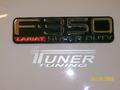
Well here is the photo I was trying to post on a different thread
<CENTER> </CENTER><CENTER> </CENTER><CENTER>HKusp, I'm sure you have no problems posting photos, and I probably made some silly mistake following your directions. But, that's just me, if it's not KISS, I somehow always manage to screw things up.</CENTER><CENTER> </CENTER><CENTER>Thanks all,</CENTER><CENTER> </CENTER><CENTER>Richard</CENTER>
<CENTER>