




+++ Photobucket 101 +++
Thread Starter
|
FTE Leadership Emeritus
Joined: Aug 2006
Posts: 47,280
Likes: 172
From: DELAWARE, The First State

 +++ Photobucket 101 +++
Matt, Beast12, our resident Super Moderator, has offered some HOT tips for using Photobucket to store our pictures.
Once you get your Photobucket site setup, http://photobucket.com/ , and upload your pictures to your folder(s) it is real easy to link those photos in your posts on FTE.
When a person clicks on the photo posted in your reply, the photo goes to the enlarged copy of the photo. It is easy and quick to post multiple photos in one post. Here is how:
1. Next to each photo you will see a box to check.
2. Check the box or boxes of the photos you want to post.
3. Scroll down to the bottom of the page and select "Generate HTML and IMG code".
4. On the next page, select "IMG clickable thumbnails for message boards"
5. Copy the code and then PASTE it to you post.
Your post will look like this when done. You can add to your message to: "Click Image for a larger view." It is that easy.

Thank you Matt!
Once you get your Photobucket site setup, http://photobucket.com/ , and upload your pictures to your folder(s) it is real easy to link those photos in your posts on FTE.
When a person clicks on the photo posted in your reply, the photo goes to the enlarged copy of the photo. It is easy and quick to post multiple photos in one post. Here is how:
1. Next to each photo you will see a box to check.
2. Check the box or boxes of the photos you want to post.
3. Scroll down to the bottom of the page and select "Generate HTML and IMG code".
4. On the next page, select "IMG clickable thumbnails for message boards"
5. Copy the code and then PASTE it to you post.
Your post will look like this when done. You can add to your message to: "Click Image for a larger view." It is that easy.


Thank you Matt!

Elder User
Joined: Jul 2007
Posts: 681
Likes: 0
From: Agawam,MA

Originally Posted by Snowbunny
Thanks, George!! I always wondered how people got the thumbnail instead of the whole pic!! You're the best!!


Last edited by gray91; Dec 29, 2007 at 12:25 AM.
Trending Topics
Thread Starter
|
FTE Leadership Emeritus
Joined: Aug 2006
Posts: 47,280
Likes: 172
From: DELAWARE, The First State
FTE Stories
Ford Trucks for Ford Truck Enthusiasts

Top 6 Best Deals Available on New Fords & Lincolns Right Now
Brett Foote
This Hennessey Takes the Expedition Tremor's Off-Roading Capability to the Next Level
Verdad Gallardo
Top 10 Fords at 2026 Carlisle Ford Nationals
Joe Kucinski
3 Best / 3 Worst Parts of Modern Ford Ownership
Brett Foote
10 Amazing Upgrades That Solve Common Ford Truck Owner Headaches
Pouria Savadkouei
Every 2026 Ford Engine Explained
Brett Foote
10 Ugly Ford Trucks That We Still Kinda Love
Joe Kucinski
10 Things Every Truck Owner NEEDS (2026 Edition)
Michael S. Palmer
Rezvani's Latest Post-Apocalyptic Monster Is a Ford F-150 Raptor Underneath
Verdad Gallardo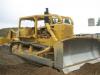
 "THEN YOU HOLD DOWN THE BRAKE PEDAL,AND HAMMER THE GAS........
 AN OLD SMOKER......1964 CAT D9

Post Fiend
Joined: Mar 2007
Posts: 8,770
Likes: 14
From: The Great North~West!
Originally Posted by shortbed7.3
 is this how you do it?
Elder User
Joined: Jul 2007
Posts: 681
Likes: 0
From: Agawam,MA
Originally Posted by glruff
Thanks all for your kind words. Don't send money, just rep points. lol
The check itself worth more than all the money in the world--- or all the whiskey in Ireland (Can have his picture on it!! True collectors item)

PS still won't let me rep you or even Sglaine.. From the guidelines you have copied in your forum, I think I have to rep 15 people in between or wait "x" amt of time. But certainly "rep-able" posts you have. -- guess FTE does this so some people don't stack the deck of others, etc.