


Darksider steering column question

Thread Starter
|
Roast em' if you got 'em


Joined: Mar 2005
Posts: 22,017
Likes: 9,972
From: Rio Rancho, NM

Darksider steering column question
Currently i have a Caddy tilt & telescoping column in my 49, mainly because it was what I had left over from the donor vehicle that supplied my dark side engine.
The question I have for people out there is this; Does anyone know what lengths the GM tilt columns come in? and for what vehicles the different lengths are for?
Basically, I'm thinking of revisiting a place that I never get very far away from (namely "square one") If I can get a shorter column then I might be able to reroute my intermediate shaft and therefore make room for headers instead of the stock exhaust manifolds.
I know that you can buy (not one of my favorite words) an aftermarket column in pretty much any length you want but from what I've seen they are pretty pricey.
Thanks,
Bobby
The question I have for people out there is this; Does anyone know what lengths the GM tilt columns come in? and for what vehicles the different lengths are for?
Basically, I'm thinking of revisiting a place that I never get very far away from (namely "square one") If I can get a shorter column then I might be able to reroute my intermediate shaft and therefore make room for headers instead of the stock exhaust manifolds.
I know that you can buy (not one of my favorite words) an aftermarket column in pretty much any length you want but from what I've seen they are pretty pricey.
Thanks,
Bobby

Posting Guru
Joined: Dec 2000
Posts: 1,793
Likes: 2
From: San Diego CA
Bob I looked at your gallery and it looks like a shorter colum will get the bottom joint above the frame rail and you could run the intermedeate shaft further out to clear headers. I had looked at using a Tempo column in my unibody but it was too short only about 18" and it is more of a swing than a tilt. I ended up cutting mine down and making a bushing for the end.
Thread Starter
|
Roast em' if you got 'em
Joined: Mar 2005
Posts: 22,017
Likes: 9,972
From: Rio Rancho, NM
cobra,
I think I'll make a run to the wrecking yard and see what is out there. When I built my steering we didn't have a decent pull-apart yard and the regular wrecking yards around here think all their stuff is gold. Now we have a place that lets you pull your own and doesn't charge an arm and a leg.
I was hoping to find a web site with applications, dimensions etc. I've been able to find websites like that for radiators, fuel tanks, etc but nothing on columns
thanks
Bobby
I think I'll make a run to the wrecking yard and see what is out there. When I built my steering we didn't have a decent pull-apart yard and the regular wrecking yards around here think all their stuff is gold. Now we have a place that lets you pull your own and doesn't charge an arm and a leg.
I was hoping to find a web site with applications, dimensions etc. I've been able to find websites like that for radiators, fuel tanks, etc but nothing on columns
thanks
Bobby

Posting Guru
Joined: Mar 2003
Posts: 1,734
Likes: 2
From: Kansas City area
The 70's GM van columns are real popular but getting more difficult to find. The aftermarket column I bought (for a 56) is 32" from where the steering wheel adaptor mounts to the end and goes past the firewall a couple of inches so if you find something in the 30-32" length you should be able to make it work. I don't think anyone has done enough research to put together any valid info on what might work between vehicles. I guess that's why the aftermarket guys do such a brisk business. Good luck in the hunt.
old and in the way

Joined: Jul 1997
Posts: 5,924
Likes: 1,052
From: Lovely Hueytown Alabama
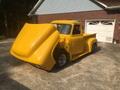
listen Bobby ??? it's the darkside calling.... can you hear it ??? it's saying "come on Bobby... forget that OLD used column.... call Ididit, Bobby. You can't resist the power of the dark side (I don't know how to spell it so insert Darth heavy breathin' here).....
you know you want to... just let go...

later
john
p.s. I had one of those old Caddy columns... it's hanging in a Chevy lovers garage now waiting for his 34 to be finished...
you know you want to... just let go...
later
john
p.s. I had one of those old Caddy columns... it's hanging in a Chevy lovers garage now waiting for his 34 to be finished...

Hotshot
Joined: Oct 2004
Posts: 15,882
Likes: 88
From: Durham NC
Ididit tilt in paintable steel 175.00 from Mid Fifty. I bought a 32" for the 56 but cut it down to 30" when it stuck out too far from the dash. It was easy to cut down once I figured out how to get the delrin bushing out of the bottom. Have you examined your column to see if it can be shortened? They usually aren't very complicated and you plan on tearing it out anyway so why not give it a go?
Thread Starter
|
Roast em' if you got 'em
Joined: Mar 2005
Posts: 22,017
Likes: 9,972
From: Rio Rancho, NM
John
LOL...you don't know how tempting it is, especially after your little pep talk and pic. I caught myself standing with the phone in one hand and my credit card in the other, the phone was making funny, encouraging little electronic beeping noises and then my eyes were dazzled by a bright light and deafening sound filled my ears and washed over me. I was dumbfounded and stood motionless as the noise settled to a dull roar and my vision cleared to reveal my wife standing there......uh oh.
If I ordered in one of those purty columns like yours I'd have to push a whole new project under it so it wouldn't look out of place
AX, I'll take a look at it. I've had columns apart before and used to tear into them fairly often back in my days at a Caddy dealership. I'll look into it.
I got some more parts in the mail this week and am itching to make some progress but...wouldn't you know it, my oldest son's baseball team has been doing exceptionally well and every night so far this week has been full of tournament games. Hard to concentrate on the game with little blue ovals and chrome pieces dancing around your vision
Thanks guys
Bobby
LOL...you don't know how tempting it is, especially after your little pep talk and pic. I caught myself standing with the phone in one hand and my credit card in the other, the phone was making funny, encouraging little electronic beeping noises and then my eyes were dazzled by a bright light and deafening sound filled my ears and washed over me. I was dumbfounded and stood motionless as the noise settled to a dull roar and my vision cleared to reveal my wife standing there......uh oh.
If I ordered in one of those purty columns like yours I'd have to push a whole new project under it so it wouldn't look out of place
AX, I'll take a look at it. I've had columns apart before and used to tear into them fairly often back in my days at a Caddy dealership. I'll look into it.
I got some more parts in the mail this week and am itching to make some progress but...wouldn't you know it, my oldest son's baseball team has been doing exceptionally well and every night so far this week has been full of tournament games. Hard to concentrate on the game with little blue ovals and chrome pieces dancing around your vision
Thanks guys
Bobby
Trending Topics
old and in the way
Joined: Jul 1997
Posts: 5,924
Likes: 1,052
From: Lovely Hueytown Alabama
I knew it !!!!
come on out Bobby....
I knew it...I knew it... I knew it You're a closet darksider... there's hope for you yet !!! I can just see it Stocker by day.....darksider at night...
It comes from spending all those years in a Caddy dealership taking care of old ladies 'DeVilles... it just builds up inside ya.
You're gonna fit in just right here.... I've got to get 'Fenders and Bubba working on you too..... Next picture... think how sweet a blower would look when you pull the hood up !!!
later
john
I knew it...I knew it... I knew it
You're a closet darksider... there's hope for you yet !!! I can just see it Stocker by day.....darksider at night... It comes from spending all those years in a Caddy dealership taking care of old ladies 'DeVilles... it just builds up inside ya.
You're gonna fit in just right here.... I've got to get 'Fenders and Bubba working on you too..... Next picture... think how sweet a blower would look when you pull the hood up !!!
later
john
FTE Stories
Ford Trucks for Ford Truck Enthusiasts

3 Best / 3 Worst Parts of Modern Ford Ownership
Brett Foote
10 Amazing Upgrades That Solve Common Ford Truck Owner Headaches
Pouria Savadkouei
Every 2026 Ford Engine Explained
Brett Foote
10 Ugly Ford Trucks That We Still Kinda Love
Joe Kucinski
10 Things Every Truck Owner NEEDS (2026 Edition)
Michael S. Palmer
Rezvani's Latest Post-Apocalyptic Monster Is a Ford F-150 Raptor Underneath
Verdad Gallardo
Top 10 Most Expensive Ford Trucks Ever Sold on Bring a Trailer
Joe Kucinski
2027 Ford Super Duty Buyer's Guide (Every Model, Engine, & Package)
Brett Foote
Top 10 Ford Truck Tragedies
Joe Kucinski
Laughing Gas
Joined: Feb 2002
Posts: 932
Likes: 9
From: DFW, TX
Darksider (Bobby),
I like the idea of a huffer on that big Caddy!
If you want a GM tilt column with no key, the advice above will get you started. You might also look in 69-72 GM pick-ups, 69-81 GM vans and motorhomes with GM drivetrains up through the 80's. (The years quoted above are close, but may not be the exact cut-offs) I picked up a van column a couple of months back for $35. . All of the gear indicator lenses and pointers are available, but as far as I know, the shift lever is not being reproduced and is unique to this style of column. The columns with keys on them go for ~$25 around here at the "pull your own" places.
Shortening is a good option also. Not too difficult, once the thing is scattered all over your garage floor!
Good Luck!
I like the idea of a huffer on that big Caddy!
If you want a GM tilt column with no key, the advice above will get you started. You might also look in 69-72 GM pick-ups, 69-81 GM vans and motorhomes with GM drivetrains up through the 80's. (The years quoted above are close, but may not be the exact cut-offs) I picked up a van column a couple of months back for $35. . All of the gear indicator lenses and pointers are available, but as far as I know, the shift lever is not being reproduced and is unique to this style of column. The columns with keys on them go for ~$25 around here at the "pull your own" places.
Shortening is a good option also. Not too difficult, once the thing is scattered all over your garage floor!
Good Luck!

Senior User
Joined: Apr 2002
Posts: 414
Likes: 0
From: Austin, TX
By the time you purchase, refurb and fiddle with the thing you will have so much invested in a yard column that you might as well buy one of the chepaer paintable steel columns. Been there, done that, got the T-shirt!
[IMG]www.ford-trucks.com/user_gallery/displayimage.php?&photoid=62974&width=2[/IMG]
You really need to consider just biting the bullet. This is one area where a little money brings substantial instant gratification. Mine's a stainless Flaming River. Fit like a glove and looks great. I have never looked back.
Tim
The Darkside has it's benefits!
[IMG]www.ford-trucks.com/user_gallery/displayimage.php?&photoid=62974&width=2[/IMG]
You really need to consider just biting the bullet. This is one area where a little money brings substantial instant gratification. Mine's a stainless Flaming River. Fit like a glove and looks great. I have never looked back.
Tim
The Darkside has it's benefits!
Last edited by f1fordguy; Jun 17, 2005 at 10:18 AM.

Laughing Gas
Joined: Feb 2002
Posts: 932
Likes: 9
From: DFW, TX
I went to the pic in your gallery and below it, it says "forum codes". Click on that and copy the text and paste it in your thread. I think if you replaced the "&width=2" at the end of your link with ".jpg" it would work.
Good Luck!
Good Luck!

Postmaster
Joined: Jun 2004
Posts: 4,190
Likes: 2
From: Riverside, So Cal

f1fordguy - Here's a description that George gave Abe a while back. I have used it ever since and it works perfectly. Print it out and save it. After a while you'll just remember all the steps.
"To insert an image, the text in your post has to look like this:
[IMG]URL[/IMG]
The URL has to start with http:// for the FTE server to recognize it. The actual text that goes where the letters URL are above indicates precisely where on the Internet your picture is located.
OK, so now you are saying, how do I get the text that tells the server exactly where my picture is stored? Well, there are several ways to do it, but here is one fairly straightforward way for images in your FTE gallery.
1. Go to your gallery.
2. In your gallery, click on the number 2 below the image you want to include in your post. This will bring up the full size version of the picture on your screen.
3. RIGHT-click anywhere on the picture. A menu will pop up that has several options. Choose the Properties option.
4. Another window will now pop up showing a bunch of properties for the image - including the URL we want. Triple-click on the URL to select the whole thing, or, highlight the whole URL using the normal way you'd highlight any text with your mouse. Press CTRL-C to copy the URL text.
5. Click Cancel (or OK) to close the image properties box.
6. Exit your gallery.
7. Start your post in the normal way (post reply button when you are in a thread, or new topic button from the forum page).
8. Click on the Insert Image button (the mountains).
9. Remember the URL you copied from your gallery using CTRL-C? Well, now press CTRL-V to paste that URL text into the pop-up dialog box.
10. Click OK to exit the pop-up box and you're done.
Print out the instructions above and give it a try. If it works, do it about a dozen times until you can remember it without having to follow the instructions.
By the way, you can use the same method for any image on the Internet. As long as you can see the image full-size (not a little thumbnail version), you can right-click on it to get it's properties, copy the URL as described above, and paste it into the Insert Image dialog box. I find that opening a second browser window allows me to work with image URL's in one while I'm doing my post in the second one. Let us know if this works for you.
__________________
George"
"To insert an image, the text in your post has to look like this:
[IMG]URL[/IMG]
The URL has to start with http:// for the FTE server to recognize it. The actual text that goes where the letters URL are above indicates precisely where on the Internet your picture is located.
OK, so now you are saying, how do I get the text that tells the server exactly where my picture is stored? Well, there are several ways to do it, but here is one fairly straightforward way for images in your FTE gallery.
1. Go to your gallery.
2. In your gallery, click on the number 2 below the image you want to include in your post. This will bring up the full size version of the picture on your screen.
3. RIGHT-click anywhere on the picture. A menu will pop up that has several options. Choose the Properties option.
4. Another window will now pop up showing a bunch of properties for the image - including the URL we want. Triple-click on the URL to select the whole thing, or, highlight the whole URL using the normal way you'd highlight any text with your mouse. Press CTRL-C to copy the URL text.
5. Click Cancel (or OK) to close the image properties box.
6. Exit your gallery.
7. Start your post in the normal way (post reply button when you are in a thread, or new topic button from the forum page).
8. Click on the Insert Image button (the mountains).
9. Remember the URL you copied from your gallery using CTRL-C? Well, now press CTRL-V to paste that URL text into the pop-up dialog box.
10. Click OK to exit the pop-up box and you're done.
Print out the instructions above and give it a try. If it works, do it about a dozen times until you can remember it without having to follow the instructions.
By the way, you can use the same method for any image on the Internet. As long as you can see the image full-size (not a little thumbnail version), you can right-click on it to get it's properties, copy the URL as described above, and paste it into the Insert Image dialog box. I find that opening a second browser window allows me to work with image URL's in one while I'm doing my post in the second one. Let us know if this works for you.
__________________
George"