





Waze app?

Thread Starter
|
Laughing Gas


Joined: Jul 2017
Posts: 764
Likes: 194
From: Elephant Butte NM
Waze app?
I have a 2022 F350 with the sync4 system. I use the Waze app traveling and it works great on my Android phone. When I switch to the truck screen with Android Auto I get voice directions but I lose the highlighted route. Waze forum was no help, I was hoping someone else has had the issue and know how to fix this.

Tuned

Joined: Jan 2023
Posts: 304
Likes: 164
I always had issues with Waze on my 22. I use CarPlay, but the sound always came through way louder than the radio and would scare the heck out of me. I would turn it down and again would default to crazy loud the next time it would voice directions. I vaguely remember having issues with the highlighted route too. I haven’t used it on my 23 yet. Now I just use Apple Maps.

Logistics Pro

Joined: Mar 2005
Posts: 3,544
Likes: 2,504
From: West Michigan
I have a 2022 F350 with the sync4 system. I use the Waze app traveling and it works great on my Android phone. When I switch to the truck screen with Android Auto I get voice directions but I lose the highlighted route. Waze forum was no help, I was hoping someone else has had the issue and know how to fix this.
Mountain Pass

Joined: Apr 2024
Posts: 186
Likes: 123
From: SW PA
I have a 2022 F350 with the sync4 system. I use the Waze app traveling and it works great on my Android phone. When I switch to the truck screen with Android Auto I get voice directions but I lose the highlighted route. Waze forum was no help, I was hoping someone else has had the issue and know how to fix this.
Are you saying you put in a navigation route, (from within Waze) switch to Android Auto and expect that same route/navigation to transfer to Android Auto?
In my experience, you can switch to whatever screen you want (other than Waze) and the Waze app still runs in the background. (hence, giving you the voice prompts)
I've never seen the ability to have navigation routes transfer from one app to another.
You'd have to cancel the Waze navigation and re-navigate in Android Auto.
Last edited by 5picker; Apr 13, 2024 at 08:25 AM.

Tuned
Joined: Dec 2021
Posts: 429
Likes: 126
I have a '22 Lariat with SYNC4 and if I'm Navigating in Waze on my phone then go hop in my truck, the WAZE app on my phone transfers to the truck. It used to be buggy when I received my first Power Up. Then it straightened out for the most part in the last couple of months. Try uninstalling WAZE from your Android phone, shut down the truck and open and close the drivers door. Then reinstall WAZE on your phone and then power up the truck. I had to do that a couple of times on the last year after updates crashed my app. Direct connecting with a USB-C cable works better than Bluetooth. Good luck!
Thread Starter
|
Laughing Gas
Joined: Jul 2017
Posts: 764
Likes: 194
From: Elephant Butte NM
Not sure I understand what you are saying?
Are you saying you put in a navigation route, (from within Waze) switch to Android Auto and expect that same route/navigation to transfer to Android Auto?
In my experience, you can switch to whatever screen you want (other than Waze) and the Waze app still runs in the background. (hence, giving you the voice prompts)
I've never seen the ability to have navigation routes transfer from one app to another.
You'd have to cancel the Waze navigation and re-navigate in Android Auto.
Are you saying you put in a navigation route, (from within Waze) switch to Android Auto and expect that same route/navigation to transfer to Android Auto?
In my experience, you can switch to whatever screen you want (other than Waze) and the Waze app still runs in the background. (hence, giving you the voice prompts)
I've never seen the ability to have navigation routes transfer from one app to another.
You'd have to cancel the Waze navigation and re-navigate in Android Auto.
Trending Topics
Thread Starter
|
Laughing Gas
Joined: Jul 2017
Posts: 764
Likes: 194
From: Elephant Butte NM
I have a '22 Lariat with SYNC4 and if I'm Navigating in Waze on my phone then go hop in my truck, the WAZE app on my phone transfers to the truck. It used to be buggy when I received my first Power Up. Then it straightened out for the most part in the last couple of months. Try uninstalling WAZE from your Android phone, shut down the truck and open and close the drivers door. Then reinstall WAZE on your phone and then power up the truck. I had to do that a couple of times on the last year after updates crashed my app. Direct connecting with a USB-C cable works better than Bluetooth. Good luck!
FTE Stories
Ford Trucks for Ford Truck Enthusiasts

Top 10 Fords at 2026 Carlisle Ford Nationals
Joe Kucinski
3 Best / 3 Worst Parts of Modern Ford Ownership
Brett Foote
10 Amazing Upgrades That Solve Common Ford Truck Owner Headaches
Pouria Savadkouei
Every 2026 Ford Engine Explained
Brett Foote
10 Ugly Ford Trucks That We Still Kinda Love
Joe Kucinski
10 Things Every Truck Owner NEEDS (2026 Edition)
Michael S. Palmer
Rezvani's Latest Post-Apocalyptic Monster Is a Ford F-150 Raptor Underneath
Verdad Gallardo
Top 10 Most Expensive Ford Trucks Ever Sold on Bring a Trailer
Joe Kucinski
2027 Ford Super Duty Buyer's Guide (Every Model, Engine, & Package)
Brett Foote
Mountain Pass
Joined: Apr 2024
Posts: 186
Likes: 123
From: SW PA
Again, that's because Waze is still doing the navigation (and reporting in the background) because you've switched to another screen.
The navigation/routing doesn't auto-magically switch to another app.
The navigation/routing doesn't auto-magically switch to another app.

Cross-Country
Joined: Dec 2020
Posts: 52
Likes: 7
I've had this problem and there is a workaround.. I think there's a library Wayze needs but doesnt load.. if you start google maps, then switch to wayze, the route will stick 9 out of 10 times..
I'm betting you'll also hear a slight echo from the speech system that sounds like its saying things twice with a tiny offset.
I'm betting you'll also hear a slight echo from the speech system that sounds like its saying things twice with a tiny offset.
Rather Be Rid'n!
Joined: Nov 2023
Posts: 448
Likes: 205
From: SE Massachusetts

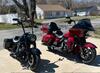
Not pertaining to Android Auto as I'm an Apple user, so I don't know the workings of an Android phone, but in Apple's CarPlay, what's is happening is the radio is only "Projecting" the phone's screen. The apps are loaded on the phone, not on the radio. So if there is an issue between apps, I would look at any phone conflicts first. I use Carplay on my 2020 Road Glide Limited, and as one of our HOG Chapter's Road Captains, when I lead a ride, I have several Nag apps open. I have found it makes a big difference in the order I open them. If in the wrong order, one will cancel the other since they are competing for the iPhones NAV info.
Waze is a great app, Google maps is very limited for route planning. H-D has their own route planning/Nav app, which sucks, so I use My Route App App Link (have a life time subscription to route planner and Nav) which is very powerful and very easy to use.
Not saying Android is doing this, but it's something you might want to look into.
Waze is a great app, Google maps is very limited for route planning. H-D has their own route planning/Nav app, which sucks, so I use My Route App App Link (have a life time subscription to route planner and Nav) which is very powerful and very easy to use.
Not saying Android is doing this, but it's something you might want to look into.

1st Gear
Joined: Apr 2025
Posts: 1
Likes: 0
Hello, I have the same the Same truck with the exact same problem. Did you ever find a solution? I did have a workaround by opening google maps, adding a route (ie. home) then going back to waze and that worked. Now that trick is no longer working.

Laughing Gas
Joined: Jan 2022
Posts: 1,101
Likes: 503
Maybe I'm not understanding the problem here. I have a 22 with sync4.
If I'm on my couch and decide to go somewhere, I open Waze on my phone and set a destination. If I want to stop along the way, I set that too. Odd you have to put stops in in that order but ok.
Then I go to my truck and Waze comes up on my AA and asks if I'm still going to wherever. I tap resume and off we go.
If I'm on my couch and decide to go somewhere, I open Waze on my phone and set a destination. If I want to stop along the way, I set that too. Odd you have to put stops in in that order but ok.
Then I go to my truck and Waze comes up on my AA and asks if I'm still going to wherever. I tap resume and off we go.

Thread
Thread Starter
Forum
Replies
Last Post
MBman
6.7L Power Stroke Diesel
15
Jul 2, 2023 12:46 PM
wingedone
Audio & Video Systems, Navigation, Satellite Radio & Mobile Electronics
2
Aug 18, 2022 12:29 PM
theklutz13
1987 - 1996 F150 & Larger F-Series Trucks
2
Aug 13, 2001 12:18 AM