When you click on links to various merchants on this site and make a purchase, this can result in this site earning a commission. Affiliate programs and affiliations include, but are not limited to, the eBay Partner Network.
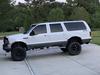
2001 Excursion Limited 5.4L w/optional Video Casset Player (VCP) rear seat entertainment system. The overhead trip console which appears to be integrated with the VCP has a very dim display (MPG, MI TO EMPTY, TEMPERATURE, ETC.), so dim that it is impossible to read in daylight. I cannot find any technical data on the VCP system and I do not know if it a separate system that only shares a space in the overhead console or if the circuitry for the two units is shared.
I cannot even fine instructions for removing the console so that I can check it out, and I don’t want to destroy it in order to remove it. The overhead console is totally different from the overhead consoles in Excursions that do not have the rear seat entertainment system
Any information on how to remove the overhead console and/or how to brighten the LED display would be greatly appreciated.
Have you checked that the dimmer switch ( wheel) is turn up to full brightness ? How about posting a photo of the trip computer that you are talking about. There are different versions, I believe you have the earlier version because I think you have dial climate controls. If you have the electronic controls then the computer is different. I believe there is a write up in the sticky thread on how to repair them or you can have it rebuilt, there are venders who offer this service on eBay.
somewhere on here is a detailed thread on how to repair the dim issue, which is almost always from the surface resistors, or capacitors loosing the soldered connection on the board, or coming off completely.
Well, the pics are gone, but here it is.
Vinny G, I have attached pictures of the console in my Excursion. The problem I am having with the low trip computer diaplay intensity is in the daytime with the headlights turned off. It is just too dim to be read in ambient daylight. I can read it at night. The dimmer does not control the display brightness for the console display or the radio until the headlights are turned on. I have removed the headlight switch, unplugged it and applied the12V battery voltage directly to the terminal going to the instrument lights. The console display did not brighten one bit over the display intensity with the switch connected. Therefore, I believe the problem is with the display. If anyone knows how to remove this console, I would certainly appreciate the procedure.
Last edited by NKENN; Sep 22, 2023 at 11:09 AM.
Reason: add details
If I recall it is held up with a few screws which are under the sunglass door and the garage opener door. Remove them and then pry it down, it’s held up with clips which just push into holes in the head liner. After it’s down disconnect the electrical clips and remove it. You will easily be able to remove the computer.
If the VHS unit and TV screen are part or the same console then there might be more screws but it is held up the same way.
This Hennessey Takes the Expedition Tremor's Off-Roading Capability to the Next Level
Slideshow: The VelociRaptor Expedition gains a lift, upgraded suspension, Brembo brakes, and trail-ready equipment while retaining the stock 440-horsepower EcoBoost V6.
Rezvani's Latest Post-Apocalyptic Monster Is a Ford F-150 Raptor Underneath
Slideshow: Called the Fortress, the 850-horsepower pickup combines Raptor underpinnings with military-inspired features, survival equipment, and a starting price of $285,000.