When you click on links to various merchants on this site and make a purchase, this can result in this site earning a commission. Affiliate programs and affiliations include, but are not limited to, the eBay Partner Network.
I unplugged the TCU. The hardest part was getting that damn carpet back in place. Probably should just make a small slit in the carpet and then be able to plug or unplug whenever you want.
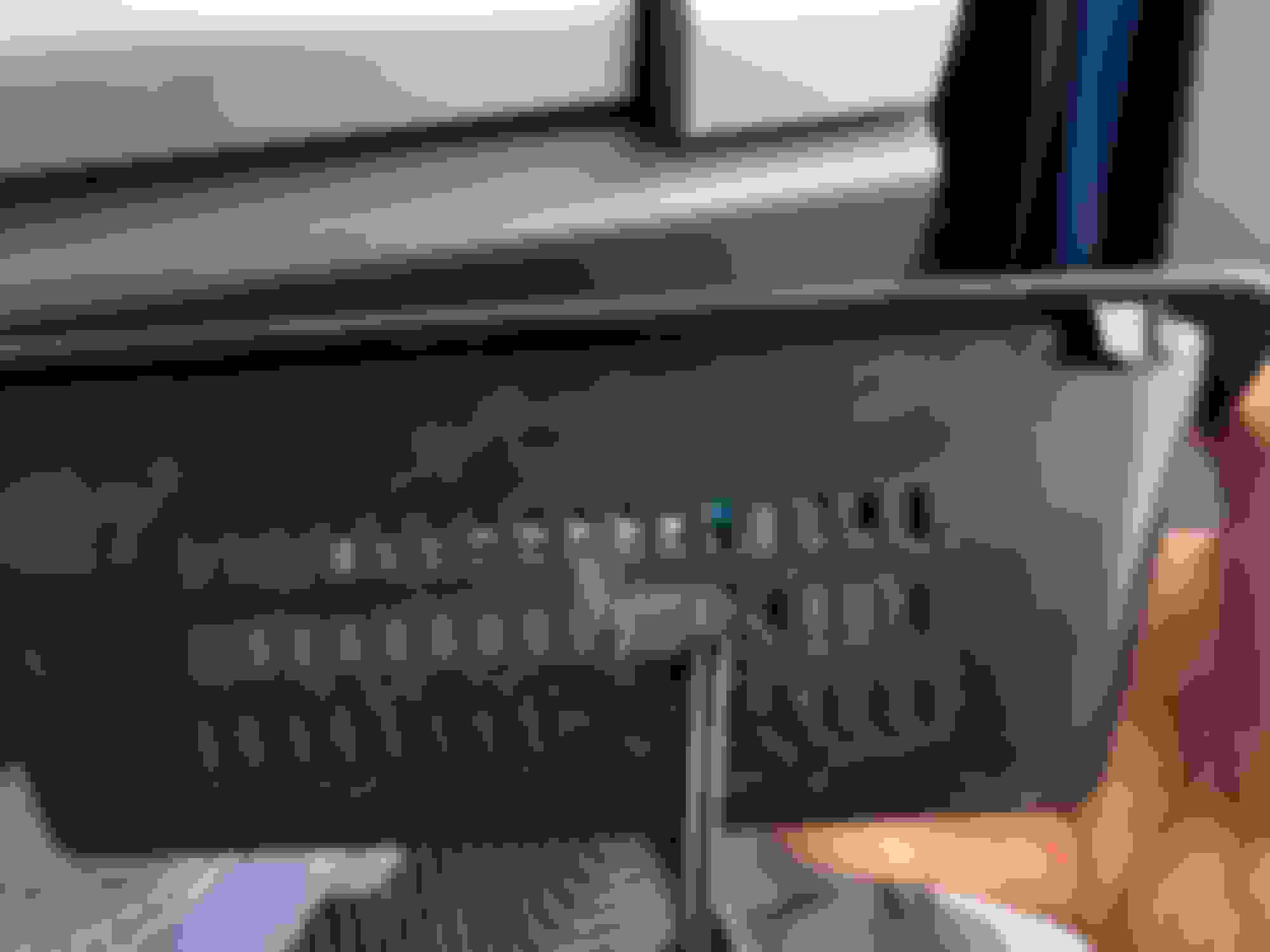
Swapping this 3 blade fuse in the passenger kick panel with a 2 blade fuse (leaving the slot under the circle open) kills power to the TCU. [2022MY confirmed, don't know if it applies to other MY's]
Lot quicker / easier than pulling carpet to unplug it
Swapping this 3 blade fuse in the passenger kick panel with a 2 blade fuse (leaving the slot under the circle open) kills power to the TCU. [2022MY confirmed, don't know if it applies to other MY's]
Lot quicker / easier than pulling carpet to unplug it
Nice! Anything else impacted? Don't have the manual handy.
Since the 2023s don’t have a seperate forum, I’ll post these here.
I was able to remove these fuses and had no adverse affects. However I believe there still may be some back door communications as I can load GPS maps around the world(unless they’re downloaded to the truck?)
My experience after pulling these has been
-no longer have a modem or esn number when looking in the menu
-gps has a red circle with a line through it. Vehicle location remains where I unplugged the fuse weeks ago however I could still load the maps themselves
-unable to load Wifi or find available networks
-911 assist is unavailable
-connected vehicle menu attempts to load up but quits on its own and goes back to the previous screen
Since the 2023s don’t have a seperate forum, I’ll post these here.
I was able to remove these fuses and had no adverse affects. However I believe there still may be some back door communications as I can load GPS maps around the world(unless they’re downloaded to the truck?)
My experience after pulling these has been
-no longer have a modem or esn number when looking in the menu
-gps has a red circle with a line through it. Vehicle location remains where I unplugged the fuse weeks ago however I could still load the maps themselves
-unable to load Wifi or find available networks
-911 assist is unavailable
-connected vehicle menu attempts to load up but quits on its own and goes back to the previous screen
I believe the maps are already downloaded to the truck
What does the second, hand-written thing say corresponding to interior fuse 38?
I unplugged the TCU on my '22 recently. It doesn't result in a check engine light, but it *does* trip a DTC in the BCM, for a TCU communications fault. That said, I think there is a config value in the BCM to tell it to stop looking for the TCU. Will report back when I try it likely this weekend).
I unplugged the TCU on my '22 recently. It doesn't result in a check engine light, but it *does* trip a DTC in the BCM, for a TCU communications fault. That said, I think there is a config value in the BCM to tell it to stop looking for the TCU. Will report back when I try it likely this weekend).
I believe this was the case on my 2019 as well - no MIL on the display but I believe there was a code thrown and I saw it in Forscan under BCM.
I finally got around to cutting the cord on my 2022 Lariat F250, at least as much as any of us can with these trucks. I swapped the modem fuse for the 2-prong version, and then I got curious about the TCU. So I dug into that and disconnected all of the inputs/outputs to and from that thing (probably not needed, since it doesn’t have power with the fuse pulled, but I was there anyway, so…). That takes care of the cell tower comms.
I also dug into the antenna system for the GPS. At first, I thought I would put a disconnect/cutout switch in-line near the driver’s side antenna on the roof (top of the C pillar). But that would kill the Sat radio also. After looking at the schematics, I wanted to see if I could place the disconnect setup closer to the GPS input to the APIM. It’s pretty easy to access it- pull the speaker cover and the top center dash tray, and it is right there near the top. I used two 12” universal fakra cables, connecting 1 to the input on the APIM, and one to the antenna wire. I then fished the other two ends through the vent area in back of the dash tray (I had to cut a little bit with the dremel).
By doing this, I have a quick and easy way to connect the GPS antenna if I want the truck to get the GPS feed... and then disconnect it when I don’t want the GPS feed coming into the system (vast majority of the time). That should prevent the truck from geotagging any of the data it does collect, at least through the truck’s GPS system. Connecting your phone to the truck would probably negate that though. I'm not sure what data is skimmed from Apple CarPlay or Android Auto...
I never factored GPS into the equation at all, so thanks for the pics and procedure. Could you please post links to the source where you purchased the fakra cables? Many thanks!
I never factored GPS into the equation at all, so thanks for the pics and procedure. Could you please post links to the source where you purchased the fakra cables? Many thanks!