Adaptive Cruise - Collision Avoidance Option

Thread Starter
|
4wd Low

Joined: Mar 2019
Posts: 14
Likes: 3
From: Winston Salem
Adaptive Cruise - Collision Avoidance Option
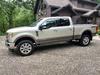
Looking to buy a 2019 F350 Lariat that I will be using primarily for RV towing. Sent my Build It specs to my dealer and he found a truck that basically has what I want accept it does not have adaptive cruise-collision avoidance. Not sure why a dealer would order a truck without that option but wonder if those that have adaptive cruise-collison avoidance find it helpful. Would you buy a truck with out it. I have an F150 now that I tow a travel trailer with. I find that I only use cruise control about 25% of the time. I guess I might use it more with the adaptive feature. I like the idea of the collision avoidance but when I test drove a truck today with adaptive cruise-collision avoidance I did not sense the collision avoidance engaging when I came up pretty fast on a car in front of me on an exit ramp. Did want to crash the test drive truck so maybe I didn't give it time to put the brakes on or throw the red warning lights up on the windshield.
So tryiing to decide if I want to order the truck I want and get the adaptive cruise-collision avoidance or take the truck they located without it. The located truck also has the $1495 powermoon roof that I don't really feel like I need. My F150 has a moonroof and I almost always drive with the shade closed. I also have a $3,000 PCO that expires 4/1/2019 thanks to the helpful folks on this forum and sales rep wasn't sure it would still be good on an ordered truck but was going to call and confirm with Ford.
Thanks for your input.
So tryiing to decide if I want to order the truck I want and get the adaptive cruise-collision avoidance or take the truck they located without it. The located truck also has the $1495 powermoon roof that I don't really feel like I need. My F150 has a moonroof and I almost always drive with the shade closed. I also have a $3,000 PCO that expires 4/1/2019 thanks to the helpful folks on this forum and sales rep wasn't sure it would still be good on an ordered truck but was going to call and confirm with Ford.
Thanks for your input.

Fleet Mechanic
Joined: May 2011
Posts: 1,866
Likes: 84
From: Rainier OR
I just bought my 2018 F450 Platinum about 8 months ago. Firest vehicle I ever had with the ACC and CA. After having them I would not want another vehicle witout them. The safety of haveing yourself AND the truck look out for problems is nice.
if I had this truck a few years ago it might have prevented a minor accident in stop and go traffic.
the 360 camera is another option I wouldnt want to give up either.
So much safer to know you have no blind spots is a tight area, or where kids are present.
if I had this truck a few years ago it might have prevented a minor accident in stop and go traffic.
the 360 camera is another option I wouldnt want to give up either.
So much safer to know you have no blind spots is a tight area, or where kids are present.

Mountain Pass
Joined: Oct 2018
Posts: 134
Likes: 7
The adaptive cruise is absolutely awesome. It takes so much stress out of driving on the interstate/highways.
The collision avoidance is kind of nice, but I could live without it. It does warn you about things behind you as well, like cross traffic backing out of a parking spot. *very* handy if your backup camera is dirty and you can't quite see the edges.
The collision avoidance is kind of nice, but I could live without it. It does warn you about things behind you as well, like cross traffic backing out of a parking spot. *very* handy if your backup camera is dirty and you can't quite see the edges.

Cargo Master


Joined: Mar 2005
Posts: 2,368
Likes: 620
The adaptive cruise is absolutely awesome. It takes so much stress out of driving on the interstate/highways.
The collision avoidance is kind of nice, but I could live without it. It does warn you about things behind you as well, like cross traffic backing out of a parking spot. *very* handy if your backup camera is dirty and you can't quite see the edges.
The collision avoidance is kind of nice, but I could live without it. It does warn you about things behind you as well, like cross traffic backing out of a parking spot. *very* handy if your backup camera is dirty and you can't quite see the edges.
Trending Topics

Postmaster
Joined: Jan 2019
Posts: 3,422
Likes: 20
Adaptive cruise is a neat feature. The only time it is really effective for me is when I’m following someone I know. In my normal highway driving, there’s not enough traffic that I need to keep pace. If you will be driving in bumper to bumper traffic, it would be worth it. If you are doing highway driving where the traffic is sparse, it’s not. I wouldn’t miss the collision avoidance system at all. I pay attention to what’s in front of me when I’m driving. My collision avoidance has gone off a few times in the city when I wasn’t even close to a slowing vehicle ahead of me. I have my sensitivity on low and just chalked it up to a brain fart with the system. The cross traffic alert has saved me a few times. The blind spot system is nice as well but these mirrors are huge in these trucks so there’s not much of a blind spot.
I was in in the same bot as you as I didn’t really care for the panoramic sunroof. I’ve had sunroofs in other trucks that I had never opened. To my surprise, I love this sunroof. I never open it but always have the shade open. It really makes the cab feel bigger even though others have stated you lose headroom. I’m also in my truck a lot as it’s my rolling office.
I was in in the same bot as you as I didn’t really care for the panoramic sunroof. I’ve had sunroofs in other trucks that I had never opened. To my surprise, I love this sunroof. I never open it but always have the shade open. It really makes the cab feel bigger even though others have stated you lose headroom. I’m also in my truck a lot as it’s my rolling office.
FTE Stories
Ford Trucks for Ford Truck Enthusiasts

10 Things Every Truck Owner NEEDS (2026 Edition)
Michael S. Palmer
Rezvani's Latest Post-Apocalyptic Monster Is a Ford F-150 Raptor Underneath
Verdad Gallardo
Top 10 Most Expensive Ford Trucks Ever Sold on Bring a Trailer
Joe Kucinski
2027 Ford Super Duty Buyer's Guide (Every Model, Engine, & Package)
Brett Foote
Top 10 Ford Truck Tragedies
Joe Kucinski
AEV FXL Super Duty - the Super Duty Raptor Ford Doesn't Make
Brett Foote
Lobo Vs Lobo: Proof the F-150 Lobo Should Be Even Lower!
Michael S. Palmer
Ford's 2001 Explorer Sportsman Concept Looks For a New Home
Verdad Gallardo
10 Best Ford Truck Engines We Miss the Most!
Joe Kucinski
Fleet Mechanic
Joined: May 2011
Posts: 1,866
Likes: 84
From: Rainier OR
The adaptive cruise is absolutely awesome. It takes so much stress out of driving on the interstate/highways.
The collision avoidance is kind of nice, but I could live without it. It does warn you about things behind you as well, like cross traffic backing out of a parking spot. *very* handy if your backup camera is dirty and you can't quite see the edges.
The collision avoidance is kind of nice, but I could live without it. It does warn you about things behind you as well, like cross traffic backing out of a parking spot. *very* handy if your backup camera is dirty and you can't quite see the edges.
Collision avoidance is forward looking only. Interestingly, will not work if a vehicle is coming at you in the same lane,
From the owners manual
COLLISION WARNING SYSTEM (If Equipped) Principle Of Operation (If Equipped) WARNINGS This system is an extra driving aid. It does not replace your attention and judgment, or the need to apply the brakes. This system does NOT automatically brake your vehicle. If you fail to press the brake pedal when necessary, you may collide with another vehicle. The collision warning system with brake support cannot help prevent all collisions. Do not rely on this system to replace your judgment and the need to maintain correct distance and speed. Note:The system does not detect, warn or respond to potential collisions with vehicles to the rear or sides of your vehicle. Note:The collision warning system is active at speeds above approximately 5 mph (8 km/h). Note:The collision warning system will be unavailable if you disable the electronic stability control. See Using Stability Control (page 231).
The system alerts you of certain collision risks. The system's sensor detects your vehicle's rapid approach to other vehicles traveling in the same direction as your vehicle.
When your vehicle rapidly approaches another vehicle, a red warning light flashes and a tone sounds. The brake support system assists you in reducing any collision speed by pre-charging the brakes. If the risk of collision continues to increases after the audio-visual warning, the brake support prepares the brake system for rapid braking. The system does not automatically activate the brakes, but if the brake pedal is pressed even lightly, the brakes apply full stopping power. Using the Collision Warning System WARNING The collision warning system’s brake support reduces collision speed only if you brake your vehicle before any collision. As in any typical braking situation, you must press your brake pedal.
You can use your information display control to adjust the collision warning system's sensitivity or to turn the system On or Off. Your vehicle will remember these settings across key cycles. You may change the collision warning system sensitivity to any one of three possible settings. See General Information (page 113).
Note:It is recommended that you turn the collision warning system off if a snow plow or similar object is installed in such a way that it may block the radar sensor. Your vehicle will remember the selected setting across key cycles. Note:When possible, the manufacturer recommends using the highest sensitivity setting. If warnings are too frequent, you can reduce your system's sensitivity. Reduced sensitivity causes fewer and later system warnings. See General Information (page 113).
Blocked Sensors
If a blocked sensor message appears in the information display, dirt, water, or an object is blocking the sensor. The sensor is located behind a cover near the driver side of the lower grille. If anything blocks the sensor, your vehicle cannot see through the sensor, and the collision warning system will not work. Possible causes for the blocked sensor message and corrective actions are listed below.
ActionCause Clean the radar sensor cover or remove the obstruction The radar sensor cover in the grille is dirty or obstructed Wait a short time. The radar may take several minutes to reset after you remove the obstruction The surface of the radar sensor cover is clean but the message remains in the display The collision warning system is temporarily disabled. Shortly after weather conditions improve, the collision warning system automatically reactivates Heavy rain, spray, snow or fog in the air interferes with the radar signals The collision warning system is temporarily disabled. Shortly after weather conditions improve, the collision warning system automatically reactivates Swirling water, snow or ice on the road surface interferes with the radar signals
System Limitations WARNING The collision warning system’s brake support only reduces collision speed if you first apply your brakes. You must brake as you would in any typical braking situation.
Due to the nature of radar technology, there may be certain instances where vehicles do not provide a collision warning. These include: • Stationary vehicles or vehicles moving below 6 mph (10 km/h). • Pedestrians or objects in the roadway. • Oncoming vehicles in the same lane. • Severe weather conditions (see blocked sensor section). • Debris build-up on the grille near the headlamps (see blocked sensor section). • Small distance to vehicle ahead. • Large steering wheel and pedal movements (very active driving style). Damage to the front end of your vehicle may alter the radar sensor's coverage area. This may result in missed or false collision warnings. Have an authorized dealer check your radar sensor for proper coverage and operation.