




Overhead trip computer

Thread Starter
|
4wd Low
Joined: Feb 2017
Posts: 11
Likes: 0
Overhead trip computer
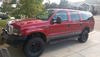
Greeting. I'm a new member and have just purchased a really nice 2005 Excursion. The only thing that is not working is the little overhead electronic trip computer (Miles to empty; mileage, etc). The display is blank and I can't get it to turn on. Anybody have that issue? If so, what's the best way to approach fixing it? Thanks in advance.

Lead Driver


Joined: Oct 2010
Posts: 5,420
Likes: 16
From: Ouray, CO
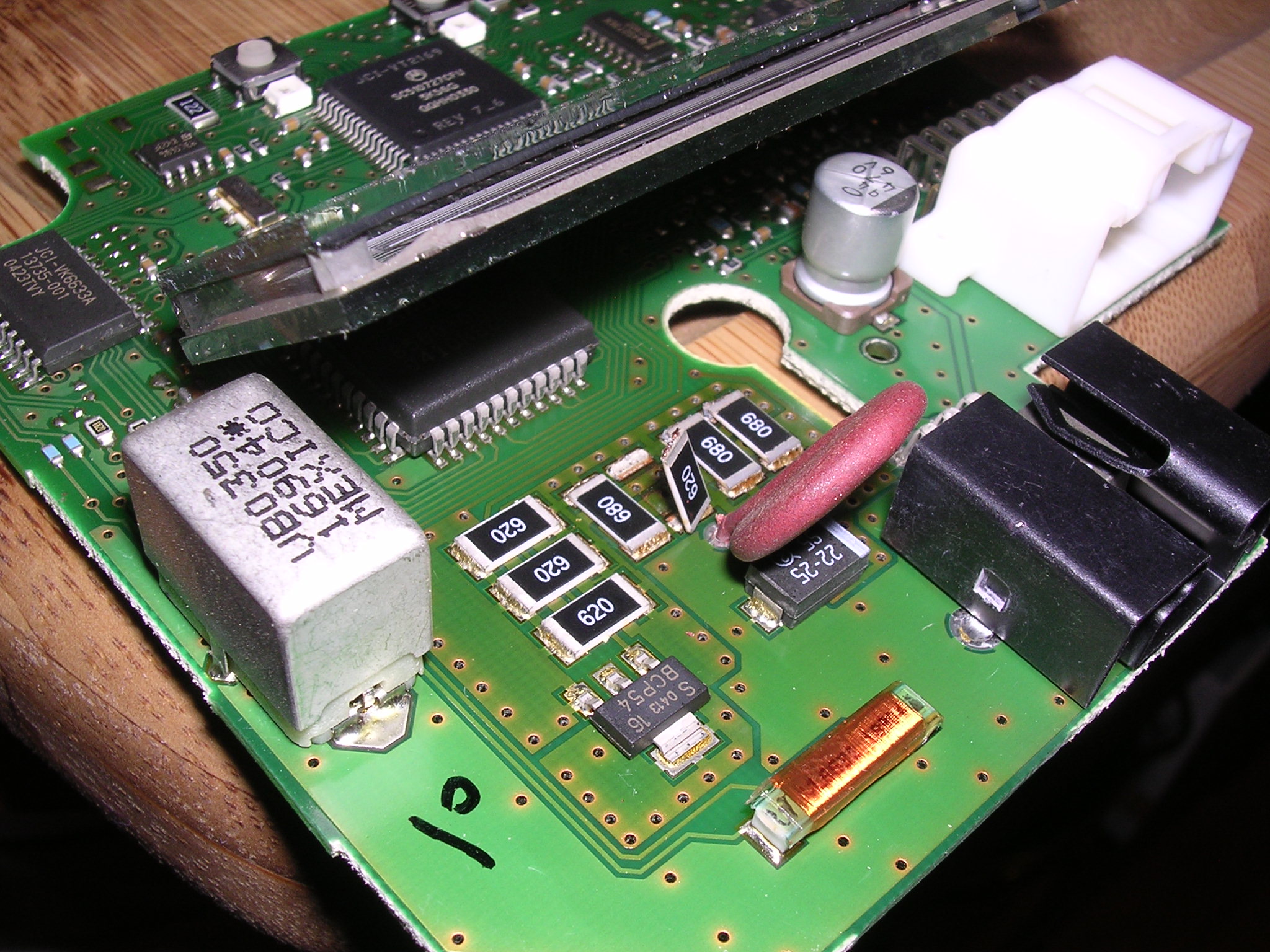
The most frequent issue is the resistors on the circuit board de-solder themselves from the heat from the roof. Remove the over head console (1 screw in the glass compartment, then you pull down snugly on the rear, then it'll hang down so you can remove the wire connectors.


Veteran/Sheepdog

Joined: Feb 2012
Posts: 6,047
Likes: 110
From: Western AR

Then send it to CircuitBoardMedics and have them fix those resistors and anything else they find while inside it. Unless you are super handy with a soldering iron and tiny circuit board parts...

Posting Guru
Joined: Apr 2007
Posts: 2,402
Likes: 3
I had the same issue on my '05, took it apart only to find that 4 of the resistors were broke in half. I found a guy on eBay that repaired it for $20. I sent it to him on a Friday and got it back the following Thursday. I think it was automotive circuit solutions, or something like that. Just go on eBay and search, excursion overhead console.
Veteran/Sheepdog
Joined: Feb 2012
Posts: 6,047
Likes: 110
From: Western AR
I would just add that CircuitBoardMedics are a sponsor on this site...
...and they did great work for me. They didn't just fix the resistors. They went through and resoldered anything that was suspect.
...and they did great work for me. They didn't just fix the resistors. They went through and resoldered anything that was suspect.
Trending Topics

Super Moderator

Joined: May 2004
Posts: 29,380
Likes: 118
From: Central Coast of CA

I have the how-to for fixing this linked in the tech folder.
Stewart
Stewart
FTE Stories
Ford Trucks for Ford Truck Enthusiasts

3 Best / 3 Worst Parts of Modern Ford Ownership
Brett Foote
10 Amazing Upgrades That Solve Common Ford Truck Owner Headaches
Pouria Savadkouei
Every 2026 Ford Engine Explained
Brett Foote
10 Ugly Ford Trucks That We Still Kinda Love
Joe Kucinski
10 Things Every Truck Owner NEEDS (2026 Edition)
Michael S. Palmer
Rezvani's Latest Post-Apocalyptic Monster Is a Ford F-150 Raptor Underneath
Verdad Gallardo
Top 10 Most Expensive Ford Trucks Ever Sold on Bring a Trailer
Joe Kucinski
2027 Ford Super Duty Buyer's Guide (Every Model, Engine, & Package)
Brett Foote
Top 10 Ford Truck Tragedies
Joe Kucinski
Tuned
Joined: Feb 2013
Posts: 434
Likes: 7
From: Hemet
Soldering it yourself is pretty darn easy. I just did this about a month ago. I waited so long because I was apprehensive about doing it but it was very easy. Give it a try and if you screw it up then you can send it to one of the places recommended. 


Laughing Gas
Joined: Nov 2014
Posts: 1,108
Likes: 23
I'll add in that when you take the board and look at it, there may be nothing obviously loose. Just take an electronic soldering iron with a fine tip(Radio Shack, Home Depot, Amazon) and touch the connectors for those chips (on the back side of the board ) You can see the circuits easily from the back of the board. Don't get carried away with solder if you have to add some. Also use the very thin electronics solder. After all that, just take the module back to the X and plug in to see if it works before you put everything back in.
) You can see the circuits easily from the back of the board. Don't get carried away with solder if you have to add some. Also use the very thin electronics solder. After all that, just take the module back to the X and plug in to see if it works before you put everything back in.


Thread
Thread Starter
Forum
Replies
Last Post
Paul Titus
Excursion - King of SUVs
20
Oct 17, 2014 12:02 PM