



Sync 3 Nav

Thread Starter
|
Mountain Pass


Joined: Sep 2007
Posts: 237
Likes: 4
From: Oconmowoc Wi.
Sync 3 Nav
Those who have it, is it any good? Always heard ford navigation sucks. Trying to decide if i should even get sync 3 or just use a Garmin with regular sync. any thoughts?

Cargo Master
Joined: May 2007
Posts: 3,336
Likes: 4
From: Western New York


Mountain Pass


Joined: Sep 2016
Posts: 243
Likes: 33
From: Montana
I've never been anything but impressed with the Sync system in my 2012, especially the navigation. In my opinion, Sync 3 has a LOT to live up to! - We'll see. . .
Hotshot


Joined: Apr 2013
Posts: 10,133
Likes: 665
From: NH
Be advised, even if you do not get the factory Nav but you do get Sync 3 (XLT trucks this is common) it does support Car Play and Auto. So you can simply connect your phone to the system in the bin (no visible wires) and have probably superior nav to the factory system.
Personally, I do have the factory Nav and have also had it on the previous generation. The graphics are a little boring on Sync 3, but it works well enough. Voice commands I think work much better on this gen than the previous MyFord Touch. Sync 3 is noticeably faster than the previous system. Nav no longer runs on a removable SD card as it did in MFT.
One thing I like - you can bring up your Nav link for directions and prompts in the 8" instrument panel screen while using the 8" Sync 3 screen for something else (like music or phone).
One MAJOR complaint - unless you are on the "Home" 3-way split screen, or on the audio screen, nowhere does it tell you what radio station or track you are listening to. So if you have the Nav up and you change tracks on a USB device, it does not tell you what you are listening to. The old MFT always displayed track / station names in the corners, and the Sync system only displays climate info and outside temp / compass info. Big downgrade in my opinion.
Personally, I do have the factory Nav and have also had it on the previous generation. The graphics are a little boring on Sync 3, but it works well enough. Voice commands I think work much better on this gen than the previous MyFord Touch. Sync 3 is noticeably faster than the previous system. Nav no longer runs on a removable SD card as it did in MFT.
One thing I like - you can bring up your Nav link for directions and prompts in the 8" instrument panel screen while using the 8" Sync 3 screen for something else (like music or phone).
One MAJOR complaint - unless you are on the "Home" 3-way split screen, or on the audio screen, nowhere does it tell you what radio station or track you are listening to. So if you have the Nav up and you change tracks on a USB device, it does not tell you what you are listening to. The old MFT always displayed track / station names in the corners, and the Sync system only displays climate info and outside temp / compass info. Big downgrade in my opinion.
Cargo Master
Joined: May 2007
Posts: 3,336
Likes: 4
From: Western New York
Nav in the MKC is terrible for accepting commands so we (usually I) look up destinations on the phone then direct program the destination to the MyFord Touch. Asking for destination attractions such as a museum we recently visited or a restaurant is next to impossible. That is one dumb human hiding in the dashboard. At least she doesn't snap back when I cuss at her.
I will miss the information in the corners of the screen. I guess it would not be good for sales in the future but it would be nice if the hardware was designed like a real computer where the operating systems could be replaced as advancements evolve.
I will miss the information in the corners of the screen. I guess it would not be good for sales in the future but it would be nice if the hardware was designed like a real computer where the operating systems could be replaced as advancements evolve.

Senior User
Joined: Apr 2016
Posts: 222
Likes: 0
The nav in my 2013 and 2015 was pretty bad to be honest (I haven't used it enough on the 2017 to compare). My issue was that it frequently had my truck located up to one block off in many areas. I don't know if it was an issue in locating my vehicles, or if their mapping is off in my particular area of the U.S. But it is very frustrating to be relying on the navigation and having it show you as being on the side street and constantly updating and changing the route because it thinks you are on the wrong street.
I second the idea of using Car Play to use your phone's nav.
I second the idea of using Car Play to use your phone's nav.

Senior User
Joined: Jan 2015
Posts: 397
Likes: 7
My wife was driving our 2016 f150 and couldn't figure out how to turn off the destination. So she drove for 40 miles with the voice saying recalculating and pull a U-turn the whole way. Don't think she ever has used it since. 
Trending Topics
Thread Starter
|
Mountain Pass
Joined: Sep 2007
Posts: 237
Likes: 4
From: Oconmowoc Wi.
My other concern, Is I drive my trucks over 10 years or more, will the screen face hold up on the sync 3 from all the dirty fingers?
FTE Stories
Ford Trucks for Ford Truck Enthusiasts

Top 6 Best Deals Available on New Fords & Lincolns Right Now
Brett Foote
This Hennessey Takes the Expedition Tremor's Off-Roading Capability to the Next Level
Verdad Gallardo
Top 10 Fords at 2026 Carlisle Ford Nationals
Joe Kucinski
3 Best / 3 Worst Parts of Modern Ford Ownership
Brett Foote
10 Amazing Upgrades That Solve Common Ford Truck Owner Headaches
Pouria Savadkouei
Every 2026 Ford Engine Explained
Brett Foote
10 Ugly Ford Trucks That We Still Kinda Love
Joe Kucinski
10 Things Every Truck Owner NEEDS (2026 Edition)
Michael S. Palmer
Rezvani's Latest Post-Apocalyptic Monster Is a Ford F-150 Raptor Underneath
Verdad Gallardo
Cargo Master
Joined: May 2007
Posts: 3,336
Likes: 4
From: Western New York
Comment and question. The MKC screen fingerprints terribly so there is a container of Armor All or Windex glass wipes on hand at all times in the console.
Does the Waze app on Android work through the radio speaker? I cannot get it to work on my Kenwood BT in the '01 or the MyTouch in the MKC without setting the units to BlueTooth input or being on a phone call. It will not interrupt the radio or Sirius on either system. And it seems like any additional app to make it work screws up something else. I am hoping the Android Auto feature will correct these annoyances.
Does the Waze app on Android work through the radio speaker? I cannot get it to work on my Kenwood BT in the '01 or the MyTouch in the MKC without setting the units to BlueTooth input or being on a phone call. It will not interrupt the radio or Sirius on either system. And it seems like any additional app to make it work screws up something else. I am hoping the Android Auto feature will correct these annoyances.
Hotshot
Joined: Apr 2013
Posts: 10,133
Likes: 665
From: NH
Prompt volume can be changed when the voice prompt is speaking. Just turn up the radio volume.
Hotshot

Joined: Jul 2005
Posts: 13,834
Likes: 26
From: Middle Tn.
You have voice command, just say "cancel navigation" Works on my 2015. Only problem I've had is sometimes it doesn't recognize certain words. Once programmed it's been flawless. It has even requested to take me around slow traffic such as accidents and sig alerts.
Cross-Country
Joined: May 2011
Posts: 81
Likes: 3
From: St George, UT
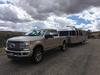
I'm not terribly pleased with the Sync 3 nav in my 2017 F350 Platinum Job2. The nav in my 2010 F250 Lariat worked better, in my opinion.
A common problem - turn prompts sometimes (not always) come pretty late. For instance, driving down a boulevard, the nav prompts "in one tenth of a mile, make a left turn at xxxx street". Great, except this actually happens within 100 feet of the corner, and often well after the left turn storage lane has started. Big problem, especially when towing. To prevent getting caught in a wrong lane, I'm constantly checking the map to make sure I'm in the correct lane for upcoming turns. This is unsafe; much better to keep the eyes looking out and about, not at the dash.
Another solution I use is to configure the nav screen to show map plus turn list; provides better awareness of what's coming up. But it would be nice to have reliable voice prompts.
Sometimes, nav prompts at 0.5 miles to the turn, but often omits it. It's understandable if you are making frequent turns, but the late prompt happens even if i've been on the street for more than a mile.
GPS location seems accurate, so that is not the problem.
Any one else seen this frustrating behavior? There doesn't seem to be any profile settings to adjust the behavior.
A common problem - turn prompts sometimes (not always) come pretty late. For instance, driving down a boulevard, the nav prompts "in one tenth of a mile, make a left turn at xxxx street". Great, except this actually happens within 100 feet of the corner, and often well after the left turn storage lane has started. Big problem, especially when towing. To prevent getting caught in a wrong lane, I'm constantly checking the map to make sure I'm in the correct lane for upcoming turns. This is unsafe; much better to keep the eyes looking out and about, not at the dash.
Another solution I use is to configure the nav screen to show map plus turn list; provides better awareness of what's coming up. But it would be nice to have reliable voice prompts.
Sometimes, nav prompts at 0.5 miles to the turn, but often omits it. It's understandable if you are making frequent turns, but the late prompt happens even if i've been on the street for more than a mile.
GPS location seems accurate, so that is not the problem.
Any one else seen this frustrating behavior? There doesn't seem to be any profile settings to adjust the behavior.


More Turbo
Joined: Apr 2007
Posts: 631
Likes: 13
From: Southern Ontario Canada
Does it leave any residue?