When you click on links to various merchants on this site and make a purchase, this can result in this site earning a commission. Affiliate programs and affiliations include, but are not limited to, the eBay Partner Network.
NOTICE: Most of the links below are to online resources outside of the servers and control of Ford Trucks Enthusiasts (FTE). Examples of outside resources include Google Docs and FORscan.org. Please understand that neither FTE nor Internet Brands is responsible for the content contained in outside resources. While the list of links below is provided for the convenience of FTE readers, the provision of these links does not constitute an endorsement, nor any guarantee that the content contained in outside resources is suitable and/or absent of malware.
LINK to FORScan Spreadsheet for 2017-2019 Super Duty trucks:
NEW! FORScan HELPING HANDS A Directory of FTE Members Experienced with FORScan who may be willing to help you! Links to a spreadsheet of FORScan Helping Hands on Google Docs:
What is FORScan? General description of SOFTWAREthat bidirectionally reads codes, modules, and As Built Data of Fords
FORScan is software synthesized from proprietary code for bi-directional communication with electronic modules in Ford, Lincoln, Mercury, and a limited number of Mazda vehicles.
As the name implies, FORScan only works on Ford's family of vehicle lines.
At the basic level, FORScan can read and clear legislated Diagnostic Trouble Codes of emissions related components that illuminate the Malfunction Indicator Lamp.
FORScan can also read and clear DTCs stored in memory for non emissions related Ford proprietary chassis modules that are not legislated and that basic OBDII readers cannot detect.
Beyond DTCs, FORScan can also monitor Parameter IDs (PIDS) in real time as the vehicle is operating, providing diagnostic information similar to an OEM scan tool.
More versatile than pro scan tools, FORScan works with Windows laptops, iOS devices, Android devices, and Android stereo head units for portability and even full time vehicle integration
In concert with a tablet or aftermarket head unit, FORScan can facilitate another "gauge panel" displaying PIDS and vehicle data not available to be seen in the instrument panel.
The monitored data captured by FORScan can be downloaded onto a spreadsheet or graph, synchronized in time to create data recordings of notable performance changes during driving events.
However, the ULTIMATE in utilizing FORScan in 2011 and newer Ford trucks is vehicle personalization, enabling and customizing factory features hidden in trucks network of modules.
Why is FORScan such a BIG DEAL? What are people doing with FORScan on their brand new warrantied vehicles?
In a nutshell, new vehicle features and functions can be customized using FORScan.
People have capitalized on FORScan's ability to read, write, and change As Built data in vehicle system modules.
For manufacturing efficiencies, the same component module might be installed in multiple vehicles and trim levels, yet function differently based solely on software settings, per the options ordered.
Many "options/features" are ENABLED on higher trim levels, but are DISABLED or not available on lower trim levels.
By changing the data in the As Built area of the modules, these "options/features" can become available and activated on vehicles not originally equipped with the option.
What kinds of COOL CHANGES can be made with FORScan? A list of some, but not all, of the features and personalizations folks have tweaked in their trucks:
Exterior Light Control
Bambi Mode (High Beams with Fogs On)
Remember Fog Lights on Start Up
Daytime Running Lights with Headlights
Daytime Running LIghts with Turn Signal (Switchback)
Parking Lams on with Low Beams for DRL
Halogen to LED Turn Signal Conversion
Outer Halo C Clamp Lights as DRLs
Turn Signal Flash Count
Bed Lamp Install
Interior Light Control
Courtesy Lamp Fade In / Fade Out
Ambient LED Lighting on Entry
Ambient LED Lighting when Door Ajar
Ambient Light Sensor Speed
Puddle Lamp Illumination Time
Dark Mode - Disable Illuminated Entry / Exit
Horn Control
Double Horn on Lock with truck running and without key FOB
Double Honk without KEY
Disable Panic Alarm Horn
Determine # of Fob Button Presses to Engage Panic Alarm Horn
Chime Control
Disable Door Ajar Chimes
Disable Key in Ignition Chime
Disable Triple Ding at Start Up
Disable Driver's Seat Belt Chime
Disable All Seat Belt Chimes
Instrument Panel Control
Numerical Temperature values on Gauges
DPF % Remaining on Screen
Fuel Tank Size
Boot Screen Animation - Change to different theme, or eliminate for faster boot up
Sync 3 Theme
Bluetooth Name
Heated / Vented Seats Icons on Home Screen
Add Average Speed to Trip / Fuel Menu
Add Climate Screen to XL / XLT
Radio / Navigation Head Unit Control
Navigation in Motion
View Text Messages in Motion
Turn by Turn Navigation
Remove XM / Sirius Radio from Source
Remove CD Option from Sync
Bluetooth Pairing Name
Extend Radio On Time after Engine Off
Tire / Wheel / Traction Control
Hill Descent
Traction Control
TPMS
Axle Ratio
Tire Size / Speedometer recalibration
Glass Control
Global Window Close / Open
Auto Fold / Unfold Outside Rearview Mirrors with Lock / Unlock on key fob
Auto Fold / Unfold Outside Rearview Mirrors Lincoln Style
Engine Control
Remote Start Enable / Disable
Secure Engine Idle ( Police Mode )
Auto Engine Shutdown Disable
Enable Auto Regen Checkbox
Electrical Control
Battery Monitoring System (BMS) Disable
Power Point Time Out Disable
Power Point Time Out 4 Hours
Comfort Control
Timeouts for Heated Steering Wheel
Switch Steering Wheel Button Functions
Massage Seats
How do I find my vehicle's As Built data? DOWNLOAD your vehicle's original As Built data from Ford. Here's how:
Enter your full 17 character VIN (Vehicle Identification Number)
Press Submit. Do so only once, as doing so again will cancel the first request, increasing wait times.
[During peak usage hours, wait times can take up to 5 minutes.
Download your AsBuilt (.ab) file and store in a safe place.
What Platforms / Operating Systems does FORScan support? Compare FORScan apps and OS/device dependent functionality at https://forscan.org/comparsion.html
Windows - 10/8.1/8/7/Vista/XP/2000 (ELM327 / ELS27 / STNxxxx adapters with COM, USB, Bluetooth & WiFi interfaces)
NOTE: Only x86 hardware architecture supported. ARM architecture is not supported.
Windows is the only platform that supports ALL features and functions of FORScan
(Including module configuration and programming, and SAE J2534 Pass Thru Interface communication adapters)
Apple Mac OS - Use a Windows Emulator/Shell - (such as Boot Camp, then use FORScan for Windows)
Apple iOS - v7.0 & higher (using OBDLink MX+, ELM327 Bluetooth and WiFi adapters)
Android - v4.0 & higher (using ELM327 Bluetooth and WiFi adapters)
Apple MacOS - Use Windows Emulator/Shell - (Then download Windows licensing version of choice)
Apple iOS - FORScan Viewer for iOS(Free, use first to check for app compatibility with iOS device)
Apple iOS - FORScan LITE for iOS(Limited functionality, see Comparison Chart for details)
Android - FORScan Demo for Android(Free, use first to check for compatibility with Android device)
Android - FORScan LITE for Android(Limited functionality, see Comparison Chart for details)
Is an Extended License REQUIRED in order to use FORScan? Detailed licensing levels and requirements can be reviewed at https://forscan.org/faq.html#licensing
No license needed with Windows FORScan for diagnostics (retrieving & clearing DTCs, monitoring PIDS)
License always required for ANY function with FORScan LITE for mobile Android / iOS platforms
If you wish to donate to FORScan development, then obtain an Extended License for Windows
Available Extended License Periods include 2 month (free), 1 year, 3 year, 5 year, and Lifetime
If you want to perform the following functions with Windows FORScan, then an Extended License is required:
Module Configuration
Module Configuration (AS BUILT Data)
Central Configuration[
Module Reset/Configuration
PATS Programming[
What is DIFFERENCE between Free versus Paid Extended Licenses? Paid Extended Licenses last longer, and are much easier to set up with Activation Code `
FORScan instructions use words "Activation Code" and "License Key" interchangeably
However, a difference exists between what Activation Code vs License Key really mean
This difference is an important factor that distinguishes a paid license from a free license
All Extended Licenses require a key for each hardware device FORScan is enabled on
Free License Keys must be manually prepared, generated, downloaded, and installed
Activation Codes automate and simplify the manual process of setting up license key
Activation Codes are only issued for Paid licenses, and are valid for license duration
Free licenses require manual generation and installation of License Key (No Activation Code)
Free licenses must be renewed every 2 months, and require FORScan Forum membership
There are no other functional differences between free versus paid Extended Licenses.
To acquire a Free 2 Months Trial Extended License for Windows:
One must first Register to become member of FORSCan.org forum to log in to Extend License
After registering, open FORScan and select the Steering Wheel Icon in bottom left corner of screen
The FORScan About page will show the Standard License Hardware ID. Click Copy To Clipboard.
IMPORTANT NOTE: Look up Hardware ID on the computer used to directly connect with vehicle. If FORScan is loaded on both a desktop (to review logs) as well as a laptop (to connect to vehicle), then it is essential to use the Hardware ID from the laptop to register for any type of Extended License, because the laptop is the computer used to connect to vehicle. However, the laptop does not have to be actually connected to the vehicle in order to get the Hardware ID.
Generate Trial Extended License using this link on FORScan's website: Generate Trial License
(FORScan requests First & Last Name, Contact Phone Number, and Hardware ID as derived above)
After license key is successfully generated, click on the Download link in the Action row of the table presented and download the license key to any file on computer that you can locate later for install.
It is not necessary to immediately "install" the license directly from the link where license key was obtained.
`
To acquire a Paid 1yr, 3yr, 5yr or Lifelong Extended License for Windows:
General Notes on installing Extended License Key / Activation Code
An internet connection is required on device to be licensed at the moment of activation
Once activated, FORScan no longer requires any internet connection on device to use the software
The Activation Code / License Key file should be kept safe, in the event FORScan needs re-activating again
One License Key per single PC. Another way in which "License Key" and "Activation Code" terms are distinguished:
Multiple License Keys can be ordered at once for each PC, to be conveniently linked by using the same Activation Code.
Choose any one of the Four Methods described below to Install License. Only one method need be used, not all Four, but if one method doesn't work, try another.
`
Method 1 to Install Paid License: (This method works for Paid licenses)
Double click directly on the file downloaded from the MyCommerce email (paid license), as described in section above.
Confirm / authorize the file to make changes to the Windows registry
After the foregoing is complete, Restart FORScan application
Must be online, and firewall must not have FORScan outgoing connections blocked
After restart, the Extended License is installed and application is ready to use
`
Method 2 to Install Paid License: (Copy & Paste Activation Code provided for Paid license)
Start FORScan & click Steering Wheel "?" Icon (About Section) at bottom left of screen
Click "Load License Key" (in some versions called "Enter Activation Code") button
Dialog box will open, where Activation Code from email can be copied & pasted into
Wait for Activation result (can be very short), then agree to restart application
Must be online, and firewall must not have FORScan outgoing connections blocked
After restart, the Extended License is installed and application is ready to use
`
Method 3 to Install Free License: (Navigate to Download from within FORScan application dialog directory)
Start FORScan & click Steering Wheel "?" Icon (About section) at bottom left of screen
Click "Load License Key" (in some versions called "Enter Activation Code") button
Dialog box will open, displaying FORScan directory which may not be where License is
Using mouse, navigate to the directory where file downloaded from either the FORScan forum link (free), or the MyCommerce email (paid) was stored, as made note of earlier.
Once FORScan Key file is located, select it and press OK in dialog box.
Affirm prompt requesting to restart FORScan by clicking OK.
After restart, the Extended License is installed and application is ready to use
`
Method 4 to Install Free License: (Especially helpful for Windows 10 users, as suggestedby F-Wolf)
When downloading Extended License, make a new folder and name it FORScan License
If Windows asks what type of file the Download is, select the .key file extension
Find the FORScan Program folder. (example C:/ Program Files (x86) / FORScan)
Copy & paste the "FORScan License" folder created in the first step above (which has the .key file download) into the FORScan Program folder found in the Program Files on the C drive
Start FORScan and click Steering Wheel "?" Icon (About Section) at bottom left of screen
Click "Load License Key" button (in earlier versions called "Enter Activation Code")
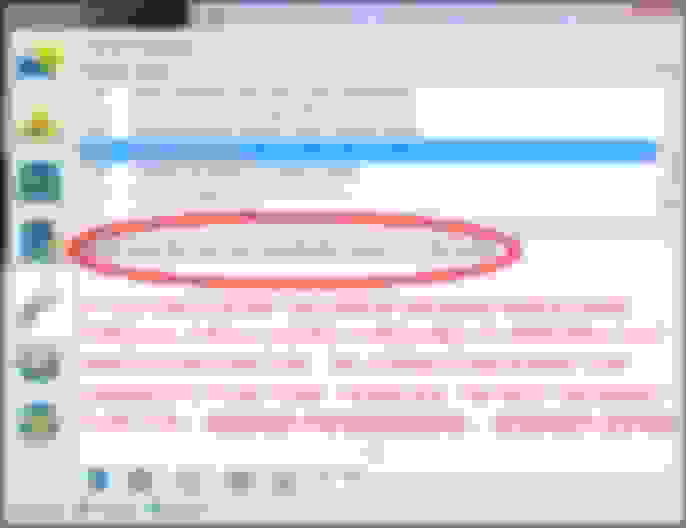
Dialog box opens, displaying FORScan directory where the "FORScan License" file
In example directory below, FORScan Forum member F-Wolf named his file "Licence"
Once FORScan License Key file is located, select it and press OK in dialog box.
Affirm prompt requesting to restart FORScan by clicking OK.
After restart, the Extended License is installed and application is ready to use
`
Image Credits: F-Wolf of FORScan.org for images illustrating Method 4. KELLSDAD22 at FORScan.org for images illustrating Method 3. YOUR PROGRAM FILE LISTS WILL LIKELY DIFFER FROM THOSE ILLUSTRATED.
AS OF DECEMBER 2019, OWNERS OF 2020 MODEL YEAR SUPER DUTY VEHICLES BEGAN REPORTING SIGNIFICANT DIFFERENCES IN FORSCAN BEHAVIOR AND/OR PARAMETERS WHEN COMPARED TO 2017-2019.
IF YOU HAVE A 2020 MODEL YEAR SUPERDUTY, IT IS STRONGLY SUGGESTED THAT YOU USE CAUTION AND RESEARCH BEFORE APPLYING ANY OF THE INFORMATION FOUND ON ANY PAGE OF THIS THREAD.
DISCUSSION OF 2020 MODEL YEAR SUPER DUTY DIFFERENCES FROM 2017-2019 BEGAN ON DECEMBER 14, 2019 , WITH WHAT HAS NOW EVOLVED INTO A SEPARATE STICKY THREAD FOR 2020-2021 SUPER DUTY MODELS, LINKED HERE AND ALSO FOUND ON THE STICKY LIST AT THE TOP OF THE 2017+ SUPER DUTY FORUM.
Below is a link to a spreadsheet to record features that can be modified in the Super Duty via the FORScan software. Each row provides information on what can be changed and how to change it. The spreadsheet is read-only and will be updated with new features as they are discovered. This thread can be used to discuss and test new mods.
DISCLAIMER: This information is provided for enthusiasts who are willing to experiment and test on their personal vehicles. There is no guarantee that any of these items will work in any particular truck and may have negative or unintended consequences. If you choose to make any modifications to your truck you do so at your own risk.
Three steps for downloading, installing and activating the FORScan software:
1. Register on the Forum: FORScan forum ? User Control Panel ? Register
2. Download and install FORScan for Windows. Must be run on a Microsoft Windows PC or tablet that has Bluetooth connectivity. This can be run on an Apple computer if run in Bootcamp mode. Copy the Hardware ID (found in FORScan software under the steering wheel with a question mark icon). Download FORScan
3. Generate the Extended License (free) using the previously copied Hardware ID. FORScan forum ? Login
At this point you are registered on the forum and your copy of the FORScan software is activated.
Connecting FORScan to the truck:
The FORScan software connects to the truck's computer modules via a Bluetooth OBDII connector. There are many connectors available and some work properly and others don't. The following is proven to work in all cases. Search "OBDLink MX Bluetooth" on Amazon. OBDLink MX Bluetooth
The final step is to plug in the adapter into the truck's OBDII port and select the OBDII adapter in the FORScan software under Settings (the gear icon) and the Connection tab. Once selected, press the Vehicle Interface and Information icon (the auto with the exclamation point) button and FORScan will begin scanning all available modules. Wait until complete and you're ready to go.
Last edited by Y2KW57; Jul 10, 2020 at 05:18 PM.
Reason: Changed title to 2017-2019. Separating out 2020+ Model Years to new sticky.
I've created a spreadsheet to record features that can be modified in the Super Duty via the FORScan software. Each row provides information on what can be changed and how to change it. The spreadsheet is read-only and will be updated with new features as they are discovered. This thread can be used to discuss and test new mods.
DISCLAIMER: This information is provided for enthusiasts who are willing to experiment and test on their personal vehicles. There is no guarantee that any of these items will work in any particular truck and may have negative or unintended consequences. If you choose to make any modifications to your truck you do so at your own risk.
Great idea Epic. Reps intended. I'm curious though. On my 2012, you don't modify the "as built" BdyCM. You modify the the BdyCM. I see you have modifications to "as built BdyCM" in your sheet. Is this how folks are doing it on the 17's?
Great idea Epic. Reps intended. I'm curious though. On my 2012, you don't modify the "as built" BdyCM. You modify the the BdyCM. I see you have modifications to "as built BdyCM" in your sheet. Is this how folks are doing it on the 17's?
I tried both modules. I changed the BdyCM first and it didn't have any affect. So I reset it and changed the "as built" and it worked. Like you, I expected that the BdyCM would be the actual deployment module and the "as built" would be the backup but it appears to be the opposite. As we learn more I can always go back and update the important points in the first post. Right now nothing much has changed so it's easy to put everything back to stock at any point. We'll establish best practices and standards as we go.
same codes for the horn honk, if we could get the IPC codes off an xl-xlt that has commanded regen, maybe we could activate that, try to compare the differences.
That is awesome. It looks like they've already done most of the work for us. I think all we need to do is test and confirm what works on the Super Duty and then indicate that. I'm heading to Mexico City for 11 days (ugh) and will be away from the truck.
Originally Posted by wb6anp
same codes for the horn honk, if we could get the IPC codes off an xl-xlt that has commanded regen, maybe we could activate that, try to campare the diferences.
I just figured out that an operator command regen is possible from the DPF % screen on my 2012. Hopefully you guys will figure out a way to turn on a DPF % screen on the 17s and maybe the OCR will be enabled with it again?
I run them with the parking lights only is what I meant. Sorry, I didn't mean the fog lights completely stand alone. I never really thought about that actually...
This Hennessey Takes the Expedition Tremor's Off-Roading Capability to the Next Level
Slideshow: The VelociRaptor Expedition gains a lift, upgraded suspension, Brembo brakes, and trail-ready equipment while retaining the stock 440-horsepower EcoBoost V6.
Rezvani's Latest Post-Apocalyptic Monster Is a Ford F-150 Raptor Underneath
Slideshow: Called the Fortress, the 850-horsepower pickup combines Raptor underpinnings with military-inspired features, survival equipment, and a starting price of $285,000.