Green Horn needs help

Thread Starter
|
New User
Joined: Apr 2013
Posts: 2
Likes: 0
Green Horn needs help
Hello Ford Junky's...I am obviously a newby to your site and will be needing a little guidance...I recently bought a barn find 51 ford F-2 and need a little advice on what to do with the old girl...as a matter of fact I can't even figure out how to load a picture for you guys to see her....

Posting Guru
Joined: Feb 2011
Posts: 1,212
Likes: 0
From: Central, IL
Hello 51fordf-2!... My name is Rob and I'm a Ford truck addict! Good to have you on board. One of our pic posting experts will be along soon with some instructions. I personally prefer to load my pics to Photobucket and then post here. You are on the right track by starting off with pics for us as that helps to determine what you're working with. You might also update your profile to give a general idea of where you're located (like "Central IL" for me) so others in your area are able to help out or sell you that really rare part you need for an amazingly reasonable price.
Let's hear the story of the "barn find". Good luck and can't wait to see that truck!
Let's hear the story of the "barn find". Good luck and can't wait to see that truck!
Last edited by Rojak; Apr 4, 2013 at 11:57 AM. Reason: Edit
Thread Starter
|
New User
Joined: Apr 2013
Posts: 2
Likes: 0
I will get some photo's up as soon as I can, She is a fairly straight rig sitting on orig frame and running gear, no motor or trans. I am trying to figure out weather to spray it with clear and make a rat truck with a big block or keep it orig. What is the best bang for the buck. not planning on selling it, I already have to much iron and don't know much about these 51's. with a little research it has the Harmon Haringon??? running gear.
Posting Guru
Joined: Feb 2011
Posts: 1,212
Likes: 0
From: Central, IL
I will get some photo's up as soon as I can, She is a fairly straight rig sitting on orig frame and running gear, no motor or trans. I am trying to figure out weather to spray it with clear and make a rat truck with a big block or keep it orig. What is the best bang for the buck. not planning on selling it, I already have to much iron and don't know much about these 51's. with a little research it has the Harmon Haringon??? running gear.

Senior User
Joined: Jul 2009
Posts: 289
Likes: 0
From: North Platte NE
Before you get to deep into things does it have a title? , and can you get it put in your name before spending a dime on it? Some states its easy to get a title for a vehicle without on others its near impossible. I've heard of nightmares were people spends thousands only to not be able to register their ride.

Post Fiend
Joined: Sep 2006
Posts: 14,325
Likes: 14
From: Island Southeast Alaska
Could we see some pictures? Here is how.
Quote:
Originally Posted by 76f350spercamprspeal
Welcome to FTE, Best Damn Forum EVER!
------------------------
Here's How to Post Pictures:
1. Login to FTE.
2.Click User CP (In the Top Left Hand Corner)
3.(On the Left, There will be a list, The 5th Option Down, will say "Pictures & Albums) Click That.
4.Then, Click Add Album, Enter a title, and description, if ya want to.
5. Click Upload Pictures, Then click Browse, Locate the Files of your truck. (You can add 3 files at a time)
5. Click Upload.
6. Add a description to the individual pictures, then click save.
7. Add more files if ya want.
8. Click The Picture you want to post, it will give you two codes at the bottom, Right Click The Second one (It say's BB Code, Then Say's [IMG]http:blahblahblah...[/IMG])
Then, Once that is highlighted, Right Click, Then Copy, Then Paste it into your post.
You can add up to 30 Images in one FTE Post.
If, Ya need any help, Don't hesitate to ask.
Quote:
Originally Posted by old_dan
You can also go to the "Garage" tab and start an album right here on FTE. After you post pictures to an album, we can look in your album, but you'll also be able to "insert a picture" by pasting in a link to the picture in your album.
It seems awkward, but whenever you "insert a picture" to one of these threads, the forum is looking for the picture somewhere on the web (which is always available) rather than from somewhere on your hard drive (which isn't always available).
Quote:
Originally Posted By Jolly Roger Joe
Welcome to FTE!
Go to Image hosting, free photo sharing & video sharing at Photobucket and sign up for a free account. Then create an album for your truck. Upload any pics you want to post on FTE to that album. Have this album open on your computer when you want to post pics on FTE.
While you're making a post on FTE, select the pic you want to post from your Photobucket album. When the large version of the pic is open, right mouse click on it and select "View Image Info". The image info will be highlighted and will look something like this:
The best photos and videos | Photobucket
Copy that highlighted info (right click / copy).
When you have the spot in your post where you want the pic to be placed, select the "Insert Image" icon at the top of the post (looks like a mountain) and paste (right click / paste) the image info you copied in the highlighted box (just shows "http://" when it opens).
Your pic will be placed in the post.
Hope that helps.
Here's a tutorial Bob put together: https://www.ford-trucks.com/forums/67...-pictures.html
Quote:
Originally Posted by 76f350spercamprspeal
Welcome to FTE, Best Damn Forum EVER!
------------------------
Here's How to Post Pictures:
1. Login to FTE.
2.Click User CP (In the Top Left Hand Corner)
3.(On the Left, There will be a list, The 5th Option Down, will say "Pictures & Albums) Click That.
4.Then, Click Add Album, Enter a title, and description, if ya want to.
5. Click Upload Pictures, Then click Browse, Locate the Files of your truck. (You can add 3 files at a time)
5. Click Upload.
6. Add a description to the individual pictures, then click save.
7. Add more files if ya want.
8. Click The Picture you want to post, it will give you two codes at the bottom, Right Click The Second one (It say's BB Code, Then Say's [IMG]http:blahblahblah...[/IMG])
Then, Once that is highlighted, Right Click, Then Copy, Then Paste it into your post.
You can add up to 30 Images in one FTE Post.
If, Ya need any help, Don't hesitate to ask.
Quote:
Originally Posted by old_dan
You can also go to the "Garage" tab and start an album right here on FTE. After you post pictures to an album, we can look in your album, but you'll also be able to "insert a picture" by pasting in a link to the picture in your album.
It seems awkward, but whenever you "insert a picture" to one of these threads, the forum is looking for the picture somewhere on the web (which is always available) rather than from somewhere on your hard drive (which isn't always available).
Quote:
Originally Posted By Jolly Roger Joe
Welcome to FTE!
Go to Image hosting, free photo sharing & video sharing at Photobucket and sign up for a free account. Then create an album for your truck. Upload any pics you want to post on FTE to that album. Have this album open on your computer when you want to post pics on FTE.
While you're making a post on FTE, select the pic you want to post from your Photobucket album. When the large version of the pic is open, right mouse click on it and select "View Image Info". The image info will be highlighted and will look something like this:
The best photos and videos | Photobucket
Copy that highlighted info (right click / copy).
When you have the spot in your post where you want the pic to be placed, select the "Insert Image" icon at the top of the post (looks like a mountain) and paste (right click / paste) the image info you copied in the highlighted box (just shows "http://" when it opens).
Your pic will be placed in the post.
Hope that helps.
Here's a tutorial Bob put together: https://www.ford-trucks.com/forums/67...-pictures.html
Trending Topics
Fleet Mechanic
Joined: Aug 2010
Posts: 1,994
Likes: 3
From: Morgan Hill, CA

Hello, and welcome from California.
Just for the record, Marmon Harrington was a factory authorized company that Ford used to produce 4x4 trucks. They essentially converted brand new trucks. They have a reputation for being really good heavy duty 4x4 trucks. Many were bought by utility companies and other who needed some off-road capability. A good MH has "the look".....they are cool trucks!!
Those trucks are rare, so if you have the drive train and all of the MH data plates it is a really good find. Truckdog (Stu) can weigh in when he sees the post, but there should be a unique MH serial number.
Dan
Just for the record, Marmon Harrington was a factory authorized company that Ford used to produce 4x4 trucks. They essentially converted brand new trucks. They have a reputation for being really good heavy duty 4x4 trucks. Many were bought by utility companies and other who needed some off-road capability. A good MH has "the look".....they are cool trucks!!
Those trucks are rare, so if you have the drive train and all of the MH data plates it is a really good find. Truckdog (Stu) can weigh in when he sees the post, but there should be a unique MH serial number.
Dan
FTE Stories
Ford Trucks for Ford Truck Enthusiasts

Top 10 Most Expensive Ford Trucks Ever Sold on Bring a Trailer
Joe Kucinski
2027 Ford Super Duty Buyer's Guide (Every Model, Engine, & Package)
Brett Foote
Top 10 Ford Truck Tragedies
Joe Kucinski
AEV FXL Super Duty - the Super Duty Raptor Ford Doesn't Make
Brett Foote
Lobo Vs Lobo: Proof the F-150 Lobo Should Be Even Lower!
Michael S. Palmer
Ford's 2001 Explorer Sportsman Concept Looks For a New Home
Verdad Gallardo
10 Best Ford Truck Engines We Miss the Most!
Joe Kucinski
2026 Shelby F-150 Off-Road: Better Than a Raptor R?
Brett Foote
2027 Super Duty Carhartt Package First Look: 12 Things You NEED to Know!
Michael S. Palmer

Marmon-Herrington Man


Joined: Jul 2005
Posts: 11,986
Likes: 444
From: Central Illinois

Welcome. Let me say from the git/go that you have the ONLY '51 F-2 M-H that I've heard of. I have an archive of all F-2 and F-3 M-Hs that I've come across in the 10 years or more that I've been messing with them, and the only other '51s I have record of are F-3s, and the total of them is four (4). I have record of only three (3) 1952 F-2 M-Hs, and none from 1948 to 1951. The total number of F-2/3 survivors is only a few dozen for the years 1948 to 1952. Your have a RARE truck, if it is a genuine original.
So, I'll want to archive the data from your truck if I may. There will be a large data plate over the windshield that will contain the M-H number, so that's an easy place to start. I'd also like to archive the VIN number and the front axle number if you can find one.
One question I have involves the transfer case and front axle. While the numbers would tell me, can you also look to see on which side of the truck the front differential is located. If it's on the passenger side you have a single speed transfer case, if on the driver side you have a two speed transfer case.
If you'd like help posting pictures you can send them to me and I'll post them. My email is stu_sandymcmillan at sbcglobal dot net.
We will hopefully have Chuck Mantiglia drop by here to comment. Chuck is the M-H guru and is a person you'll want to get to know. Here is his web link. Stu
http://www.chuckstrucksllc.com/startframe.htm
Edit: I see you are in Oregon. What part of the state if I may ask? Our son lives in Portland and we travel that direction a couple times a year generally. If possible I'd like to see your truck. Stu
So, I'll want to archive the data from your truck if I may. There will be a large data plate over the windshield that will contain the M-H number, so that's an easy place to start. I'd also like to archive the VIN number and the front axle number if you can find one.
One question I have involves the transfer case and front axle. While the numbers would tell me, can you also look to see on which side of the truck the front differential is located. If it's on the passenger side you have a single speed transfer case, if on the driver side you have a two speed transfer case.
If you'd like help posting pictures you can send them to me and I'll post them. My email is stu_sandymcmillan at sbcglobal dot net.
We will hopefully have Chuck Mantiglia drop by here to comment. Chuck is the M-H guru and is a person you'll want to get to know. Here is his web link. Stu
http://www.chuckstrucksllc.com/startframe.htm
Edit: I see you are in Oregon. What part of the state if I may ask? Our son lives in Portland and we travel that direction a couple times a year generally. If possible I'd like to see your truck. Stu


Marmon-Herrington Man
Joined: Jul 2005
Posts: 11,986
Likes: 444
From: Central Illinois
I'm gonnna bump this back to the top, and add some info for the o.p.'s benefit. Also I need to correct myself on one small point. There are three 1952 F-2 M-Hs that I have full archive records on, but there is a fourth 1952 that appeared on Craigs List for only two or three days back in September, 2012. It was located in the Big Timber, MT, area and must have sold very quickly. I've never heard more of it.
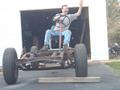
The three F-2 M-Hs that I have archived all have a couple of unique features. One is rear shock absorber brackets that are unlike those used on standard F-2 models. These are offset to raise the shock absorber mounting location because of the trucks' use of lift blocks on the rear axles. Pictured below. The other unique feature is the wheels used on the F-2 M-Hs. All are 16" shallow dished wheels (Budd #47210) having no hand holes and a Firestone "RHP" side ring design. No other road going vehicle that I've found record of used these wheels. Mark (thundersnow70) and I did go together buying the three sets that showed up here a year or more ago on the Nevada military airport tugs. Picture of one of these below also. Stu
The three F-2 M-Hs that I have archived all have a couple of unique features. One is rear shock absorber brackets that are unlike those used on standard F-2 models. These are offset to raise the shock absorber mounting location because of the trucks' use of lift blocks on the rear axles. Pictured below. The other unique feature is the wheels used on the F-2 M-Hs. All are 16" shallow dished wheels (Budd #47210) having no hand holes and a Firestone "RHP" side ring design. No other road going vehicle that I've found record of used these wheels. Mark (thundersnow70) and I did go together buying the three sets that showed up here a year or more ago on the Nevada military airport tugs. Picture of one of these below also. Stu