







welding bench build
Thread Starter
|
Laughing Gas


Joined: Jun 2006
Posts: 1,159
Likes: 28
From: manitoba
welding bench build
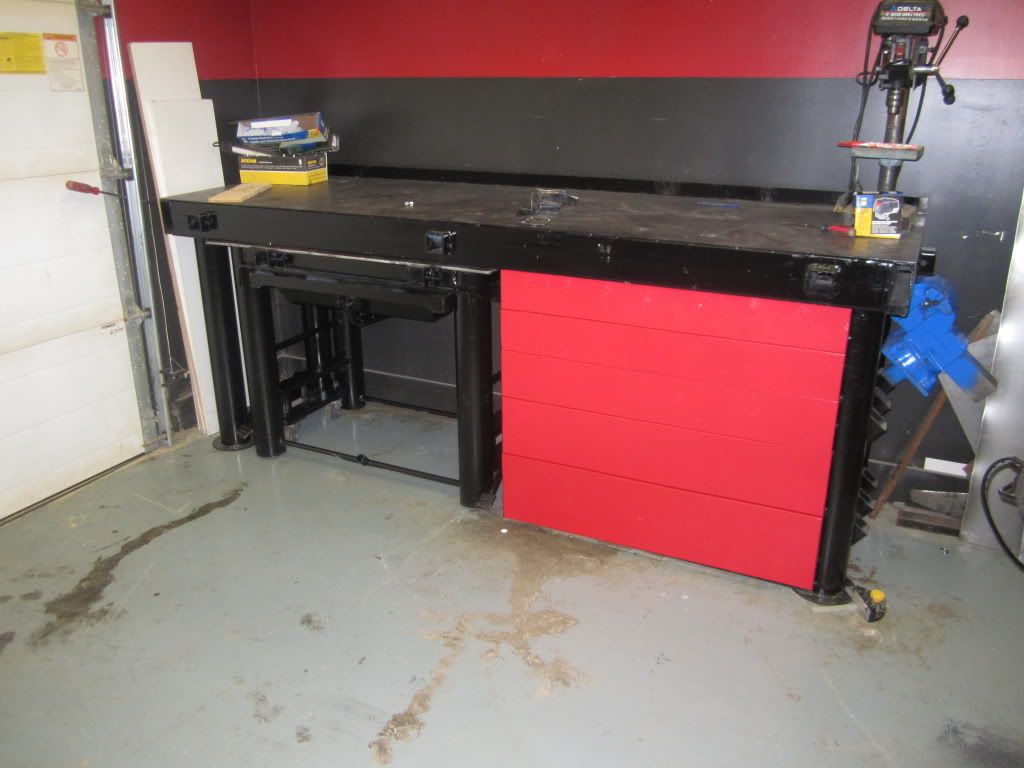
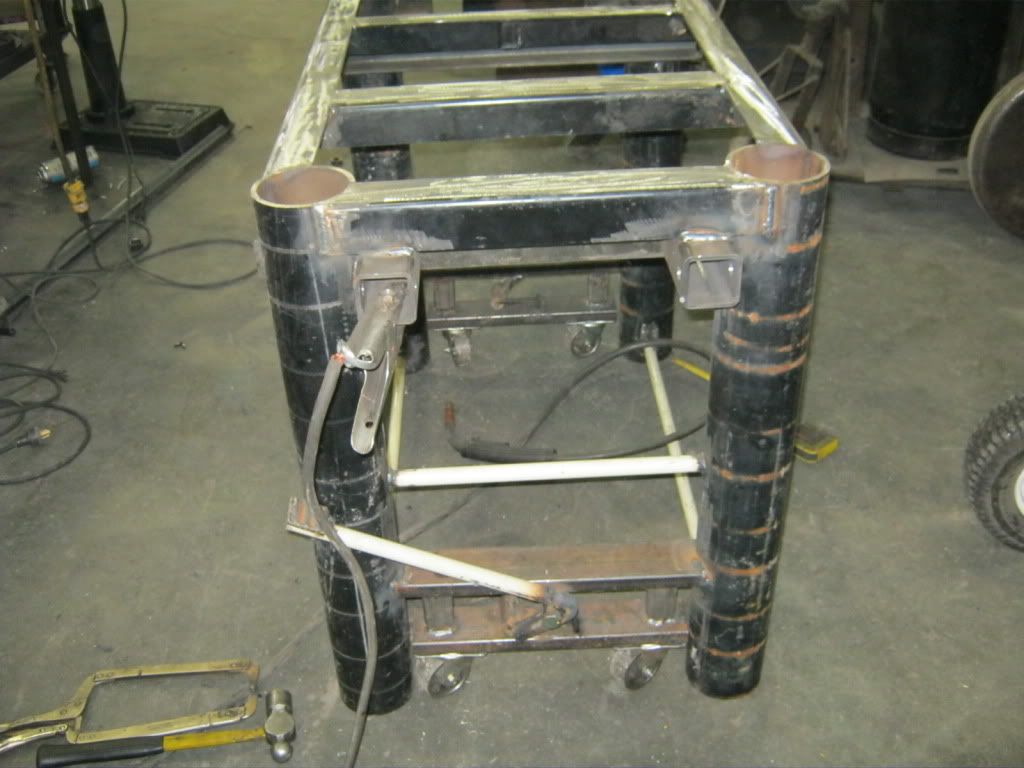
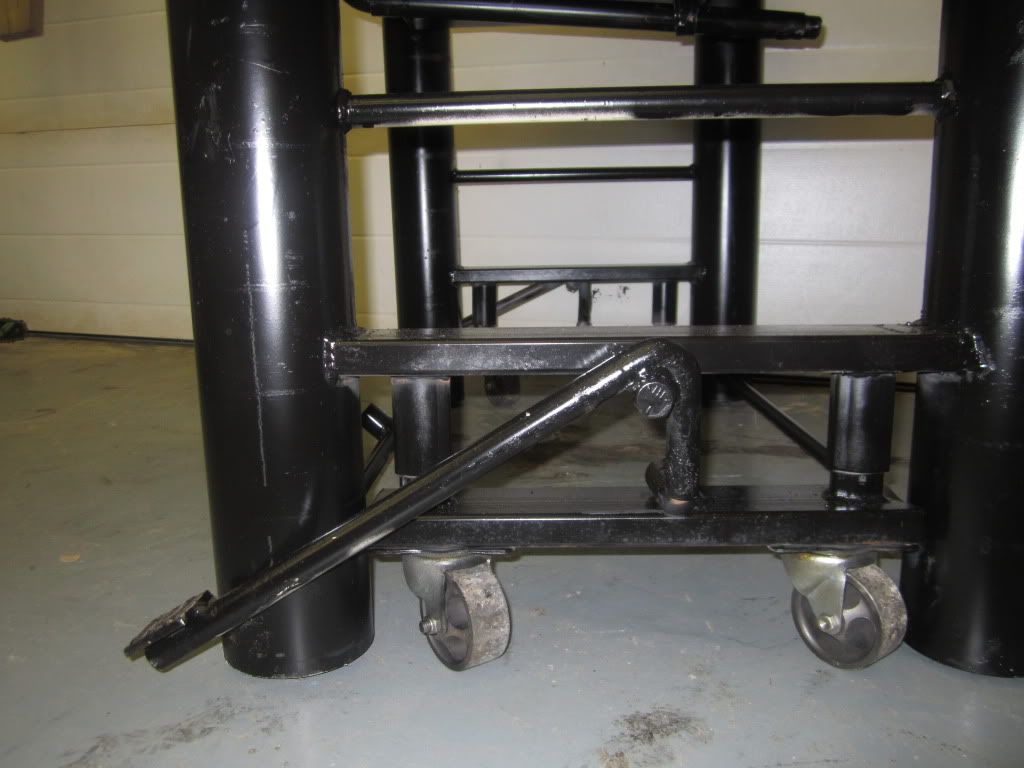
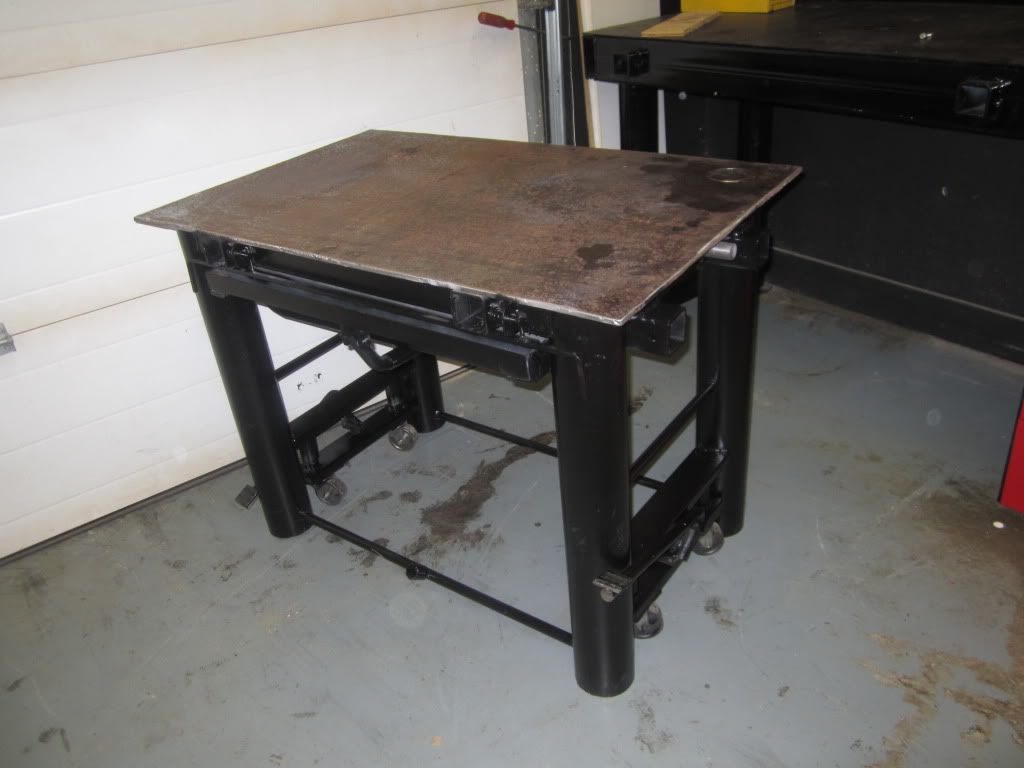
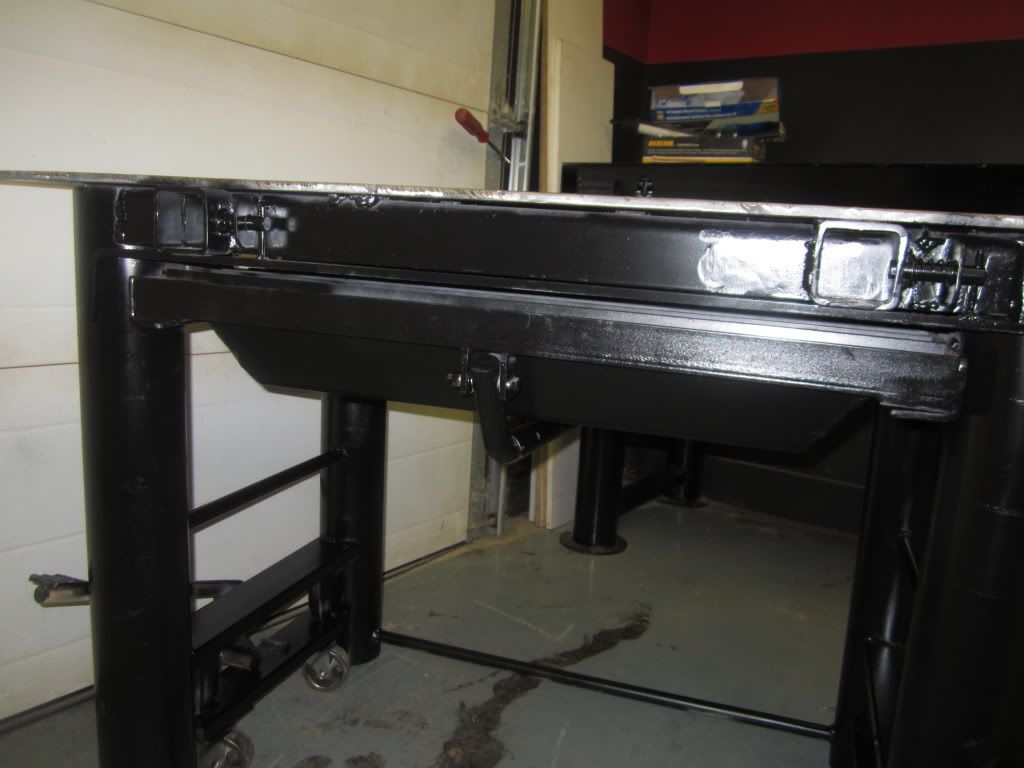
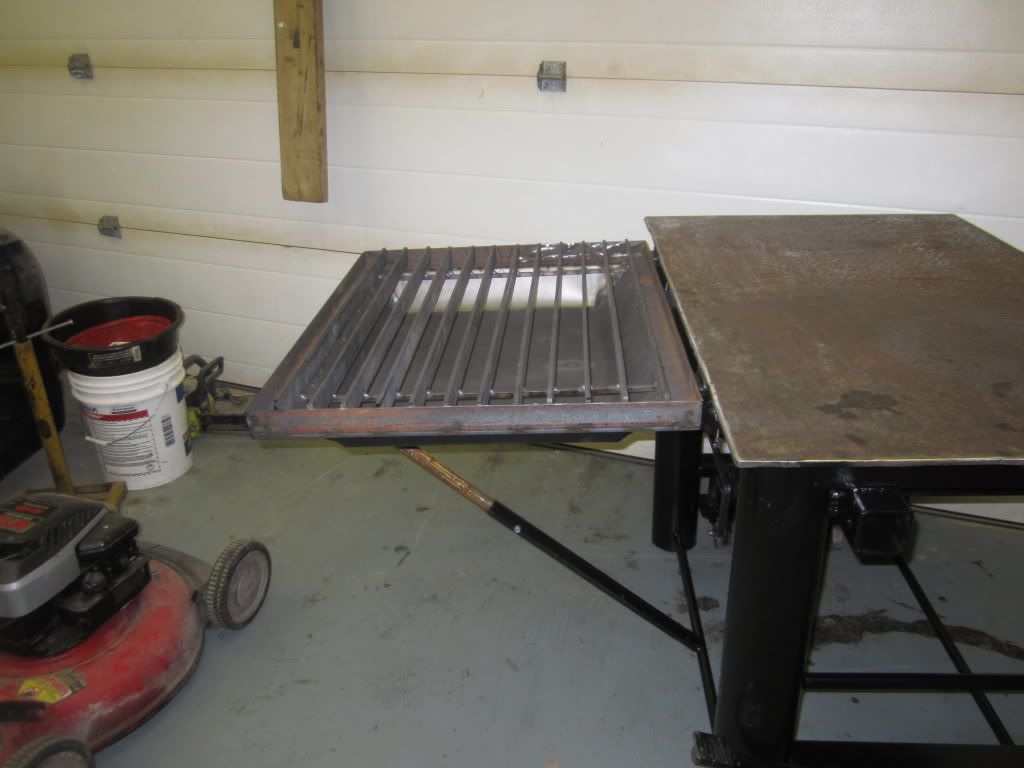
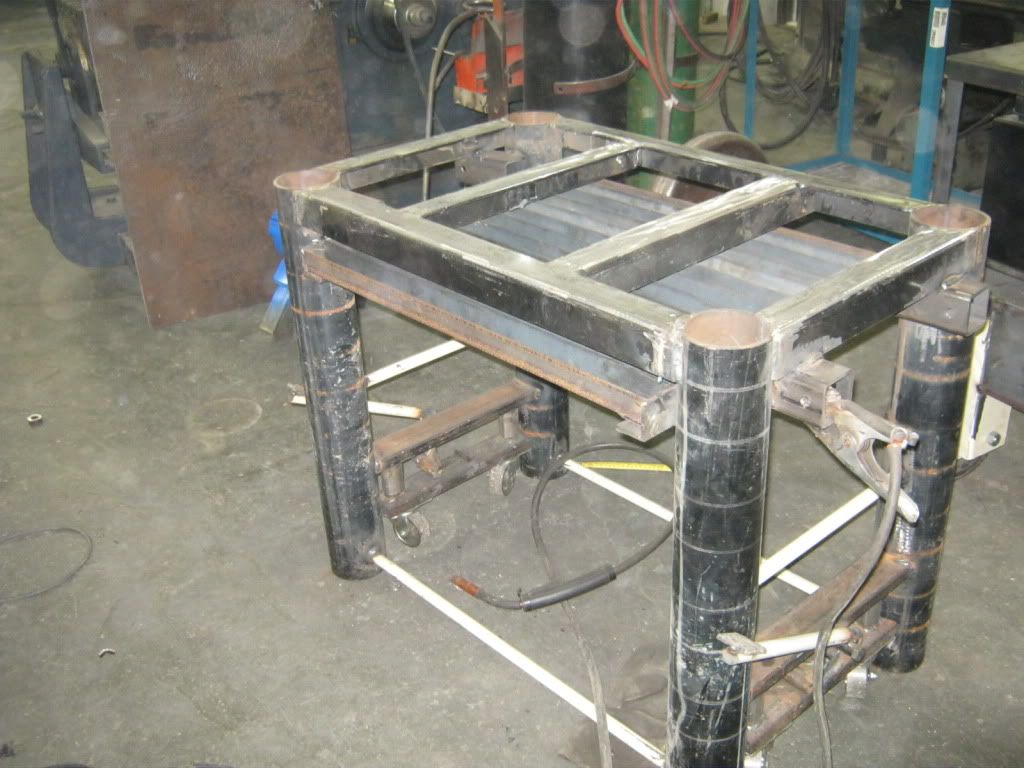
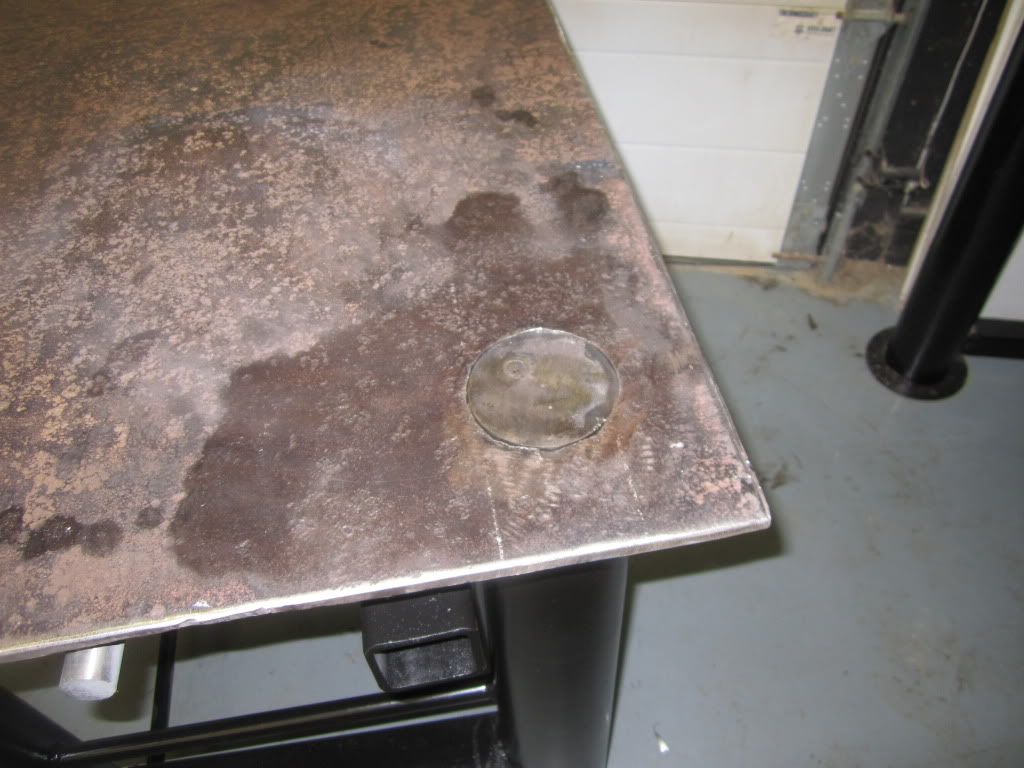
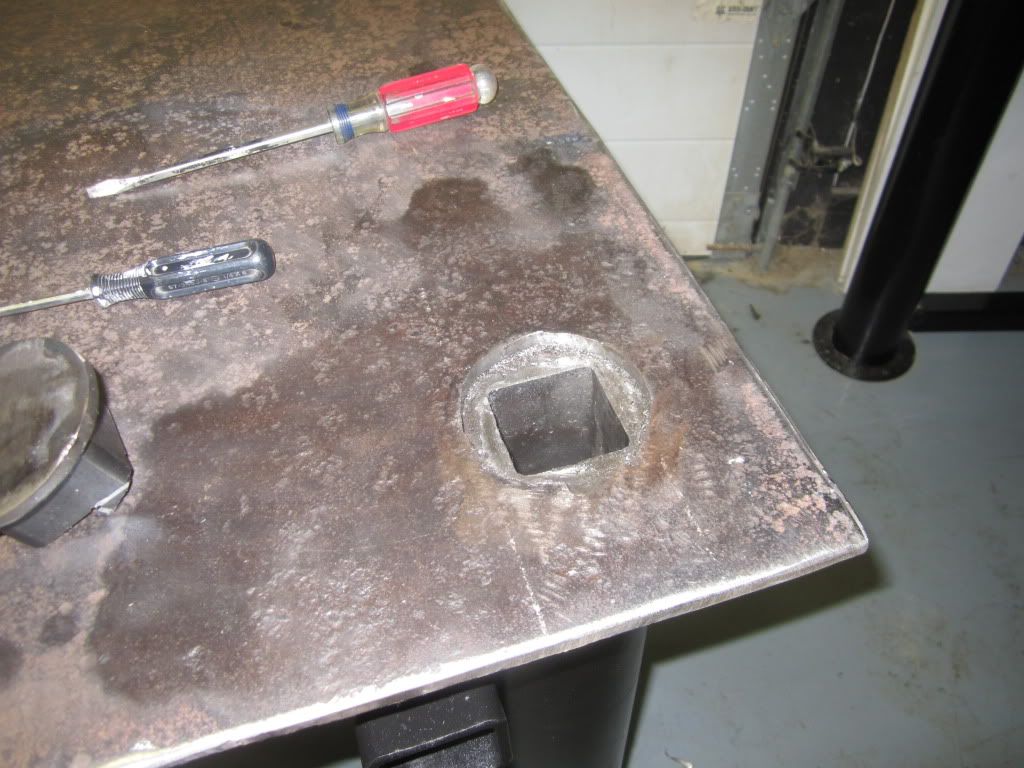
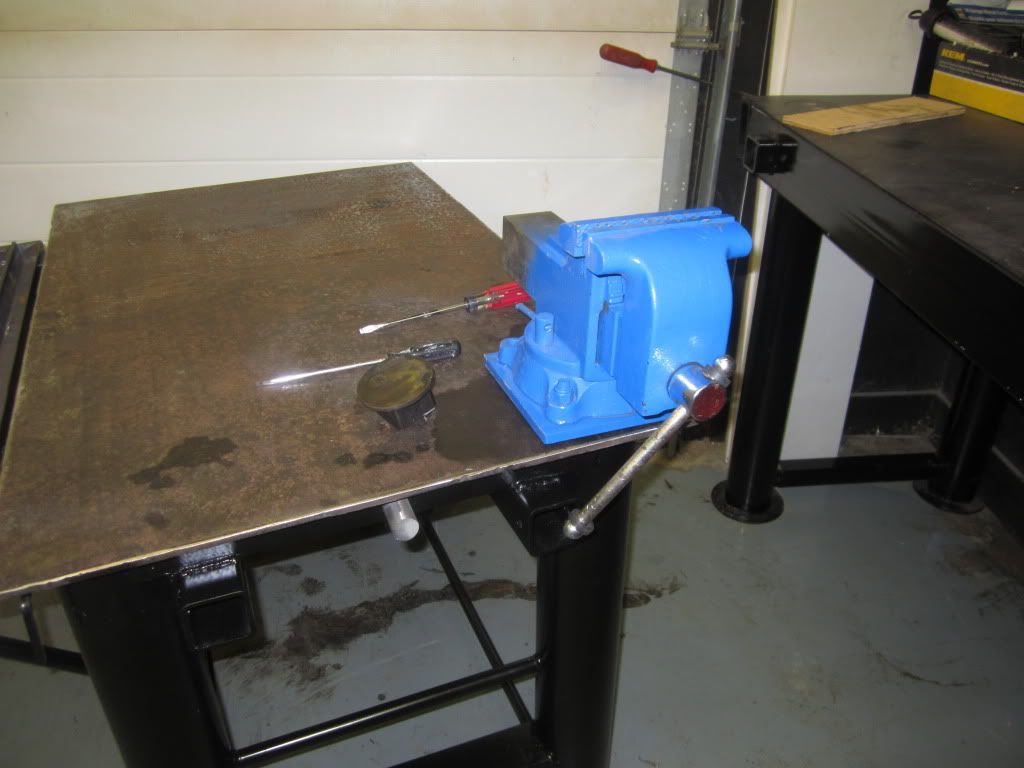
Hey what hapened to the building thread?? whell here`s another project i`ve been building,spent a bit of time building a welding bench, with my limited space in my garage it had to fit under my workbench so it needed casters to manuver around but non moveable when welding or when pounding, found some left over farm pto shaft tubing to use as the lift guides and bent some steel shafting to make the lifting mechanism. table has 4 receiver hitch tubing welded in horisontly to mount tooling or strapping hooks as well as one receiver in the leg tubing for heavy pounding, plasma tray pulls out the bottom and locks into the side of the table and is level with the top (picture deceiving) the top is 3/8 plate, would of liked to find a 1/2 inch plate but couldn`t find anything used and new was too mutch $$$, still have to build a bottom shelf for steel scraps and a few more side pipes for my clamps.
Thread Starter
|
Laughing Gas
Joined: Jun 2006
Posts: 1,159
Likes: 28
From: manitoba
Thanks for the comment!! definately would be expensive to buy all the material from scratch, the receiver hitch is tubing i bought by length and cut it to size
Laughing Gas


Joined: Jan 2009
Posts: 914
Likes: 71
From: Lavergne, Tn.
Gil, I think you're probably talking about the Fabrication Thread that I posted up a short time back. I didn't bring it up anymore since there really wasn't what I would have called an overwhelming response. I know that there are quite a few of us that build our own stuff and I guess we'll just continue to post from time to time like you did on the bench.
Great job on the bench ............I know I've already told you on another forum and it never hurts to get an extra pat on the back.
Great job on the bench
............I know I've already told you on another forum and it never hurts to get an extra pat on the back.
Elder User
Joined: Nov 2010
Posts: 581
Likes: 2
From: Byron Bay Australia
Drew, i agree that some Fabrication threads would be great, and i am only speaking for myself here, but geez i struggle enough with trying to post pictures.
Now dont get me wrong guys, course some of you have helped of course, but try as i might it just doesnt seem to work for me.
Is it because i am using a Mac and not a PC?
Cheers John
Now dont get me wrong guys, course some of you have helped of course, but try as i might it just doesnt seem to work for me.
Is it because i am using a Mac and not a PC?
Cheers John
Trending Topics
Laughing Gas
Joined: Jan 2009
Posts: 914
Likes: 71
From: Lavergne, Tn.
Drew, i agree that some Fabrication threads would be great, and i am only speaking for myself here, but geez i struggle enough with trying to post pictures.
Now dont get me wrong guys, course some of you have helped of course, but try as i might it just doesnt seem to work for me.
Is it because i am using a Mac and not a PC?
Cheers John
Now dont get me wrong guys, course some of you have helped of course, but try as i might it just doesnt seem to work for me.
Is it because i am using a Mac and not a PC?
Cheers John
I use a place called Photobucket.com It's free, unless you go over their monthly allowance but we won't even worry about that right now. The nice thing about photobucket is they "resize" the photo for you so if there are size requirements on the website you want to post your images on, you don't have to resize the photos first.
First step, go to Photobucket and register. This gives you a blank album AND in that album you can create sub-albums. This is an important step to stay organized. I've been using this site over 4 years and I wasn't organized at first and it was tough keeping everything straight and finding photos after awhile, so learn from my mistake. For example, lets just say you have two cars, a Ford and a Chevy. Create a separate sub-album for each car, or like I do, each event I attend. OR lets say you want to do a tech piece on rebuilding a trans, lable an album with "Trans Rebuild" and put all the photos in there for easy access and reference later.
Once you've titled your sub-album, click on it so this exact sub-album is the one the photos are going to upload to this time.
Now your ready to upload a few photos. See the words Upload Images & Video? Right below that is a blue box that says "Choose Files", click on that, it gives you access to your photo folders on your hard drive. Double click on the folder of photos you want to open. To select a photo double click on it and it will start uploading to Photobucket.
After you've chosen a number of photos that you want to upload to this specific album then hit the big green "Upload" on the right. You can watch it upload each photo. Once completed, all those photos that you choose will be in your photobucket album.
Now you are ready to post some photos on this site. But before we start that I want to make sure your photos are going to post in a message board size. While still in Photobucket look up where you see the top "browse" word. Right above that is the word "option" in blue. Click on that. It will give you options in the size that your photos will post. You want to make sure you chose "message board" as your image size. This will give you a nice large photo without being too big where you have to scroll back and forth to view it.
Now open up your sub-album. See the 4 lines of text underneath each photo? You are going to COPY the last one labled "IMG Code". If you left click on it right at the very begining, it copies it without having to right click an draw you mouse across. If you do have to drag your mouse to copy it make sure you copy the whole image tag. If you leave off even one character, it won't work.
Now come over to the post you're making here on the HAMB. Start your thread, type in your text then hit ENTER so your on the next line, then right click and hit paste. The whole image tag will appear. Now hit enter again so your on the next line and either type more text or copy and paste another image. You can post a number of images and all the text you want.
Most of the sites I'm familiar with allow 20 images per post BUT you can always reply to your own thread and make another post with more images. Smilies usually count for an image.
Under no circumstances should you ever delete any of the photos you have in Photobucket, if you have posted those photos somewhere on the internet. If you move or delete an image this breaks the link to the photo on the website you pasted the img tags to and everyone will then see a big red x.
Using Photobucket.com is free to use AND does not cost the site you're posting the photos to any additional costs for extra bandwidth usage. Kinda like something for free.
 If you go way over the allotted bandwidth they then want you to pay. I went a couple of years before I started paying, so don't even worry about that now. I have over 10,000 photos on just one of my accounts there with almost 600,000 hits per month AND they still only charge me $20 PER YEAR!
The directions might seem complicated at first but once use to the process will only take you a couple of seconds per photo.
John, I hope this may be of some use to you. I know that it works great for me. I've got hundreds of photos on Photobucket.
__________________
FTE Stories
Ford Trucks for Ford Truck Enthusiasts

Top 6 Best Deals Available on New Fords & Lincolns Right Now
Brett Foote
This Hennessey Takes the Expedition Tremor's Off-Roading Capability to the Next Level
Verdad Gallardo
Top 10 Fords at 2026 Carlisle Ford Nationals
Joe Kucinski
3 Best / 3 Worst Parts of Modern Ford Ownership
Brett Foote
10 Amazing Upgrades That Solve Common Ford Truck Owner Headaches
Pouria Savadkouei
Every 2026 Ford Engine Explained
Brett Foote
10 Ugly Ford Trucks That We Still Kinda Love
Joe Kucinski
10 Things Every Truck Owner NEEDS (2026 Edition)
Michael S. Palmer
Rezvani's Latest Post-Apocalyptic Monster Is a Ford F-150 Raptor Underneath
Verdad Gallardo

Thread
Thread Starter
Forum
Replies
Last Post
Ninelivez
1973 - 1979 F-100 & Larger F-Series Trucks
17
Jul 15, 2012 12:12 AM
thepitshop
1948 - 1956 F1, F100 & Larger F-Series Trucks
16
Jan 31, 2012 08:21 AM
grandmas77f150
1983 - 2012 Ranger & B-Series
6
Oct 11, 2011 09:18 AM