






My new Ecoboost!

Hotshot
Joined: Sep 2010
Posts: 10,459
Likes: 10
From: RVA
Congrats!
This might help ya some:
Ford Truck Enthusiasts Forums - FAQ: Reading and Posting Messages
Copied from that link:
How do I attach a file to a post?
To attach a file to your post, you need to be using the main 'New Post' or 'New Thread' page and not 'Quick Reply'. To use the main 'New Post' page, click the 'Post Reply' button in the relevant thread.
On this page, below the message box, you will find a button labelled 'Manage Attachments'. Clicking this button will open a new window for uploading attachments. You can upload an attachment either from your computer or from another URL by using the appropriate box on this page. Alternatively you can click the Attachment Icon to open this page.
To upload a file from your computer, click the 'Browse' button and locate the file. To upload a file from another URL, enter the full URL for the file in the second box on this page. Once you have completed one of the boxes, click 'Upload'.
Once the upload is completed the file name will appear below the input boxes in this window. You can then close the window to return to the new post screen.
What files types can I use? How large can attachments be?
In the attachment window you will find a list of the allowed file types and their maximum sizes. Files that are larger than these sizes will be rejected. There may also be an overall quota limit to the number of attachments you can post to the board.
How do I add an image to a post?
If you have uploaded an image as an attachment, you can click the arrow next to the 'Attachment Icon' and select it from the list. This will be inserted into your post and can be located where you want it displayed.
To include an image that is not uploaded as an attachment and is located on another website, you can do so by copying the full URL to the image, (not the page on which the image is located), and either pressing the 'Insert Image' icon or by typing [img] before the URL and [/img] after it, ensuring that you do not have any spaces before or after the URL of the image. You can insert pictures from your albums (?) in this way too.
You can use a site like PhotoBucket to get the URL. Or create an album here and copy the CC Image code.
This might help ya some:
Ford Truck Enthusiasts Forums - FAQ: Reading and Posting Messages
Copied from that link:
How do I attach a file to a post?
To attach a file to your post, you need to be using the main 'New Post' or 'New Thread' page and not 'Quick Reply'. To use the main 'New Post' page, click the 'Post Reply' button in the relevant thread.
On this page, below the message box, you will find a button labelled 'Manage Attachments'. Clicking this button will open a new window for uploading attachments. You can upload an attachment either from your computer or from another URL by using the appropriate box on this page. Alternatively you can click the Attachment Icon to open this page.
To upload a file from your computer, click the 'Browse' button and locate the file. To upload a file from another URL, enter the full URL for the file in the second box on this page. Once you have completed one of the boxes, click 'Upload'.
Once the upload is completed the file name will appear below the input boxes in this window. You can then close the window to return to the new post screen.
What files types can I use? How large can attachments be?
In the attachment window you will find a list of the allowed file types and their maximum sizes. Files that are larger than these sizes will be rejected. There may also be an overall quota limit to the number of attachments you can post to the board.
How do I add an image to a post?
If you have uploaded an image as an attachment, you can click the arrow next to the 'Attachment Icon' and select it from the list. This will be inserted into your post and can be located where you want it displayed.
To include an image that is not uploaded as an attachment and is located on another website, you can do so by copying the full URL to the image, (not the page on which the image is located), and either pressing the 'Insert Image' icon or by typing [img] before the URL and [/img] after it, ensuring that you do not have any spaces before or after the URL of the image. You can insert pictures from your albums (?) in this way too.
You can use a site like PhotoBucket to get the URL. Or create an album here and copy the CC Image code.

Fleet Owner


Joined: Jan 2004
Posts: 26,007
Likes: 575
From: Brentwood,CA

Those are just the standard rules for everyone. Upload it to your gallery go to user cp in the upper left corner to do so or put a link to a photo hosting website here.

Junior User
Joined: May 2011
Posts: 73
Likes: 1
n2umr,
I don't mean to hijack your thread.
The only way I can post a picture is through Photobucket or some other online photo website. I can't for some reason post as an attachment, same as you. Here is my truck from Photobucket. You will have to copy the IMG code and paste in your message. Hope this helps.

Trending Topics
Hotshot
Joined: Sep 2010
Posts: 10,459
Likes: 10
From: RVA
You know...I think you have to be a paid supporter to have attachment capabilities. Sorry to confuse.
FTE Stories
Ford Trucks for Ford Truck Enthusiasts

Rezvani's Latest Post-Apocalytic Monster Is a Ford F-150 Raptor Underneath
Verdad Gallardo
Top 10 Most Expensive Ford Trucks Ever Sold on Bring a Trailer
Joe Kucinski
2027 Ford Super Duty Buyer's Guide (Every Model, Engine, & Package)
Brett Foote
Top 10 Ford Truck Tragedies
Joe Kucinski
AEV FXL Super Duty - the Super Duty Raptor Ford Doesn't Make
Brett Foote
Lobo Vs Lobo: Proof the F-150 Lobo Should Be Even Lower!
Michael S. Palmer
Ford's 2001 Explorer Sportsman Concept Looks For a New Home
Verdad Gallardo
10 Best Ford Truck Engines We Miss the Most!
Joe Kucinski
2026 Shelby F-150 Off-Road: Better Than a Raptor R?
Brett Foote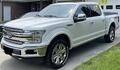
Super Moderator


Joined: Oct 2005
Posts: 24,308
Likes: 42
From: SW Virginia
Hey guys.
Just a quick note here. If you go to the top of the page in the blue banner, just to the left of the "log out", there is a title that says "Go Premium!". If you click on that, it will take you to the page to sign up for Supporter status. On that page, it tells you what each level of membership allows you to do with regard to attachments, photos, etc. Unfortunately, standard membership doesn't allow you to post attachments.
Just thought I'd clear up the attachment question.
Just a quick note here. If you go to the top of the page in the blue banner, just to the left of the "log out", there is a title that says "Go Premium!". If you click on that, it will take you to the page to sign up for Supporter status. On that page, it tells you what each level of membership allows you to do with regard to attachments, photos, etc. Unfortunately, standard membership doesn't allow you to post attachments.
Just thought I'd clear up the attachment question.
Hotshot
Joined: Sep 2010
Posts: 10,459
Likes: 10
From: RVA
Create an album here.
Go to your "User CP"
Pictures & Albums
Add Album
upload the pics you want, then copy the "BB code" into your current post. The BB Code is found beneath the pic when you're looking at that particular pic in your album.
Go to your "User CP"
Pictures & Albums
Add Album
upload the pics you want, then copy the "BB code" into your current post. The BB Code is found beneath the pic when you're looking at that particular pic in your album.


Resident smarta$$
Joined: Aug 2006
Posts: 4,929
Likes: 9
From: Oaks,PA
Hey guys.
Just a quick note here. If you go to the top of the page in the blue banner, just to the left of the "log out", there is a title that says "Go Premium!". If you click on that, it will take you to the page to sign up for Supporter status. On that page, it tells you what each level of membership allows you to do with regard to attachments, photos, etc. Unfortunately, standard membership doesn't allow you to post attachments.
Just thought I'd clear up the attachment question.
Just a quick note here. If you go to the top of the page in the blue banner, just to the left of the "log out", there is a title that says "Go Premium!". If you click on that, it will take you to the page to sign up for Supporter status. On that page, it tells you what each level of membership allows you to do with regard to attachments, photos, etc. Unfortunately, standard membership doesn't allow you to post attachments.
Just thought I'd clear up the attachment question.
 Congrads on the new rig and welcome to the "Top" of the Forum