When you click on links to various merchants on this site and make a purchase, this can result in this site earning a commission. Affiliate programs and affiliations include, but are not limited to, the eBay Partner Network.
If you post more than one photo and make comments, there is a space between the photo and the comment but the comment sits directly above the next photo making it look like it is for the wrong photo. There is a work around but it is a pain. I think the new changes will really cut back on the posts here. Please fix it!!
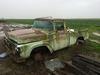
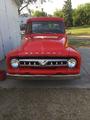
This comment is attached to the front passenger corner shot. (My next project by the way....)
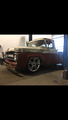
This comment is attached to the driver's side view.
If you post more than one photo and make comments, there is a space between the photo and the comment but the comment sits directly above the next photo making it look like it is for the wrong photo. There is a work around but it is a pain. I think the new changes will really cut back on the posts here. Please fix it!!
This comment is attached to the front passenger corner shot. (My next project by the way....)
This comment is attached to the driver's side view.
It works by always typing what you want to be read, then put a space between the words and the photo. If you post the photo first and they type it will show up like in that post.
I write my main post and then I click on the photo icon on the toolbar to add photos. It uploads the photos and under each photo is a text box area where you can make comments for the photos. The issue is when the comments are posted in the post it looks like they’re attached to the wrong picture. I go back and delete the space before the comment and add a space after the comment. I was trying to see if the admin could change the coding to put a space after the comment instead of before the comment.
This Hennessey Takes the Expedition Tremor's Off-Roading Capability to the Next Level
Slideshow: The VelociRaptor Expedition gains a lift, upgraded suspension, Brembo brakes, and trail-ready equipment while retaining the stock 440-horsepower EcoBoost V6.
Rezvani's Latest Post-Apocalyptic Monster Is a Ford F-150 Raptor Underneath
Slideshow: Called the Fortress, the 850-horsepower pickup combines Raptor underpinnings with military-inspired features, survival equipment, and a starting price of $285,000.