When you click on links to various merchants on this site and make a purchase, this can result in this site earning a commission. Affiliate programs and affiliations include, but are not limited to, the eBay Partner Network.
My first suspicions revolve around video output of the user's device - resolutions & drivers & settings & whatnot - and not an incompatibility with any software vendor's products per se.
My first suspicions revolve around video output of the user's device - resolutions & drivers & settings & whatnot - and not an incompatibility with any software vendor's products per se.
Not sure I follow. Can't adjust the video on an iPad or iPhone.
Today's update: I spent a lot of time on it today (all day, actually) and have, I think, the first page done in the "interactive illustrations". So I need you to PLEASE check it out. And, to make that easy I've attached the latest file, so just download it and you won't have to go to my web site.
Also, I found an omission in the catalog - they didn't include the Tinnerman nuts for the top bolts that hold the fender to the body. They did include the nut for the bottom bolt, but if you were looking for what the nut is at the top you'd be stuck. Here's part of the page without the nuts:
And here's part of the page with nuts added, as well as links:
Anyway, please take a look. I believe, as I said, the first page is done as I have links for every fastener as well as pictures and sources for most. (Whew! That was a lot more work than I thought it would be.) Oh yes, don't try the links on the 2nd or 3rd pages as I didn't work on those pages today and they may, or may not, work.
EDIT: The file has been removed since the web site turns out to be the best way to view it.
Good! And thanks for letting me know. But, I'm trying to figure out what it works on and what it doesn't. So, you are on iOS 7.1.1, but what app are you using to view it? Safari? Adobe Acrobat? ??
Here's what I've documented so far:
Windows 7:
Foxit PhantomPDF V7.2.2.929: Everything works well, but then that's how I created the file, so....
Adobe Reader XI: Works, although some of the boxes don't show on the initial load, but the links work
iPhone 6 running iOS 8.1.3:
Google Chrome: Boxes are scattered ***** nilly and the links don't work - in spite of it showing the right link, but it ignores the "Open" button when I push it.
DocumentsToGo: No boxes and no links
Foxit PDF: Boxes are where they should be and the links work. However, I get a "Warning: The operation couldn't be completed. (NSURLErrorDomain error -999)". But, it opens the link nonetheless, although it opens it in the Foxit PDF app.
iBooks: The links appear to work if you click on the #, but the boxes are scattered ***** nilly
Safari: The links don't show nor work.
iPad running iOS 8.3
Adobe Acrobat: Works very well. Boxes are where they should be and most of the links work. However, some don't and I need to check to see if there's something wrong with them by comparing to a Windows machine.
Safari: The links don't show nor work.
iBooks: The links appear to work if you click on the #, but the boxes are scattered ***** nilly
Foxit PDF: Boxes are where they should be and most of the links work. However, I get a "Warning: The operation couldn't be completed. (NSURLErrorDomain error -999)". But, it opens the link nonetheless, although it opens it in the Foxit PDF app. And, Page 2 has a black background so is not usable.
DocumentsToGo: No boxes and no links
I believe I have the front clip fully documented as every fastener on the 4 pages in the document have links and pictures. In fact, there are 34 different fasteners documented and probably over 50 instances of them. All include pictures or at least drawings as well as descriptions, and almost all have sources for them.
But, I think I'll hang up my keyboard until I get more input from y'all. The main reason for that is the problems I'm seeing on mobile devices. From what I've heard at this point it only works on about 1/4 of the mobile devices. So, I sure don't want to go further with this if it isn't going to function properly for the vast majority of us.
Here's what I need:
Test:
Boxes: Check that the blue boxes load where they should, which means that they closely outline the part numbers.
Links: Check several of the links to prove that they work for you.
Device: I need to know what device, operating system, and application you are running:
Device: Windows, Android, iOS, etc and version
Application: Are you viewing it through a browser and, if so, which one? Or, if you are viewing it via some application like Adobe Reader, Foxit, etc then I need to know which one and the level thereof.
Anyway, here's the latest file, although you can also find it on my web site. Please, PRETTY PLEASE, check this out ASAP. I'm fairly sure if I set this to the side for very long I'll not get back to it. Thanks in advance.
My eyes are too bad to try and read those pdf's on my phone.
I can say that on my Samsung Galaxy Note 10.1 tablet (2014 edition) running Lollipop 5.0.2 OS and using Samsung "internet" browser that your notations do not appear in Polaris viewer -at all- but using the native PDF viewer the hyperlinks work fine and your descriptive pages open fine.
If I get some more time to noodle around I will try Firefox and Chrome browsers.
I'm not sure if you had looked at the file before, but I cropped each page to get the maximum screen utilization - among other reasons. That should help the eyes when using the small screens.
I pulled this up on my phone which is an Android running 5.1.1. It downloaded the file and opened in Adobe Reader. I was able to access most but not all of the hyperlinks. The ones that didn't prompt to open a webpage gave me an option to edit the field.
Also opened in a Firefox browser on a Windows 7 system and everything seems to be working.
Gary, I just looked at it on my iPad and do not see the downloadable PDF on it, of course the mobile site I generally don't use much. I have IOS 9.1 on it. I am not even going to try it on my phone yet. The "latest file" does not even show up. Once I went to your web site it did, and following your notes seems to work quite well. One issue, the blue boxes do not seem to line up with the numbers when viewed on the iPad, they do on the PC. PC is running Windows 10 Pro 64 bit and I am using Google Chrome to view the links.
It even works using my Verizon Damn SLow internet (still waiting on Neubeam).
Chris - Thanks! I wonder if there is something different about how I saved those links/boxes. Could you tell me a couple that gave you the option to edit them?
Bill - Thanks also. Interesting that the file doesn't show. Glad I gave you the link to the web site. But, you are seeing what I'm seeing on the blue boxes on mobile devices. Bummer!
All - I was premature when I thought I was done. I'd forgotten the page on the grille. But, I've worked it late this afternoon and am almost through. However, I need some help. As I was working that page on the grille I realized that Ford calls for two different screws holding the grille on. But, I have only one type of screw on Rusty. So, it is possible that I have the wrong ones, and I'd like to clear that up.
So, if you think your grille is held on with the right screws, please go take a look. You shouldn't have to take any of the screws out, but just look at the heads.
All of my screws are the one at the top of this pic:
But, the parts catalog says some of them should be like this one:
Thanks, Bill. That's exactly what Rusty has. I've disassembled so many of these trucks it is possible that I pulled the wrong screws when I put his front end back together. But, I doubt it as I bagged and tagged everything, so it should have been the same screws going back in.
Thanks. Hopefully others will confirm this and I'll mark up the drawing to reflect that.
Rezvani's Latest Post-Apocalyptic Monster Is a Ford F-150 Raptor Underneath
Slideshow: Called the Fortress, the 850-horsepower pickup combines Raptor underpinnings with military-inspired features, survival equipment, and a starting price of $285,000.





 That should help the eyes when using the small screens.
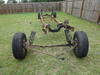

 But, I've worked it late this afternoon and am almost through. However, I need some help. As I was working that page on the grille I realized that Ford calls for two different screws holding the grille on. But, I have only one type of screw on Rusty. So, it is possible that I have the wrong ones, and I'd like to clear that up.

