


Probably not worth the $$
Thread Starter
|
Senior User
Joined: Jan 2006
Posts: 340
Likes: 2
From: Colorado foot hills
Probably not worth the $$
Okay, getting ready for camping, travel, etc so decided to upgrade the maps and software in the ol' FMC SYNC/NAV system. $217 and a couple of days later, CDROM upgrades in hand.
Easy to install, upgrade the s/w first then upgrade the maps and Gracenote. Painfully slow process, took over 3 hours! Good thing these diesels have dual batteries! Not even sure what Gracenote does other than recognize music CDROMs for cover art or ????
All my radio and Sirius settings were remembered as well as all of my saved locations. Seems pretty good.
Well, now for the disappointment. Several roads in my area that have been in existence for over 2 years still do not show up on the map display. Hmmm, really wondering what was updated... In all honesty, I cannot for the life of me find one thing that is improved. Maybe they added maps for those areas were my NAV is always telling me: 'entering unknown area, proceed with caution'.
Lucky for me, my Android smart phone has Google maps built in, is constantly upgraded for free and for navigation is really easier to use and works much better that the FMC/Clarion junk that I spent mucho dineros on!
Ahhh, live and learn. Won't be wasting another $200 on this!!
jammer
Easy to install, upgrade the s/w first then upgrade the maps and Gracenote. Painfully slow process, took over 3 hours! Good thing these diesels have dual batteries! Not even sure what Gracenote does other than recognize music CDROMs for cover art or ????
All my radio and Sirius settings were remembered as well as all of my saved locations. Seems pretty good.
Well, now for the disappointment. Several roads in my area that have been in existence for over 2 years still do not show up on the map display. Hmmm, really wondering what was updated... In all honesty, I cannot for the life of me find one thing that is improved. Maybe they added maps for those areas were my NAV is always telling me: 'entering unknown area, proceed with caution'.
Lucky for me, my Android smart phone has Google maps built in, is constantly upgraded for free and for navigation is really easier to use and works much better that the FMC/Clarion junk that I spent mucho dineros on!
Ahhh, live and learn. Won't be wasting another $200 on this!!
jammer

Lead Driver


Joined: Nov 2005
Posts: 8,477
Likes: 4,972
It takes a LOOOOOOOOOONNNNNNNGGGGGG time for new roads or changes to be added to updates for nav software.
My nav software asks if I want to update all the time, I just click "NO" and go on. Maybe update at 5 years or even 10 to get any real amount of updates.
My nav software asks if I want to update all the time, I just click "NO" and go on. Maybe update at 5 years or even 10 to get any real amount of updates.
Post Fiend
Joined: Jan 2009
Posts: 6,521
Likes: 11
From: Greenwood, SC

I like the factory nav with the way it works, displays, and functions in general.
But, I use my iPhone maps too and usually use them together to find my way. I've found that running this way allows me to see newer roads and take routes I prefer.
There's still no substitute to just looking at a map, but having two sources really helps.
I've become attaches to the app "waze" as well. Pretty good notification system for hazards, police, and traffic problems.
But, I use my iPhone maps too and usually use them together to find my way. I've found that running this way allows me to see newer roads and take routes I prefer.
There's still no substitute to just looking at a map, but having two sources really helps.
I've become attaches to the app "waze" as well. Pretty good notification system for hazards, police, and traffic problems.
Post Fiend
Joined: Oct 2002
Posts: 11,314
Likes: 4
I HATE the nav - Ford should be ashamed !
Ours shows us two or three blocks off where we really are - makes it worse than unusable...
actually makes it dangerous in a new area and it's telling you to turn left to get back on the interstate when you are ALREADY on the 10 lane interstate
If you look at the pic following, it shows us on the LEFT side of the George Bush Turnpike going the wrong way --- and wants us to follow the green line even though we are going the correct way !
We still mount the OLD Garmin 5000 on the dash when we need good directions !
Ours shows us two or three blocks off where we really are - makes it worse than unusable...
actually makes it dangerous in a new area and it's telling you to turn left to get back on the interstate when you are ALREADY on the 10 lane interstate
If you look at the pic following, it shows us on the LEFT side of the George Bush Turnpike going the wrong way --- and wants us to follow the green line even though we are going the correct way !
We still mount the OLD Garmin 5000 on the dash when we need good directions !

Fleet Mechanic


Joined: Mar 2013
Posts: 1,729
Likes: 80
From: New Jersey
No experiences here with the factory nav. However, since I own my cell phone and pay for a data plan, I use it. Google Maps does a pretty good routing job when you need to get somewhere. It is not perfect but better than looking at the map, figuring the route, or looking it up on map quest and printing out directions. The funny thing about the GPS, I have one and never use it because of the phone.
When I worked for a large telecommunications firm, I used paper maps. I had all of northern NJ in paper. My co workers would try to get me to use a GPS. I would tell them that in the areas we would visit, I am not leaving my window down or the GPS in the window only to have it stolen. Chances are the would be thief would see the map and move on.
When I worked for a large telecommunications firm, I used paper maps. I had all of northern NJ in paper. My co workers would try to get me to use a GPS. I would tell them that in the areas we would visit, I am not leaving my window down or the GPS in the window only to have it stolen. Chances are the would be thief would see the map and move on.

Hotshot


Joined: Nov 2000
Posts: 11,591
Likes: 14
From: Pflugerville, tx

I like the factory nav with the way it works, displays, and functions in general.
But, I use my iPhone maps too and usually use them together to find my way. I've found that running this way allows me to see newer roads and take routes I prefer.
There's still no substitute to just looking at a map, but having two sources really helps.
I've become attaches to the app "waze" as well. Pretty good notification system for hazards, police, and traffic problems.
But, I use my iPhone maps too and usually use them together to find my way. I've found that running this way allows me to see newer roads and take routes I prefer.
There's still no substitute to just looking at a map, but having two sources really helps.
I've become attaches to the app "waze" as well. Pretty good notification system for hazards, police, and traffic problems.
I was on a 4 month assignment in Raleigh, and the highway was blocked by an accident, so I decide to use side streets, got off at the next exit.
hadn't gone this way, so started up Waze and thing it asked 'Are you on your way to work'?
it also learns if u take shortcuts, and modifies its normal routing to match what you do.
Trending Topics
Hotshot
Joined: Nov 2000
Posts: 11,591
Likes: 14
From: Pflugerville, tx
I HATE the nav - Ford should be ashamed !
Ours shows us two or three blocks off where we really are - makes it worse than unusable...
actually makes it dangerous in a new area and it's telling you to turn left to get back on the interstate when you are ALREADY on the 10 lane interstate
If you look at the pic following, it shows us on the LEFT side of the George Bush Turnpike going the wrong way --- and wants us to follow the green line even though we are going the correct way !
We still mount the OLD Garmin 5000 on the dash when we need good directions !
Ours shows us two or three blocks off where we really are - makes it worse than unusable...
actually makes it dangerous in a new area and it's telling you to turn left to get back on the interstate when you are ALREADY on the 10 lane interstate
If you look at the pic following, it shows us on the LEFT side of the George Bush Turnpike going the wrong way --- and wants us to follow the green line even though we are going the correct way !
We still mount the OLD Garmin 5000 on the dash when we need good directions !
FTE Stories
Ford Trucks for Ford Truck Enthusiasts

Top 10 Fords at 2026 Carlisle Ford Nationals
Joe Kucinski
3 Best / 3 Worst Parts of Modern Ford Ownership
Brett Foote
10 Amazing Upgrades That Solve Common Ford Truck Owner Headaches
Pouria Savadkouei
Every 2026 Ford Engine Explained
Brett Foote
10 Ugly Ford Trucks That We Still Kinda Love
Joe Kucinski
10 Things Every Truck Owner NEEDS (2026 Edition)
Michael S. Palmer
Rezvani's Latest Post-Apocalyptic Monster Is a Ford F-150 Raptor Underneath
Verdad Gallardo
Top 10 Most Expensive Ford Trucks Ever Sold on Bring a Trailer
Joe Kucinski
2027 Ford Super Duty Buyer's Guide (Every Model, Engine, & Package)
Brett Foote
Post Fiend
Joined: Jan 2009
Posts: 6,521
Likes: 11
From: Greenwood, SC
I've taken to Waze as well. community driven notification, and it prompts u everytime you get an alert to confirm if the issue is still present. anyone can input an alert at any time.
I was on a 4 month assignment in Raleigh, and the highway was blocked by an accident, so I decide to use side streets, got off at the next exit.
hadn't gone this way, so started up Waze and thing it asked 'Are you on your way to work'?
it also learns if u take shortcuts, and modifies its normal routing to match what you do.
I was on a 4 month assignment in Raleigh, and the highway was blocked by an accident, so I decide to use side streets, got off at the next exit.
hadn't gone this way, so started up Waze and thing it asked 'Are you on your way to work'?
it also learns if u take shortcuts, and modifies its normal routing to match what you do.

Lead Driver
Joined: Dec 2013
Posts: 9,762
Likes: 115
I have had too many issue with the NAV not knowing where I was in the Ford. My 2011 is the first Ford I had with factory NAV. Now my wife had horrible issues in her GMC Terrain and they ended changing the entire radio out and it was much better. (Of course, they tried reflashing it and changing the antenna first)
Not to get too technical, but part of the problem is your GPS does have an error in them. Usually this is around 13-20 feet. Some GPS devices will let you see this amount. How it knows how far off it is, but can't compensate for it I'll never understand. Some areas to compensate for this have land based reference points (WAAS) and the truck will also use the compass and speed sensor.
Having said all of that, I love the built in NAV and always will - BUT I still have my phone with me just in case and find that the phone maps are more up to date. I especially like the doppler radar and fuel prices in the truck, it is easier to use than the phone and in areas where you cannot even talk while driving the truck one won't get you pulled over as easily.
Not to get too technical, but part of the problem is your GPS does have an error in them. Usually this is around 13-20 feet. Some GPS devices will let you see this amount. How it knows how far off it is, but can't compensate for it I'll never understand. Some areas to compensate for this have land based reference points (WAAS) and the truck will also use the compass and speed sensor.
Having said all of that, I love the built in NAV and always will - BUT I still have my phone with me just in case and find that the phone maps are more up to date. I especially like the doppler radar and fuel prices in the truck, it is easier to use than the phone and in areas where you cannot even talk while driving the truck one won't get you pulled over as easily.
Hotshot
Joined: Nov 2000
Posts: 11,591
Likes: 14
From: Pflugerville, tx
I'm currently in the camper at a KOA in luray, va. Yesterday and today we drove the kiddos into DC to see the sights and waze has shown me all the traffic concerns I needed to see. I love it, police, hazards, construction all with advance warning. While I don't speed, I do appreciate knowing where patrols are because of all the idiots that slam on brakes when they see an LOI. It's dangerous in heavy traffic.

FTE Leadership Emeritus
Joined: May 2004
Posts: 18,787
Likes: 30
From: Melbourne, Aus
To be honest, use a Garmin that allows external maps (most do), then just use OpenStreetMap
Free updates, forever. I have used the maps to take me most of the way around the world.
I also like using Waze on my phone for traffic updates.
Free updates, forever. I have used the maps to take me most of the way around the world.
I also like using Waze on my phone for traffic updates.
Super Moderator


Joined: Aug 2008
Posts: 37,384
Likes: 1,868
From: Frederick, MD
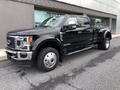
Well I do something entirely different. I use the nav software in the truck for just general driving or small towing. Stuff that I don't worry about and getting boxed in.
For towing the 5th wheel I have a Rand McNally RV GPS. Works well at keeping off those side streets and roads that can't hold the weight or propane.
For towing the 5th wheel I have a Rand McNally RV GPS. Works well at keeping off those side streets and roads that can't hold the weight or propane.

Fleet Mechanic
Joined: Oct 2006
Posts: 1,522
Likes: 5
From: Las Vegas
I have to second the android phone. Google maps is frequently updated. The downside is it uses data, so I only use it for short trips in town. For highway I use my tomtom. You can also download apps that store the maps on your phone locally, so you don't have to use data to navigate. I just don't use them because my phone doesn't have much storage.