




cab
Logistics Pro
Joined: Nov 2003
Posts: 4,371
Likes: 7
From: PA
Some great progress you have going on there nice work on the cab I to like the method you used for the cab lift I been wondering how ill be getting my 64 cab off the ground by myself since I usually always do all my work myself unless a buddy stops by. Then I usually ask for a favor while your here can you give me a hand with.....

Posting Guru

Joined: Jan 2000
Posts: 2,281
Likes: 4
From: colbert washington
My steering gear box and column are out of the truck and wont go back on till the cab is back on. Its not that hard to drop those to get the cab on and off. Just saying. It makes it easier to deal with getting the cab off.
Logistics Pro
Joined: Nov 2003
Posts: 4,371
Likes: 7
From: PA
Yea that's what I did when I took my 64's cab off my frame dropped the steering box and column then me and a buddy slid the cab off the back of the frame and onto a bed I had laying behind it. Whfn i sold the bed It took 4 of us to lift it off the bed and onto the ground.
Thread Starter
|
Logistics Pro


Joined: Mar 2012
Posts: 4,392
Likes: 44
From: placer county usa?
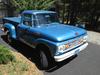
Viking blue is the color hope to get it on before may
Just put two days working on grille it's ready for primer
Then sanding on feather fill that's on the cab
Bill do you think I should mock up fenders and front clip then sand
Or just get started
HAy bill how's that 390 coming along?
Roy
Just put two days working on grille it's ready for primer
Then sanding on feather fill that's on the cab
Bill do you think I should mock up fenders and front clip then sand
Or just get started
HAy bill how's that 390 coming along?
Roy

Elder User
Joined: Mar 2005
Posts: 549
Likes: 0
From: chicago burbs
Nice work. It is neat to see what people do with what they have at hand.
Blue sounds good don't see that as much.
Blue sounds good don't see that as much.
FTE Stories
Ford Trucks for Ford Truck Enthusiasts

3 Best / 3 Worst Parts of Modern Ford Ownership
Brett Foote
10 Amazing Upgrades That Solve Common Ford Truck Owner Headaches
Pouria Savadkouei
Every 2026 Ford Engine Explained
Brett Foote
10 Ugly Ford Trucks That We Still Kinda Love
Joe Kucinski
10 Things Every Truck Owner NEEDS (2026 Edition)
Michael S. Palmer
Rezvani's Latest Post-Apocalyptic Monster Is a Ford F-150 Raptor Underneath
Verdad Gallardo
Top 10 Most Expensive Ford Trucks Ever Sold on Bring a Trailer
Joe Kucinski
2027 Ford Super Duty Buyer's Guide (Every Model, Engine, & Package)
Brett Foote
Top 10 Ford Truck Tragedies
Joe Kucinski


Lead Driver

Joined: Oct 2004
Posts: 8,062
Likes: 35
From: Central Oregon
Originally Posted by 76f350spercamprspeal
Welcome to FTE, Best Damn Forum EVER!
------------------------
Here's How to Post Pictures:
1. Login to FTE.
2.Click User CP (In the Top Left Hand Corner)
3.(On the Left, There will be a list, The 5th Option Down, will say "Pictures & Albums) Click That.
4.Then, Click Add Album, Enter a title, and description, if ya want to.
5. Click Upload Pictures, Then click Browse, Locate the Files of your truck. (You can add 3 files at a time)
5. Click Upload.
6. Add a description to the individual pictures, then click save.
7. Add more files if ya want.
8. Click The Picture you want to post, it will give you two codes at the bottom, Right Click The Second one (It say's BB Code, Then Say's [IMG]http:blahblahblah...[/IMG])
Then, Once that is highlighted, Right Click, Then Copy, Then Paste it into your post.
You can add up to 30 Images in one FTE Post.
If, Ya need any help, Don't hesitate to ask.

Fleet Owner
Joined: Jun 1999
Posts: 24,552
Likes: 74
From: Creedmoor, North Carolina

