Posting pics in a thread
Thread Starter
|
Cargo Master
Joined: Oct 2010
Posts: 2,674
Likes: 16
From: Ideeho
Posting pics in a thread
How do I put pics in a thread post? Or is that option just for paying members? I'd like to start a build thread on what Ive done on my truck but cant figure out how to get the pics on..........
Moderator & parts slinger


Joined: Feb 2007
Posts: 50,240
Likes: 5,811
From: S/W Missouri, Polk county

User CP has FAQ
Click on bottom of page (go advanced), scroll down to (manage attachments), a pop up window will allow you to up load 3 pics at a time, the less detail the faster it will load.
Might have to resize them to get them to up load, or......
Here's How to Post Pictures:
1. Login to FTE.
2.Click User CP (In the Top Left Hand Corner)
3.(On the Left, There will be a list, The 5th Option Down, will say "Pictures & Albums) Click That.
4.Then, Click Add Album, Enter a title, and description, if ya want to.
5. Click Upload Pictures, Then click Browse, Locate the Files of your truck. (You can add 3 files at a time)
5. Click Upload.
6. Add a description to the individual pictures, then click save.
7. Add more files if ya want.
8. Click The Picture you want to post, it will give you two codes at the bottom, Right Click The Second one (It say's BB Code, Then Say's [IMG]http:blahblahblah...[/IMG])
Then, Once that is highlighted, Right Click, Then Copy, Then Paste it into your post.
You can add up to 30 Images in one FTE Post.
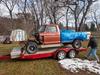
I use the simple to me 3 pics only way, have a better day then this Ford owner did, ouch.
Might have to resize them to get them to up load, or......
Here's How to Post Pictures:
1. Login to FTE.
2.Click User CP (In the Top Left Hand Corner)
3.(On the Left, There will be a list, The 5th Option Down, will say "Pictures & Albums) Click That.
4.Then, Click Add Album, Enter a title, and description, if ya want to.
5. Click Upload Pictures, Then click Browse, Locate the Files of your truck. (You can add 3 files at a time)
5. Click Upload.
6. Add a description to the individual pictures, then click save.
7. Add more files if ya want.
8. Click The Picture you want to post, it will give you two codes at the bottom, Right Click The Second one (It say's BB Code, Then Say's [IMG]http:blahblahblah...[/IMG])
Then, Once that is highlighted, Right Click, Then Copy, Then Paste it into your post.
You can add up to 30 Images in one FTE Post.
I use the simple to me 3 pics only way, have a better day then this Ford owner did, ouch.
Thread Starter
|
Cargo Master
Joined: Oct 2010
Posts: 2,674
Likes: 16
From: Ideeho
Click on bottom of page (go advanced), scroll down to (manage attachments), a pop up window will allow you to up load 3 pics at a time, the less detail the faster it will load.
Might have to resize them to get them to up load, or......
Here's How to Post Pictures:
1. Login to FTE.
2.Click User CP (In the Top Left Hand Corner)
3.(On the Left, There will be a list, The 5th Option Down, will say "Pictures & Albums) Click That.
4.Then, Click Add Album, Enter a title, and description, if ya want to.
5. Click Upload Pictures, Then click Browse, Locate the Files of your truck. (You can add 3 files at a time)
5. Click Upload.
6. Add a description to the individual pictures, then click save.
7. Add more files if ya want.
8. Click The Picture you want to post, it will give you two codes at the bottom, Right Click The Second one (It say's BB Code, Then Say's [IMG]http:blahblahblah...[/IMG])
Then, Once that is highlighted, Right Click, Then Copy, Then Paste it into your post.
You can add up to 30 Images in one FTE Post.
I use the simple to me 3 pics only way, have a better day then this Ford owner did, ouch.
Might have to resize them to get them to up load, or......
Here's How to Post Pictures:
1. Login to FTE.
2.Click User CP (In the Top Left Hand Corner)
3.(On the Left, There will be a list, The 5th Option Down, will say "Pictures & Albums) Click That.
4.Then, Click Add Album, Enter a title, and description, if ya want to.
5. Click Upload Pictures, Then click Browse, Locate the Files of your truck. (You can add 3 files at a time)
5. Click Upload.
6. Add a description to the individual pictures, then click save.
7. Add more files if ya want.
8. Click The Picture you want to post, it will give you two codes at the bottom, Right Click The Second one (It say's BB Code, Then Say's [IMG]http:blahblahblah...[/IMG])
Then, Once that is highlighted, Right Click, Then Copy, Then Paste it into your post.
You can add up to 30 Images in one FTE Post.
I use the simple to me 3 pics only way, have a better day then this Ford owner did, ouch.
Tuned
Joined: Jul 2009
Posts: 432
Likes: 0
From: Lowell, MI
Wow man, you are killin my good mood by posting all the trashed dents! Hope nobody was hurt in those catastrophes.....
Trending Topics
Moderator & parts slinger
Joined: Feb 2007
Posts: 50,240
Likes: 5,811
From: S/W Missouri, Polk county
Not for the faint of heart pics
Just a painful reminder to drive safe and smart and watch out for the other guy.
And do your vehicle maintenance, brakes, e-brake, steering.
The first one was caused by a X-gf she hit my buddy head on intentionally.
And do your vehicle maintenance, brakes, e-brake, steering.
The first one was caused by a X-gf she hit my buddy head on intentionally.
FTE Stories
Ford Trucks for Ford Truck Enthusiasts

3 Best / 3 Worst Parts of Modern Ford Ownership
Brett Foote
10 Amazing Upgrades That Solve Common Ford Truck Owner Headaches
Pouria Savadkouei
Every 2026 Ford Engine Explained
Brett Foote
10 Ugly Ford Trucks That We Still Kinda Love
Joe Kucinski
10 Things Every Truck Owner NEEDS (2026 Edition)
Michael S. Palmer
Rezvani's Latest Post-Apocalyptic Monster Is a Ford F-150 Raptor Underneath
Verdad Gallardo
Top 10 Most Expensive Ford Trucks Ever Sold on Bring a Trailer
Joe Kucinski
2027 Ford Super Duty Buyer's Guide (Every Model, Engine, & Package)
Brett Foote
Top 10 Ford Truck Tragedies
Joe Kucinski
Thread Starter
|
Cargo Master
Joined: Oct 2010
Posts: 2,674
Likes: 16
From: Ideeho
I notice you said "ex" girlfriend.....................Is she still alive? Did you kill her or did the accicent?????? And if she died in the accident, I sincerely apologize............
Moderator & parts slinger
Joined: Feb 2007
Posts: 50,240
Likes: 5,811
From: S/W Missouri, Polk county
Pay the $60 for 3 years get the t shirt and sticker and enjoy the site with out all the PU BS.
Of course this is all IMO, cause I have already spent my money.
Of course this is all IMO, cause I have already spent my money.